How to Choose Venice and Amsterdam Canals Bathed in Soft Sunrise Light for a Clean Desktop Setup
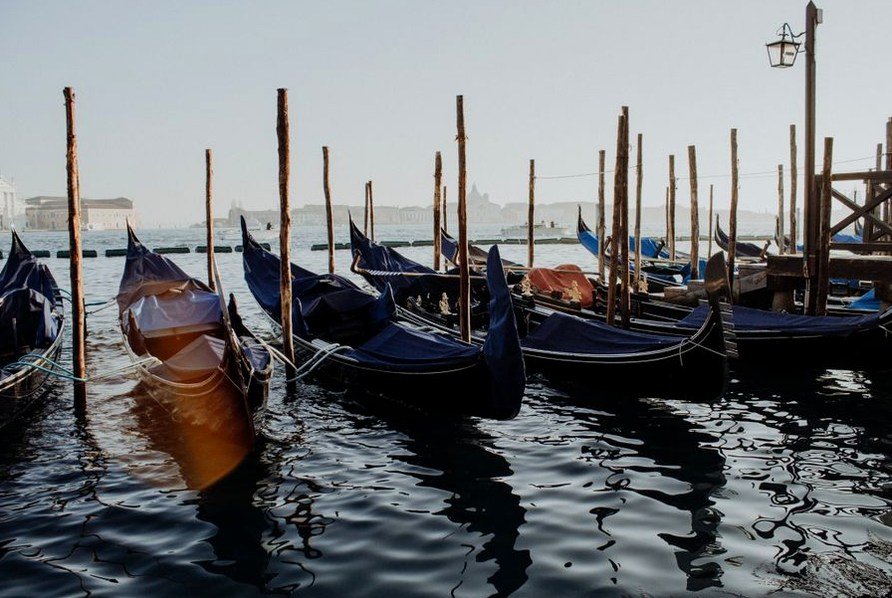
How to Choose Venice and Amsterdam Canals Bathed in Soft Sunrise Light for a Clean Desktop Setup
Choose a Venice or Amsterdam canal wallpaper by checking resolution, crop, light balance, and licensing before downloading. The city wallpaper catalog lists free desktop images in 3840x2400 resolution, which suits large monitors and reduces visible pixelation. For a clean setup, select a scene with open water, restrained color, and enough empty space behind desktop icons.
Start with the screen and image size
A 3840x2400 file gives you a large working canvas for a desktop background. It can fit a high-resolution monitor with room for cropping, but the final appearance still depends on your display ratio and operating system settings.
Check whether your monitor uses a 16:10, 16:9, or ultrawide layout. A 16:10 screen can show more of a 3840x2400 image without aggressive cropping. On a wider display, the system may trim the top and bottom or stretch the scene, which can cut off rooftops, bridges, or canal reflections.
Use the original download rather than a preview image. A compressed preview may look acceptable in a browser but appear soft when enlarged across a desktop monitor.
Choose sunrise light that supports a tidy desktop
Soft sunrise light works best when the bright area stays away from the icon field. If your icons sit on the left, choose a composition with calm water or a darker facade in that area. The brighter sky can remain on the opposite side, where it creates atmosphere without reducing text contrast.
Venice scenes often contain narrow facades, boats, and strong vertical lines. Amsterdam scenes may include broader canal views, bridges, bicycles, and repeated window patterns. For a clean desktop, avoid a frame where every part has equal visual weight. Dense detail behind folders makes labels harder to scan.
Muted blue, gray, beige, and warm gold tones usually work better than highly saturated colors. They keep the wallpaper present without competing with application windows.
Review the download page before using the image
The city wallpaper category is the practical place to compare available compositions and confirm the listed file size before downloading. You can browse it through How to Choose Venice and Amsterdam Canals Bathed in Soft Sunrise Light for a Clean Desktop Setup, then inspect each image at its full preview size.
Wallpapers4screen.com identifies its city wallpapers as free desktop downloads and lists 3840x2400 files. That supports personal desktop selection, but the supplied catalog information does not state commercial-use rights, attribution rules, redistribution terms, or ownership of the underlying photography and artwork.
Read the license text on the individual page before using an image for a company display, public website, product packaging, or paid design work. If no license appears, contact the site before publishing the image outside a personal desktop.
Contract and payment checks before downloading
The available information describes a free download service, not a paid wallpaper contract. No subscription fee, payment schedule, refund policy, insurance clause, or service-level guarantee is provided, so a seller should not promise those terms without a separate written agreement.
- Confirm that the download page states the image is free and identify whether that applies to personal desktop use only.
- Check whether attribution is required and keep a copy of the license wording for your records.
- Look for restrictions on editing, resale, reposting, or including the image in another product.
- Verify that the downloaded file is the listed 3840x2400 version rather than a small preview.
- Save the page URL and download date if the image will remain on a shared office computer.
These checks reduce the risk of using a free wallpaper in a way the page does not authorize. They also clarify what you are receiving before any payment request appears.
A practical selection scenario
Suppose your monitor displays desktop icons on the left and uses a 16:10 layout. Compare two sunrise canal images at 3840x2400. Choose the frame with open water and low-contrast buildings on the left, even if the second image has a more dramatic bridge.
The quieter composition will keep folder names readable throughout the workday. Set the operating system to fill the screen without stretching, then check the crop at the monitor’s native resolution. If the canal edge disappears or the sunrise moves behind icons, test the fit or center setting before rejecting the image.
FAQ about canal wallpapers
Is 3840x2400 enough for a desktop wallpaper?
It is a large desktop format suitable for high-resolution displays. Check your monitor ratio because wide screens may crop part of the image.
Are Venice and Amsterdam images guaranteed to appear in the catalog?
The supplied catalog information confirms city wallpapers but does not confirm a specific Venice or Amsterdam listing. Check the current category and individual page before choosing.
Can I use a free wallpaper commercially?
Do not assume that free desktop access includes commercial rights. Review the individual license or request written permission from the site.
What should I check before downloading?
Verify the resolution, crop, color balance, download terms, and any limits on editing or redistribution. For a paid request, obtain those terms in writing before payment.
- Reference: https://wallpapers4screen.com/
Write a comment