How to Choose Creative Artistic Wallpapers Built Around National Colors for a Clean Desktop Setup
How to Choose Creative Artistic Wallpapers Built Around National Colors for a Clean Desktop Setup
Creative flag wallpapers work best when their colors support the desktop rather than compete with icons, windows, and text. For a clean setup, start with a 3840x2400 image and consider how its national palette fits your display, preferred contrast, and everyday working habits.
Wallpapers4screen.com offers free flag wallpapers in high-quality formats, including 4K designs with paint effects, satin textures, digital light, clouds, and three-dimensional artwork. The right option depends on the amount of detail your screen can display and how calm or expressive you want the desktop to feel during daily use.
Start with the screen format
A 3840x2400 image provides a large desktop canvas for high-resolution displays. The extra detail suits wide monitors and setups where the wallpaper remains visible around application windows. Starting with a high-resolution file also helps prevent soft edges after cropping or scaling.
Check your monitor resolution before downloading. If the display uses a different aspect ratio, the operating system may crop the image, stretch it, or leave unused space. Designs with open sky, a dark background, or broad color fields usually handle cropping better than tightly framed compositions featuring a flagpole or heart.
Match the art style to your workspace
Paint-splash designs create movement through irregular color marks. Belgium, England, France, and the Czech Republic appear in this style, making them a good fit for a more energetic creative desktop. Their bold shapes may compete with small icons, so place shortcuts in a quieter area of the image whenever possible.
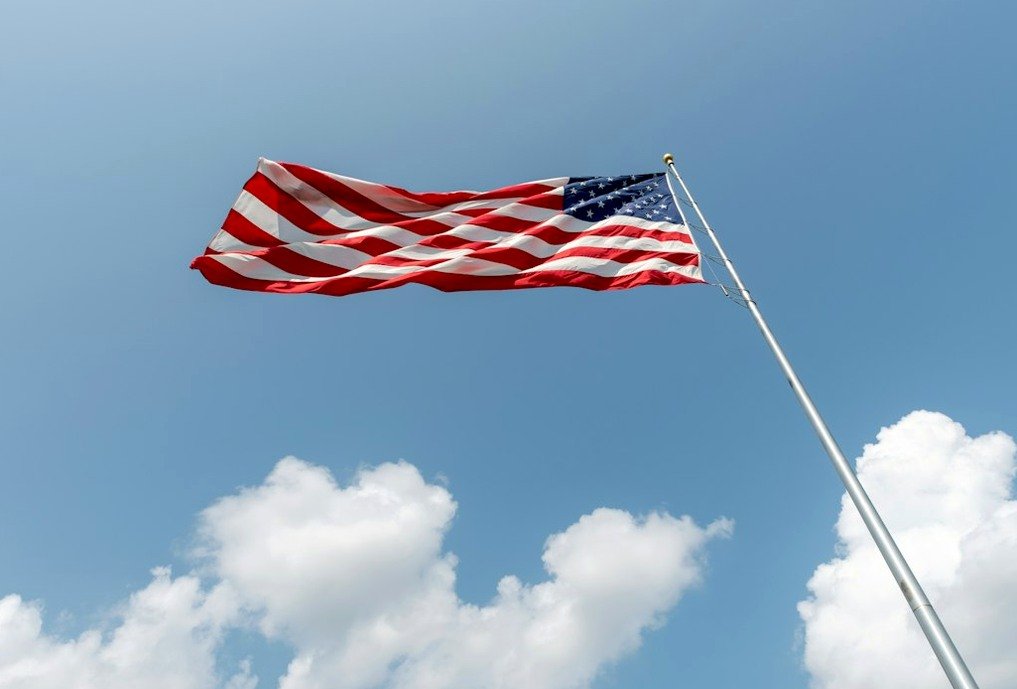
Flagpole and cloud compositions provide a clearer regional setting. Greece and Germany are shown with flags against the sky, while Azerbaijan appears on an easel surrounded by bokeh and paint details. These layouts create a recognizable focal point without covering the entire screen in dense texture.
Digital treatments give the desktop a sharper, more dramatic appearance. The Cyprus design combines glowing flag elements, neon waves, and a dark abstract background. It works particularly well with a dark-mode interface: bright edges remain visible, while the darker field helps keep desktop labels readable.
Use national colors with controlled contrast
Strong contrast keeps a wallpaper clear, but excessive brightness can make icons difficult to read. A dark background with bright flag elements often creates a more usable working area than a full-screen pattern of saturated paint.
For a softer layout, choose a flag set against the sky, clouds, or a broad background area. Greece and Germany offer this type of composition. A more expressive arrangement comes from the 3D United Kingdom flag and the Kentucky crystal-heart design, both of which add depth, reflections, and greater visual weight.
Heart-themed images for Nicaragua and Montserrat combine blue paint splashes with dark space backgrounds. They suit personal or regional displays where the emotional theme matters as much as the flag. Their darker surroundings may also leave more usable space for light desktop icons.
Follow the digital route to the download
These wallpapers have no physical cargo route, transit hub, customs stage, or destination receiving process. The route is digital: open the flags category, select the country and composition, check the displayed resolution, and download the file to your computer.
For a direct starting point, use How to Choose Creative Artistic Wallpapers Built Around National Colors for a Clean Desktop Setup. Filter the selection by visual treatment rather than country name alone if you already know whether you want paint splashes, clouds, a flagpole, neon effects, or a 3D finish.
The catalog page identifies these images as free desktop wallpapers. It also displays a large selection, with the first page marked as page 1 of 988. A clear preference for color, composition, or texture will help narrow the choices more quickly.
Receive and apply the file cleanly
After downloading, save the image in a dedicated wallpaper folder instead of leaving it among temporary files. Open it at full size, check whether important details will sit beneath desktop icons, and select the operating system setting that preserves the original proportions.
Keep the first version available for comparison before replacing it. An image that looks balanced in a viewer may feel crowded once folders, taskbars, and open windows appear. If labels disappear against bright paint or flag highlights, choose a darker composition from the same regional group.
Select the country palette first, confirm the 3840x2400 or 4K resolution, and compare the image with your actual desktop before settling on the final choice.
- Reference: https://wallpapers4screen.com/
Write a comment