How to Choose Optical Illusions and Hypnotic Spiral Patterns for a Clean Desktop Setup
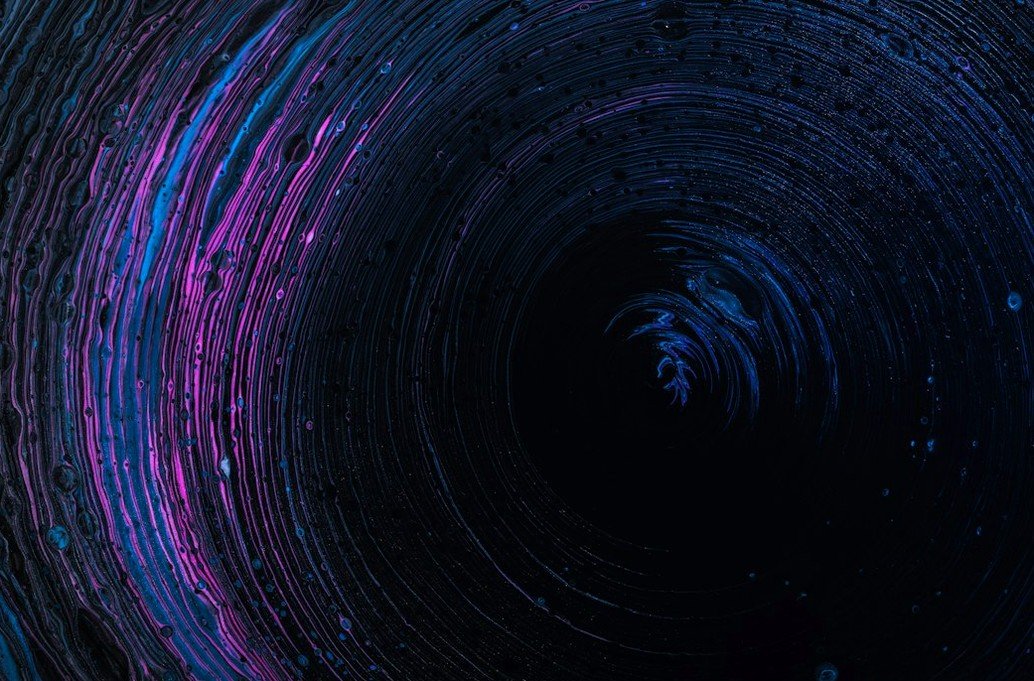
How to Choose Optical Illusions and Hypnotic Spiral Patterns for a Clean Desktop Setup
Pick a spiral or illusion wallpaper by checking three things in order: resolution against your panel, where the pattern’s focal point lands, and how dark the area behind your icons is. On Wallpapers4screen.com the abstract category lists its images at 3840x2400 and offers them as free downloads, so the cost of a wrong pick is time. That time adds up when you download, apply, squint, and start over five times in a row.
Step 1. Match the file to your screen before you browse
Open your display settings and write down the native resolution. A 3840x2400 file has a 16:10 shape, so it fits a 16:10 laptop panel edge to edge. On a 16:9 4K monitor at 3840x2160, fill mode trims 240 pixels of height, about 120 from the top and 120 from the bottom.
That trim matters for spirals more than for any other pattern. A vortex with its center pushed toward the top edge loses part of its outer rings, and the illusion of depth flattens. Ultrawide owners lose far more: on a 3440x1440 panel, fill mode cuts roughly a third of the image height. For those screens, choose patterns that repeat evenly, such as cubes or fragmented geometric shapes, because they survive heavy cropping.
Step 2. Decide where your eyes rest
Hypnotic patterns pull attention toward one point. If that point sits under your icon column or behind a widget, you get visual noise exactly where you read file names. Look at the thumbnail and locate the center of the spiral first.
A centered vortex works when your icons live in a dock or a single side column. The colorful 3D vortex with a wooden spiral in the catalog is this type: strong center, calmer edges. If your desktop holds scattered shortcuts, an all-over illusion is the better choice, and the 3D cubes patterns or metal geometric shapes spread the depth effect evenly.
Step 3. Filter by background tone
The abstract section runs to 169 pages, so scrolling without a filter wastes an evening. The catalog page for how to choose optical illusions and hypnotic spiral patterns for a clean desktop setup tags each image with keywords, and those tags do the sorting for you. Search the tag lines for “black abstract background” or “dark 3D background” if you want white icon labels to stay readable.
Dark-based images also keep a setup looking tidy, because the pattern reads as light on empty space. The neon rays on a black background and the blue ice waves on black both follow this logic. Rainbow 3D backgrounds are louder, so they suit desktops with almost nothing on them.
Step 4. Verify the download before you commit
Three objections come up with free wallpaper sites, and each has a quick check.
- Worried the file is smaller than the listing says? Open its properties after download and confirm the dimensions read 3840x2400.
- Concerned about motion discomfort from a high-contrast spiral? Apply it, then work for twenty minutes with a document open beside it. If your eyes drift or tire, switch to a lower-contrast wave gradient.
- Planning to use the image in a stream overlay, a video, or client work? Free download for a personal desktop does not settle commercial rights. Use the Feedback link on Wallpapers4screen.com and ask before publishing.
The last check is the one people skip, and it is the only one with a real financial risk. Swapping a wallpaper takes a minute, but pulling a published video takes far longer.
Step 5. Test it with your real layout
Set the wallpaper, then open the two or three windows you use daily at their usual sizes. Check the gaps between them. A good illusion pattern looks intentional in those gaps, while a poor one shows a random slice of color.
Try both fit modes once. “Fill” keeps the screen covered and crops the edges. “Fit” keeps the whole spiral and adds bars on mismatched screens, which rarely looks clean.
Checklist before you download and apply
- Native resolution and aspect ratio of your monitor are written down.
- The spiral’s center sits away from your icons, dock, and widgets.
- Tags on the image mention a dark or black background if you use light icon labels.
- File properties confirm 3840x2400 after the download finishes.
- A twenty-minute work session passed without eye strain.
- Any use beyond your own desktop has been cleared through the site’s Feedback form.
With your resolution noted, open the first page of the abstract category, pick two candidates, one centered vortex and one all-over cube pattern, and run both through steps 4 and 5 today.
- Reference: https://wallpapers4screen.com/
Write a comment