How to Choose Minimalist Developer and Designer Mantras for Daily Focus for a Clean Desktop Setup
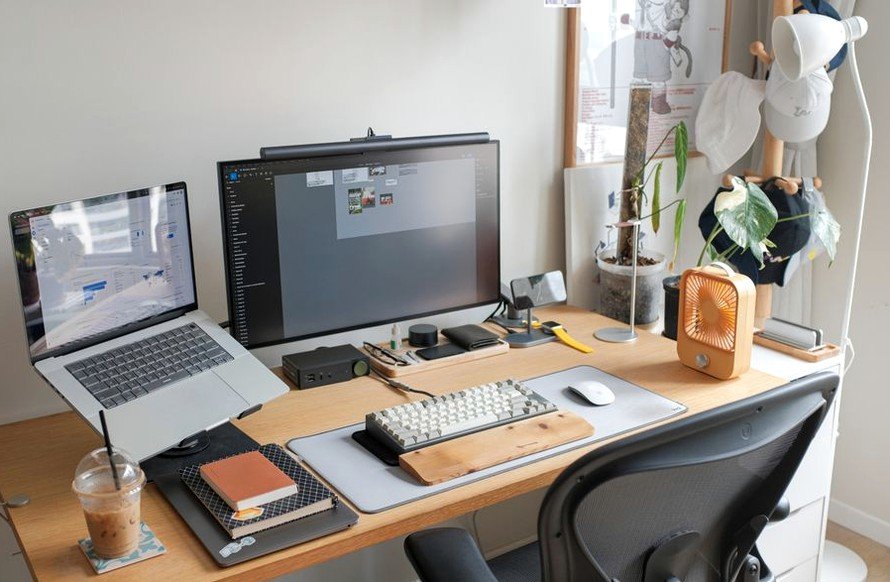
How to Choose Minimalist Developer and Designer Mantras for Daily Focus for a Clean Desktop Setup
A cluttered workspace drains cognitive energy, yet visual clutter on a digital screen often goes unnoticed until focus breaks down. Setting up a clean monitor background with a single motivational phrase anchors attention during long coding or design sessions. Selecting the right phrase transforms a standard high-resolution background into a functional productivity anchor that keeps daily execution sharp.
Evaluating Text Clarity and Screen Composition
When selecting a visual anchor for your primary workspace, typography must remain legible against your chosen palette. Backgrounds featuring high-contrast 3D plush icons or minimalist typographic layouts ensure that text never blends into abstract design elements. A clean aesthetic relies on uncluttered negative space so the eye reads the core message instantly without straining past unnecessary background noise.
Resolution consistency prevents text distortion across ultra-wide monitors. Files offered in 3840x2400 resolution provide the sharpness required for modern retina displays and multi-monitor workstations. Selecting a properly formatted backdrop prevents pixelation around letter edges, maintaining clean lines that complement a professional developer environment.
Matching Mantras to Daily Workflow Needs
Different development phases require distinct psychological cues. High-intensity debugging sessions benefit from resolute messaging, while routine tasks run smoothly with steady positive reinforcement. Wallpapers4screen.com provides curated visual options designed to match these specific psychological states without overwhelming your desktop icons.
- Select energizing phrases for morning startup routines to transition immediately into deep work blocks.
- Choose minimalist yellow or neutral backdrops when your workflow demands hours of color-accurate UI layout work.
- Incorporate resilient fitness or problem-solving motifs during complex architectural sprints to sustain high endurance.
- Rotate motivational backgrounds weekly to prevent visual fatigue and maintain fresh cognitive engagement with your daily tools.
Sourcing High-Resolution Assets Safely
Acquiring clean digital assets requires careful attention to file integrity and visual noise levels. Free desktop wallpaper collections often bundle compressed images that degrade typography quality. Opting for verified galleries ensures clean downloads without disruptive watermarks or hidden script injections that compromise your machine’s security.
Explore How to Choose Minimalist Developer and Designer Mantras for Daily Focus for a Clean Desktop Setup to browse standardized high-definition files optimized specifically for modern widescreen developer setups. Securing properly scaled imagery prevents manual scaling distortions and keeps your desktop arrangement organized.
Pre-Application Desktop Checklist
- Verify your monitor resolution settings match the downloaded image dimensions before applying the background.
- Clear desktop shortcut clutter to ensure the motivational text remains fully visible and unobstructed.
- Adjust operating system taskbar transparency settings to maximize negative space around the central graphic.
- Test the chosen color palette against your primary integrated development environment theme to avoid visual clashing.
- Reference: https://wallpapers4screen.com/
Write a comment