Top Desktop Backgrounds in Drinks Atmospheric Craft Bar Scenes with Warm Moody Reflections in Ultra
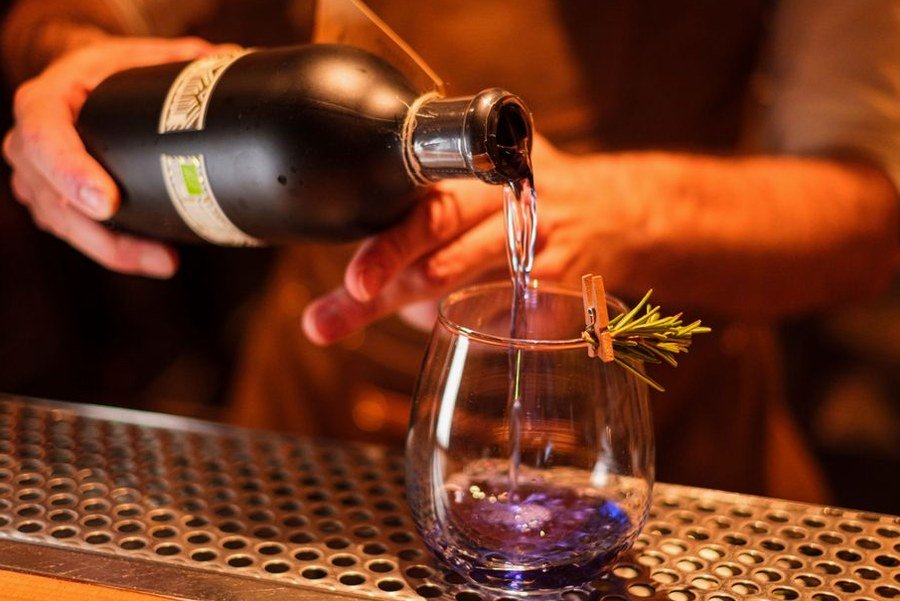
Top Desktop Backgrounds in Drinks: Atmospheric Craft Bar Scenes with Warm Moody Reflections in Ultra HD
For a warm, moody desktop, choose a drink wallpaper with a dark background, soft bokeh, visible glass reflections, and enough empty space for icons. The Drinks collection offers free desktop images at 3840x2400, including cocktail scenes with Grasshopper drinks, Mojitos, mint, lime, ice, coffee beans, and subdued nightlife lighting.
A thoughtful selection process helps avoid a common problem: an image looks appealing on its own but becomes cluttered once folders and shortcuts appear over it. Use the steps below to evaluate composition, resolution, atmosphere, and file details before applying a wallpaper.
- Define the mood before browsing
Begin with the lighting you want to see every day. A dark Grasshopper cocktail on a black background creates a restrained bar atmosphere. A Mojito with mint, lime, and ice gives the screen a cooler, fresher character.
For warm reflections, look for golden highlights, sunset tones, blurred lights, or a nightclub setting. The collection also includes resort, spa, beach, and minimalist compositions, each suited to a different visual preference. A beach scene feels open and bright, while a black-background cocktail keeps the desktop quieter and more focused.
Choose one preference before opening the gallery: dark bar, soft nightlife bokeh, sunset drink, or clean minimal cocktail. A clear starting point reduces browsing time and makes comparisons easier.
- Filter the gallery by composition
The first page contains several Grasshopper and Mojito variations. Compare the background treatment instead of choosing by drink name alone, since similar cocktails can appear in very different layouts with different props and lighting.
- A black background creates strong contrast around the glass and works well when desktop icons need to remain easy to read.
- Nightclub bokeh adds atmosphere, although bright spots may compete with folder names.
- Minimalist compositions leave more visual breathing room and suit busy work screens.
- Close-up Mojito images emphasize mint, lime, and ice. They add texture but can make the desktop feel more active.
- Sunset and resort scenes bring in warmer color. Their brighter areas require a quick check for icon visibility.
Test a likely image behind a temporary folder layout before choosing it. If labels disappear over the glass, mint leaves, or bright reflections, select a composition with darker negative space.
- Verify the technical file details
Check the listed resolution for every candidate before downloading. The Drinks page identifies these wallpapers as 3840x2400, a large format suited to desktop displays and useful when the operating system crops the image to fit.
A small preview does not provide enough information on its own. Open the image page, confirm the resolution, and make sure the selected thumbnail matches the full-size file. This prevents an incorrect download when several similar Grasshopper or Mojito images appear beside one another.
A 3840x2400 image uses a 16:10 ratio. On a monitor with a different shape, the system may crop the top, bottom, or sides. Preview the image with the operating system’s fill, fit, and stretch options, then keep the setting that preserves the glass and the main reflections.
- Match the scene to your desktop layout
The focal point should stay clear of dense icon groups. If shortcuts occupy the left side, choose an image with the cocktail positioned toward the center or right. If icons sit on the right, reverse that preference.
Grasshopper images with one or two glasses create a clean focal point. Versions with three glasses, coffee beans, or extra mint leaves contain more detail and may work better on a mostly empty desktop. Each additional prop competes with text labels and notification panels.
To maintain a warm craft-bar appearance, test the image at normal desktop brightness. A preview may look rich and dramatic in the browser but become too dark after the operating system applies its display settings. Check both the glass highlights and the shadow areas before keeping the file.
- Use the collection page efficiently
The Drinks category spans 21 pages, while the first page already includes several relevant dark cocktail and bokeh compositions. Start there, note the image title or subject, and continue to later pages only if the first selection does not suit your screen.
You can browse the full category through Top Desktop Backgrounds in Drinks: Atmospheric Craft Bar Scenes with Warm Moody Reflections in Ultra HD. Keep the category open while comparing candidates, since similar images may differ in background color, drink placement, or the amount of visible blur.
Save shortlisted files with descriptive names such as «grasshopper-black-background» or «mojito-mint-bokeh». Clear filenames make it easier to identify the correct image later, especially when several downloads have generic names.
- Check the final image before applying it
Open the downloaded file at full size and inspect its edges. Look for unwanted cropping around the rim of the glass, mint leaves, lime slices, or reflected lights. These details often disappear when a wallpaper is set to fill the screen.
Place a few sample icons over the image and check their readability. Folder names should remain clear, the taskbar should not cover the main subject, and the brightest reflections should not sit directly behind text. If the image fails this test, changing the wallpaper mode may solve the problem without requiring another download.
The source page describes the wallpapers as free desktop downloads and identifies the collection as © Wallpapers4screen.com 2026 year. Keep the page attribution and usage information in mind if the image will appear outside a personal desktop, such as in a presentation, video, or commercial design.
Checklist before payment or download
- Confirm that the image belongs to the Drinks category and matches the selected cocktail scene.
- Verify the listed 3840x2400 resolution on the image page.
- Check whether the composition leaves enough dark space for desktop icons.
- Preview the crop using your monitor’s actual wallpaper setting.
- Compare the full-size image with the thumbnail before saving it.
- Review the page’s free-download and attribution information before using the image commercially.
After these checks, download the selected file, apply the crop that preserves the glass and reflections, and keep the original image name for easy replacement later.
- Reference: https://wallpapers4screen.com/
Write a comment