How to Choose High Energy Festival Stages with Laser Beams and Crowd Silhouettes for a Clean
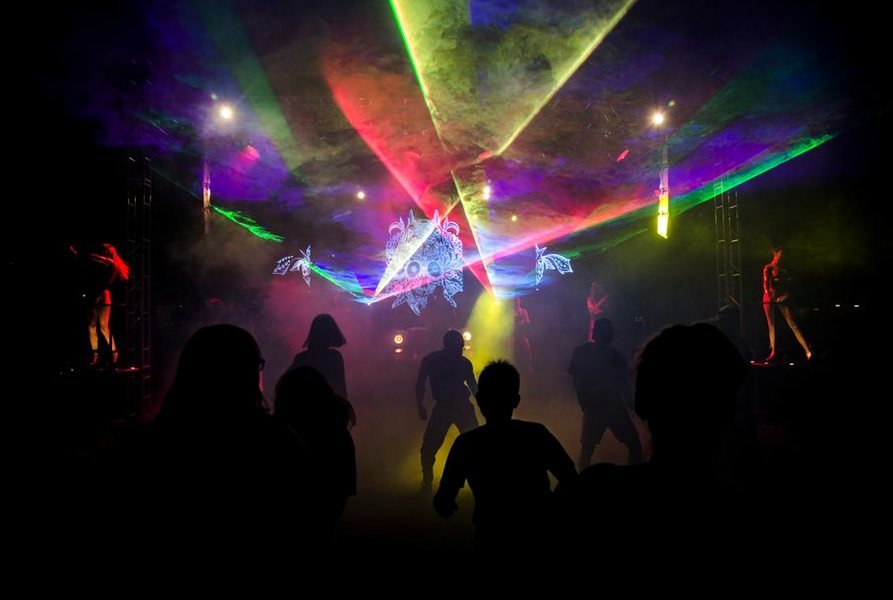
How to Choose High-Energy Festival Stages with Laser Beams and Crowd Silhouettes for a Clean Desktop Setup
Choose the Wallpaper Before Planning the Setup
A high-energy festival wallpaper looks best when its brightest effects stay clear of your icons. For a tidy desktop, choose a 4K image with a strong stage, neon beams, or a DJ console positioned away from the center-left area where shortcuts usually collect.
Wallpapers4screen lists music images at 3840x2400, providing enough detail for large monitors and other high-resolution displays. This size can also reduce visible pixelation when the image fills the screen. The final appearance still depends on your monitor’s aspect ratio and scaling settings.
Match Laser Effects to Icon Placement
Laser beams and neon rays add movement, but intense light behind text can make folders and shortcuts harder to read. Look for compositions with darker blue, black, or red areas around the expected icon field. The brightest stage elements can then remain on the opposite side of the screen.
The listed Marshmello wallpapers cover several visual directions, including retrowave art, blue neon lighting, colorful abstract backgrounds, and DJ console scenes. A blue abstract design can give the desktop a cooler, more restrained appearance. A red music background creates stronger contrast, but it may compete with white icon labels.
Descriptions that mention colorful neon rays can suggest a concert atmosphere, but the source listing does not confirm a visible crowd silhouette in every file. If the audience outline matters to your design, inspect the preview before downloading. That check can prevent you from selecting a dramatic stage image without the foreground shape you wanted.
Use Regional Details Correctly
These wallpapers are digital downloads, so regional delivery does not involve trucks, transit hubs, customs clearance, or destination cargo receiving. The route runs online from the wallpaper page to your computer. As a result, there are no freight delays or shipping charges to recalculate.
The available listing also provides no stated physical delivery fee, delivery window, insurance condition, or cargo handoff procedure. Users in any region should check page access, download completion, and file compatibility instead of looking for a regional warehouse or local carrier.
For the relevant collection, open How to Choose High-Energy Festival Stages with Laser Beams and Crowd Silhouettes for a Clean Desktop Setup and compare each preview’s composition before saving a file. The page identifies music wallpapers by resolution and visual subject, making the selection more practical than browsing generic desktop backgrounds.
Compare Visual Styles by Desktop Risk
- A concert image with a microphone can create a strong focal point, but a large face or performer may cover application windows on a smaller display.
- Marshmello artwork with a DJ console fits a festival theme and keeps the subject recognizable. Abstract neon backgrounds generally leave more quiet space for desktop icons.
- The Weeknd images include concert scenes, red backgrounds, and colorful neon treatments. Darker concert compositions may keep icon labels more readable than evenly bright artwork.
- Black-and-white 3D artwork can look cleaner than saturated neon, although it may offer less of the laser-and-stage energy associated with the target style.
Check the File Before Setting It
Download the preview that separates the stage most clearly from the icon area, then test it at your actual screen resolution. A 3840x2400 file may crop on a widescreen monitor, so inspect the desktop after applying the image rather than judging the preview alone.
Keep the original file until the layout looks right. If cropping removes important beams, the performer, or the audience area, try another composition from the same music category. Stretching the image through the operating system may distort those elements without solving the layout problem.
What the Download Process Includes
The listing presents free desktop wallpaper downloads and identifies image subjects, styles, and resolutions. It does not state a paid service package, physical shipment, delivery guarantee, insurance coverage, accounting invoice, or commercial-use license.
The page describes the wallpapers as free, while separate software, display hardware, or image-use permissions require their own checks. A delayed download is an access or connection issue, not a delayed cargo route, and there is no shipment liability to calculate.
Before selecting the final background, open the music category, judge each option by composition rather than artist alone, and confirm that the preview contains the stage, laser effect, and crowd silhouette you want. The right image should preserve the festival atmosphere without making your icons difficult to read.
- Reference: https://wallpapers4screen.com/
Write a comment