How to Choose Expressive Domestic Cats and Playful Kittens in Natural Light for a Clean Desktop
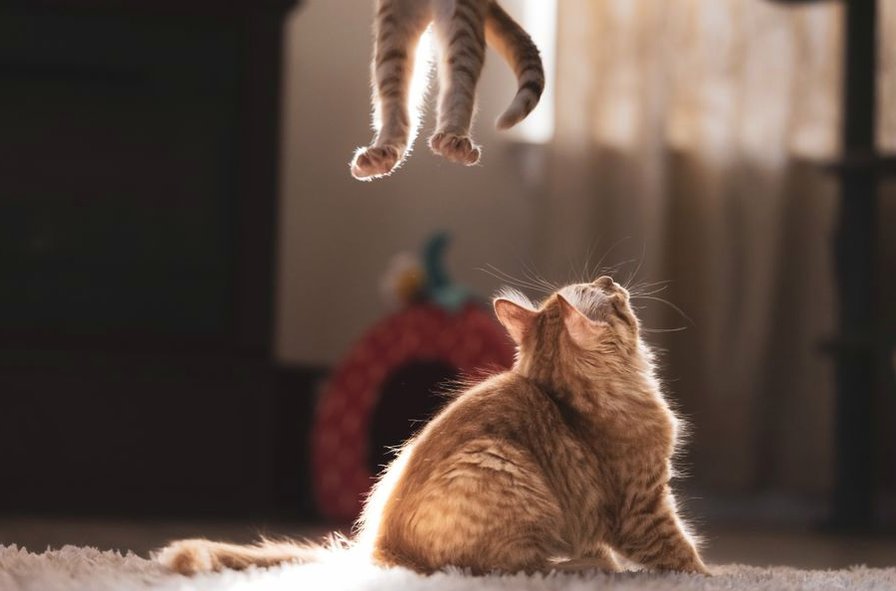
How to Choose Expressive Domestic Cats and Playful Kittens in Natural Light for a Clean Desktop Setup
Start by checking whether the image matches the brief
Before downloading a wallpaper, confirm that the animal is clearly visible, the lighting looks natural, and the composition leaves quiet space for desktop icons. The listed Wallpapers4screen animal catalog offers free desktop downloads and includes 3840x2400 images. However, the supplied catalog entries show dogs rather than domestic cats or kittens.
This distinction should be settled first. A dog image does not meet a cat-focused brief, even if its resolution works well for a large monitor. Review the title, preview, subject tags, and visible animal before choosing a file.
Use resolution as the first technical filter
A 3840x2400 image provides enough pixels for a sharp desktop background on compatible displays. The extra resolution also gives you room to crop the image if the cat sits too close to an edge or the desktop dock covers part of the frame.
Resolution alone does not establish that an image will work well. A high-resolution photograph may still have a busy background that makes icons hard to read. View the preview at full size and inspect the area where your folders, shortcuts, or taskbar usually appear.
Verify natural-looking light before downloading
Good natural light reveals the cat’s eyes, whiskers, and fur texture without harsh glare. Look for previews with soft window light, even outdoor illumination, or gentle side lighting. Avoid images in which the face disappears into deep shadow or bright highlights remove important detail.
For expressive domestic cats, the eyes should remain the main visual focus. A direct gaze gives the desktop image more presence, while a relaxed side profile creates a quieter background. Playful kittens can work especially well when their movement is captured clearly, but blurred paws or a cluttered room may become distracting during everyday work.
Check the composition around desktop icons
Keep the cat away from the busiest icon area whenever possible. If your icons sit along the left side, look for a preview with open, low-contrast space in that area and place the face toward the opposite side of the frame.
Clean backgrounds make repeated desktop tasks easier on the eyes. Plain walls, soft bedding, muted floors, and lightly blurred interiors generally work better than patterned furniture, bright toys, or crowded shelves. The kitten can still look expressive without occupying every part of the image.
For a focused search, begin with the animal category: How to Choose Expressive Domestic Cats and Playful Kittens in Natural Light for a Clean Desktop Setup. Check the actual thumbnail and title on the page, since the supplied catalog sample identifies dog wallpapers such as Toy Poodle, Labrador Retriever, and Keeshond images.
Complete the verification before downloading
Open the image page instead of relying on a search snippet. Confirm that the subject is a domestic cat or kitten, the preview matches the description, and the listed dimensions suit your monitor.
The catalog describes free animal wallpaper downloads, so no purchase price or payment process is supplied here. If another page requests payment, review its terms separately. Do not assume that a free catalog entry carries the same conditions.
- Confirm that the image shows a cat or kitten, not another animal.
- Check that the eyes and fur remain visible in the preview.
- Look for natural-looking light without blown highlights.
- Inspect the empty space behind the expected desktop icons.
- Verify the displayed dimensions before saving the file.
- Compare the downloaded file with the preview after opening it.
If a suitable cat image is missing from the visible results, continue searching the category rather than substituting a dog wallpaper. This verification process helps prevent a mismatched download and gives you a cleaner desktop from the first setup.
- Reference: https://wallpapers4screen.com/
Write a comment