Top Desktop Backgrounds in Ships Heavy Icebreakers Carving Channels Through Frozen Polar Waters in
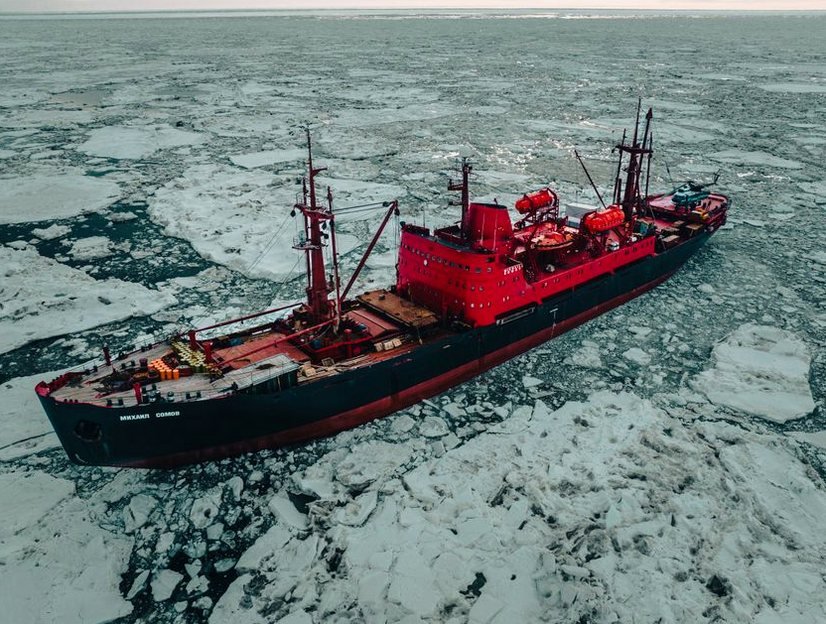
Top Desktop Backgrounds in Ships: Heavy Icebreakers Carving Channels Through Frozen Polar Waters in Ultra HD
What the ships wallpaper page actually offers
The ships category is a practical place to find large desktop backgrounds, with several files listed at 3840×2400, 2880×1800, 2560×1600, and 1920×1200. The catalog does not list a heavy icebreaker carving through polar ice, so that exact scene should not be presented as a confirmed download.
The closest match is a high-resolution maritime image with a strong vessel silhouette, open water, or an elevated sea view. Those traits suit a polar-ship theme because they give a desktop display enough visual scale, even when the description never names an icebreaker.
How to compare resolutions for different screens
Match the resolution to the display, not to the wallpaper title. A 3840×2400 image has the largest pixel canvas in the collection, which makes it the safer pick for a large monitor, where cropping can otherwise cut off the bow, wake, or horizon.
- A 1920×1200 background fits older widescreen monitors and smaller office displays. It is a sensible single-file choice when the screen uses that exact proportion.
- Many mid-size widescreen displays are well served by the 2560×1600 option, which leaves more room for cropping than 1920×1200 while keeping the selection practical.
- When a laptop or monitor needs a sharper image than standard desktop resolution, a 2880×1800 file works well. The extra pixels preserve detail around the ship and the surrounding water.
- For a high-resolution desktop, the 3840×2400 version is the strongest match, and it gives more flexibility if the operating system crops the image to fit.
These dimensions describe image quality, not download weight. The page lists pixel dimensions but gives no file sizes, compression settings, or download-time guarantees. A single image is therefore easier to plan for than a batch, and a multi-image collection calls for a connection and storage check before downloading.
Which image style works for a polar desktop theme
Aerial sea views produce the most usable composition for an icebreaker-inspired workspace. A top-down image gives the desktop a clear center and leaves open water around the vessel, so icons stay easier to see than they would against a crowded naval deck.
An evening or sunset scene has stronger contrast, but its darker areas can hide desktop labels. On a work computer a bright sea image usually does better, because folders and shortcuts remain visible across the background.
The catalog includes several military and naval vessels: USS Gerald R. Ford at 3840×2400, JS Izumo at 3840×2400, JS Maya at 3840×2400, and a boat-at-sea image at 3840×2400. All of them are documented on the page, and none is an icebreaker. Their resolutions make them useful for comparing framing and sharpness, but the vessel type should still match the theme you have in mind.
Single download or a larger image batch
One file is the better option when the goal is a clean desktop background for one computer. Choose the resolution that matches the display and inspect the composition. Avoid downloading several unrelated warship images, which may leave you with inconsistent colors and cropping.
A batch makes more sense for a shared office, a rotating wallpaper folder, or several screens with different dimensions. A 1920×1200 image can serve an older monitor, for example, while a 3840×2400 image covers a larger high-resolution display. Mixing those files without checking aspect ratios may cause uneven cropping across devices.
Suppose a design team needs backgrounds for three screens: one at 1920×1200, one at 2560×1600, and one at 3840×2400. A practical batch would use one listed image at each matching resolution instead of forcing the largest file onto every screen. File sizes are not stated, so the team should check each download before estimating storage or transfer time.
Where to find the available ships backgrounds
All of the listed ship images sit together on the category page, which makes it easier to compare resolutions before choosing a file. You can review the available options here: Top Desktop Backgrounds in Ships: Heavy Icebreakers Carving Channels Through Frozen Polar Waters in Ultra HD.
Read the page description carefully. It advertises free desktop downloads and high-quality HD pictures, but it does not confirm that every image is Ultra HD or that every ship belongs to the icebreaker class. Check the individual listing, resolution, and visible composition before using an image for a specific polar-water concept.
A practical selection process
- Measure or confirm the target screen resolution before downloading.
- Choose a matching image size, giving preference to 2880×1800 or 3840×2400 for larger displays.
- Check whether the ship remains visible after the operating system crops the image.
- Use a single image for one desktop and build a mixed-resolution batch only for several screens.
- Confirm that the individual picture shows the vessel style you need, since the catalog does not verify a heavy icebreaker scene.
For a genuine wallpaper of a heavy icebreaker cutting through frozen polar water, the safest next step is to search the category for a matching vessel description and confirm the image before downloading. If no such listing appears, choose a documented high-resolution maritime image and do not label it as an icebreaker.
- Reference: https://wallpapers4screen.com/
Write a comment