How to Choose Floating 3D Spheres and Levitating Crystal Shapes for a Clean Desktop Setup
How to Choose Floating 3D Spheres and Levitating Crystal Shapes for a Clean Desktop Setup
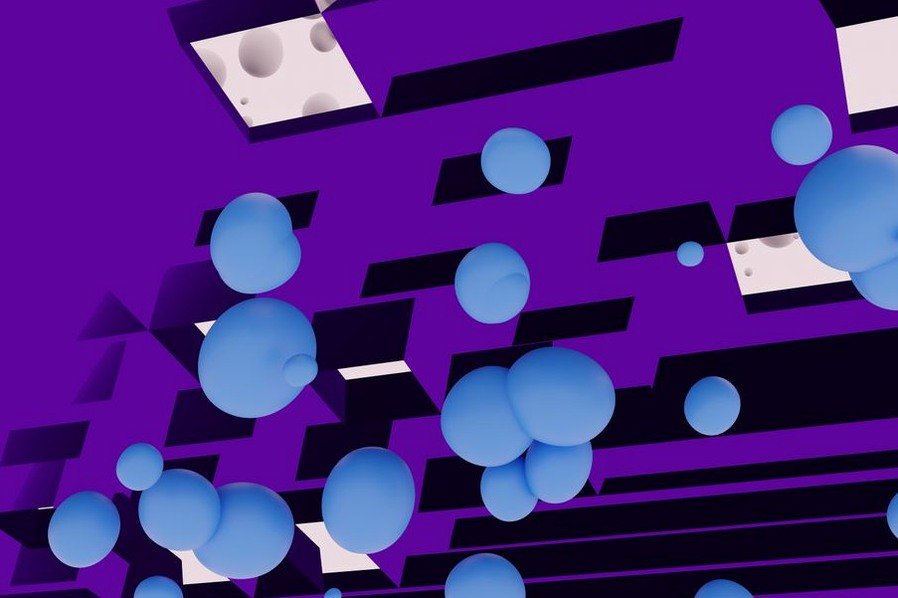
For a clean desktop setup, start by treating floating spheres and levitating crystal shapes as visual themes rather than physical products. The available 3D graphics are desktop wallpapers, including images listed at 3840x2400 resolution, so the main buying risk is confusing a downloadable background with a shipped decor item.
A careful choice protects your time, device storage, and visual consistency. Before downloading, check the image resolution, confirm that the design fits your monitor, and keep a clear record of the page where you obtained the file.
Decide Whether You Need a Wallpaper or Physical Decor
The source material describes free 3D graphics wallpapers for desktop use. It does not list floating hardware, magnetic stands, crystal sculptures, prices, shipping terms, insurance, or cargo contracts.
That distinction matters for first-time buyers. A digital sphere or crystal-style image carries no delivery risk because no parcel moves between seller and customer. A physical levitating object would require separate checks for packaging, electrical components, magnet alignment, breakage liability, return conditions, and delivery insurance. Those guarantees are not provided for the wallpaper catalog, so they should not be assumed.
If your goal is a clean desktop appearance, the wallpaper route removes several common purchase errors. You do not need to estimate box dimensions, arrange freight, or accept the risk of damaged glass. You only need to select a suitable image and download it from the relevant category.
Match the Graphic to Your Screen
Resolution should guide the first selection. The catalog lists 3840x2400 images, which gives a large desktop canvas for compatible displays and reduces the chance of visible stretching.
Check your monitor’s native resolution before downloading. If the screen uses a different shape, the operating system may crop the image or leave unused space. A floating sphere near the edge can lose its balanced appearance after cropping, while a crystal form placed near the center usually remains easier to frame.
Clean layouts also benefit from controlled visual detail. Solar-system artwork, labeled planets, nebula backgrounds, and other 3D compositions appear in the catalog. These designs can create depth, but dense labels and bright elements may compete with desktop icons. Choose a composition with open space where your shortcuts normally sit.
Reduce Download and Copyright Risks
Use the dedicated category page to review the available 3D graphics before saving a file: How to Choose Floating 3D Spheres and Levitating Crystal Shapes for a Clean Desktop Setup.
Save the original file name and page address with the download. This simple record helps you identify the source later and prevents confusion when several similar 3D images sit in the same folder.
The page presents the wallpapers as free downloads, but free access does not automatically establish commercial reuse rights. If the image will appear on a product display, marketing screen, or customer-facing installation, verify the applicable permission before using it publicly.
Common First-Time Mistakes
- Ordering physical accessories after seeing a digital wallpaper preview creates an avoidable mismatch between expectation and product.
- Choosing a vivid planetary image without checking icon placement can make the desktop harder to read.
- Ignoring the listed 3840x2400 resolution may lead to unnecessary scaling and a less precise appearance.
- Assuming that a download includes a contract, insurance, or delivery guarantee creates obligations that the catalog does not state.
- Keeping no record of the download page makes later permission checks harder.
A Safer Selection Process
- Confirm that you need a digital desktop wallpaper rather than a physical levitating object.
- Compare the listed 3840x2400 resolution with your monitor’s native settings.
- Pick a sphere, crystal-style form, or other 3D composition with enough empty space for icons.
- Download from the relevant category and preserve the page address with the file.
- Review usage rights before placing the image in a commercial or public setting.
For a clean setup with no cargo exposure, begin by checking your monitor resolution and then select a suitable 3D graphic from the category page.
- Reference: https://wallpapers4screen.com/
Write a comment