Top Desktop Backgrounds in People Cinematic Backlit Portraits on Rainy City Sidewalks in Ultra HD
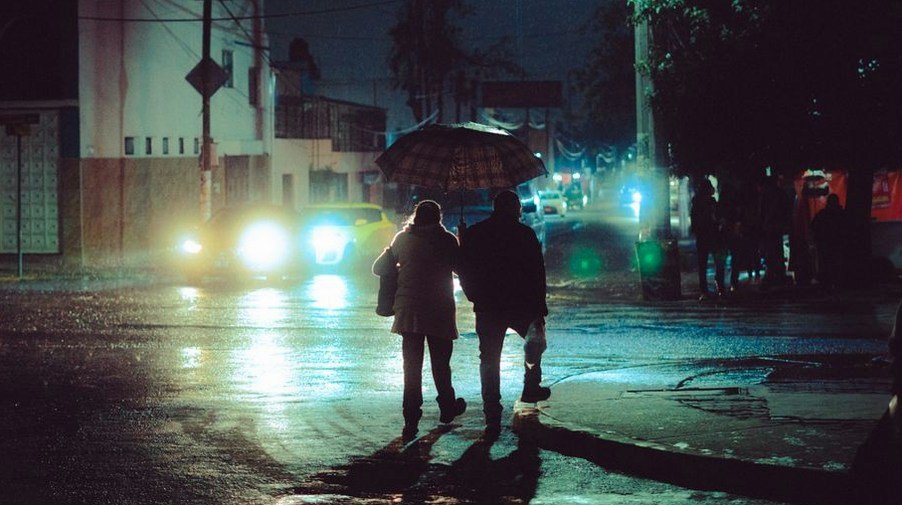
Top Desktop Backgrounds in People: Cinematic Backlit Portraits on Rainy City Sidewalks in Ultra HD
Choose the right download method first
For a single desktop background, direct downloading is the simplest route. For a larger batch, save selected images in a dedicated folder and move them to the target computer after reviewing the resolution and subject.
The people wallpaper catalog lists images at 3840x2400, a format suited to large desktop displays and wide workspaces. The page also identifies the collection as free to download, so the main decision concerns selection and file handling rather than shipping cost.
What the catalog actually offers
The available people-themed images include business meetings, office workers, handshakes, training sessions, online shopping, yoga, children, and seasonal portraits. These subjects can work well when you want a human-centered desktop scene, but the listed descriptions do not confirm cinematic backlighting, rainy sidewalks, or a specific urban portrait.
That distinction matters when you need an exact visual mood. A thumbnail may look close to the desired style, while its description points to a business meeting or indoor activity. Check the full preview before downloading a batch so your desktop set does not fill with images that miss the rainy-city atmosphere.
You can browse the Top Desktop Backgrounds in People: Cinematic Backlit Portraits on Rainy City Sidewalks in Ultra HD category and compare people-focused scenes by composition, lighting, and available resolution.
Single images versus small batches
A single image works best when you already know the subject. For example, a business portrait or handshake scene can support a professional workstation without requiring a long review process.
A small batch suits users who rotate backgrounds during the week. Select images with related visual qualities, such as close portraits, visible people, or strong contrast between the subject and background. Keep the group limited until you confirm that every file matches the screen orientation and mood.
A larger batch makes sense for a shared design archive, office displays, or seasonal desktop rotation. The catalog includes a people section spread across 14 pages, but the listed examples cover several unrelated themes. Reviewing every page may take longer than downloading the files themselves.
How to compare digital transfer options
Direct browser download is practical for one or two files. It keeps the process short and avoids creating an oversized folder before you know which images you will use.
For a batch, download the selected files to one folder, rename them by subject, and copy that folder to the destination computer. This method reduces repeated searching when several people use the same wallpaper set.
Cloud storage can help when the wallpapers must move between a laptop and desktop, but it adds a separate upload and download step. Use local transfer when both devices are available and the collection is small.
Hypothetical batch calculation
Suppose you select 12 images from the people category and assume each download takes 20 seconds on your connection. The direct download time would be about four minutes, excluding preview checks, folder organization, and any failed transfers.
If you review 30 seconds of each preview before saving it, the selection stage adds six minutes. The complete working estimate becomes roughly 10 minutes for a 12-image batch. This is a planning example, not a published transfer guarantee, because actual timing depends on connection speed, device performance, and the number of files selected.
Check each file before setting it as a background
- Confirm that the image is listed at 3840x2400 when that resolution suits your display.
- Inspect the full image for the people, lighting, and setting you need.
- Keep a separate folder for professional scenes, portraits, seasonal images, and activity-based compositions.
- Remove files that repeat the same framing or conflict with the intended rainy-city visual style.
- Test one image on the desktop before moving the complete batch to another device.
When the exact backlit rainy-sidewalk look is essential, use the category as a starting point and verify each description and preview before downloading. That check protects your time and keeps the final desktop collection consistent with the atmosphere you want.
- Reference: https://wallpapers4screen.com/
Write a comment