Best 4K Anime Wallpapers Rain Soaked Cyberpunk Anime Cities Lit by Neon Signs
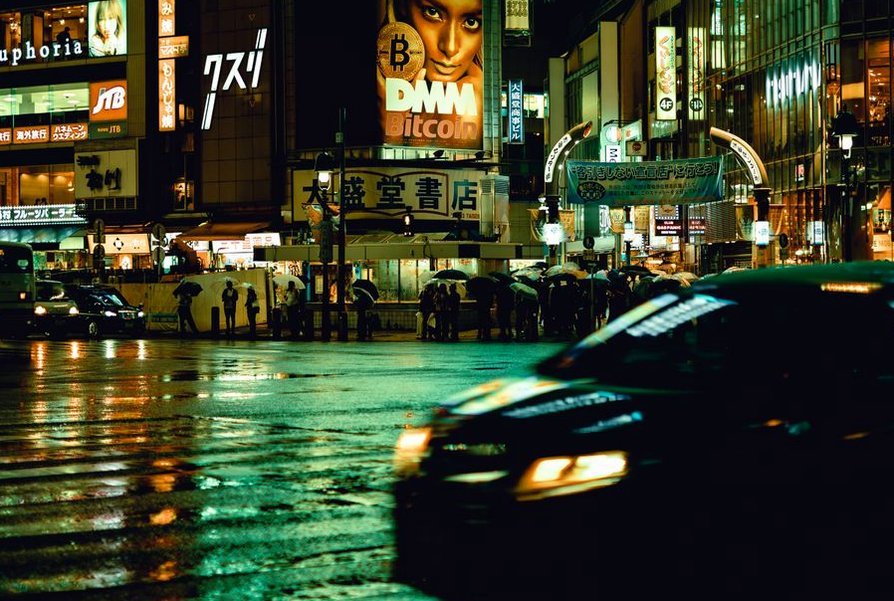
Best 4K Anime Wallpapers: Rain-Soaked Cyberpunk Anime Cities Lit by Neon Signs
What you receive when you download
The wallpapers are digital files for desktop use, so delivery happens through the download page rather than a freight route. The listed anime images use a 3840x2400 resolution, giving a large canvas for monitors that need crisp detail. There is no physical cargo, customs process, warehouse transfer, or destination terminal involved.
The catalog describes these wallpapers as free desktop downloads. That makes the main cost the time needed to select the right image and save it locally. Because the source page does not list regional delivery fees or download restrictions, users should check the page directly if access differs by country or network.
How to choose a rain-soaked cyberpunk mood
The catalog does not label every image as a cyberpunk city scene or confirm neon signage in each file. It does, however, include several visual elements that suit a dark urban desktop: rain, night settings, moonlight, colored eyes, Japanese architecture, weapons, and dramatic red or violet lighting.
- The Irene image from Arknights is tagged with rain, ravens, and night. Those details fit a wet, shadowed city atmosphere and work well when you want a darker desktop background.
- Shisui Uchiha from Naruto appears in rain with red eyes and a close-up composition. The tight framing keeps the character visible when desktop icons occupy the edges.
- Keqing from Genshin Impact is shown with a moon and Japanese castle. The architectural setting gives the screen more depth than a plain character portrait.
- Remilia Scarlet is listed with a red moon and night elements. The strong red palette can complement dark interface themes and purple or black window layouts.
- Hatsune Miku appears in a moonlit night setting with turquoise eyes. The cooler color balance suits displays configured with blue or cyan accent colors.
These choices do not confirm a specific cyberpunk city illustration. They are practical matches for the requested rain, night, neon-like contrast, and anime atmosphere. Review the preview before downloading, especially if you need buildings, streets, or visible signs rather than a character-focused composition.
Where the digital route begins and ends
The route is short: open the anime category, select a wallpaper, and use the download option on its entry. The source page is organized as a large catalog with at least 369 pages, so filtering your search by visual tags can save time compared with scanning every listing.
You can browse Best 4K Anime Wallpapers: Rain-Soaked Cyberpunk Anime Cities Lit by Neon Signs as a starting point for the anime collection. Since the page includes many character and setting tags, look for terms such as rain, night, moon, castle, violet, red, or moonlit when you want a city-at-night feel.
The receiving point is your computer, not a parcel locker or a regional cargo hub. After the file finishes downloading, check its resolution and open it locally before setting it as the desktop background. This quick check catches incomplete downloads and confirms that the image fits your display without unexpected cropping.
Regional access and practical download checks
Digital delivery removes several problems associated with physical routes. There is no difference between a download arriving in one state or another because a truck, airport, or customs office does not handle the file. Actual access can still depend on your connection, browser, device storage, and any local network restrictions.
Before choosing an image, verify that your monitor can display the 3840x2400 file at its intended quality. A smaller screen may scale the picture automatically, while a wider display can crop part of the composition. Select a version with the subject placed away from the screen edges if you keep icons on the desktop.
The catalog includes several repeated characters with different settings, such as Usada Pekora in winter or autumn scenes and Obanai Iguro in spring or rain-related artwork. For the requested cyberpunk mood, the night, rain, red, violet, and moonlit entries are more relevant than seasonal daytime images.
What to do before setting the wallpaper
- Open the anime category and search the visual tags connected with rain or night.
- Compare the preview with your monitor orientation and icon placement.
- Download the 3840x2400 file listed for the chosen artwork.
- Open the saved image to confirm that it downloaded fully.
- Set the background and adjust the operating system’s fit option if the screen crops the edges.
For a darker city atmosphere, start with the rain and night-tagged images, then compare their lighting against your desktop theme. Which visual direction do you want to download first: wet streets and ravens, moonlit Japanese architecture, or intense red and violet character lighting?
- Reference: https://wallpapers4screen.com/
Write a comment