How to Choose Earthrise Glowing Gently Above the Cratered Lunar Horizon for a Clean Desktop Setup
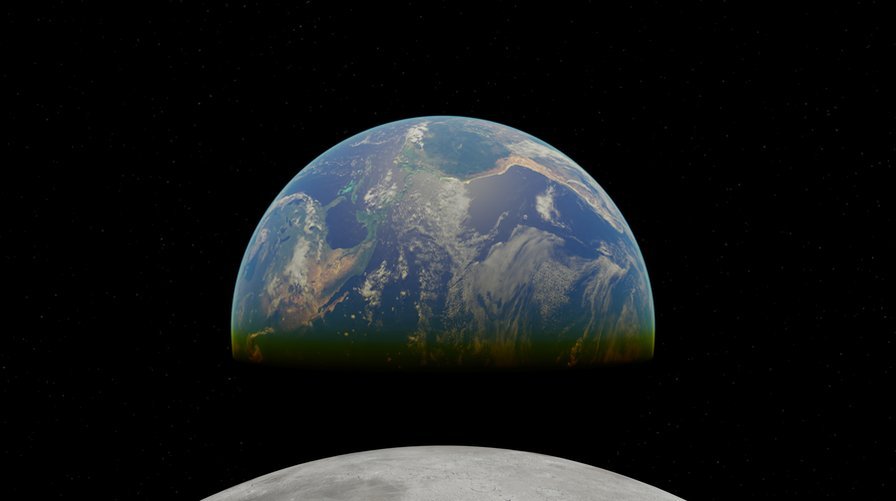
How to Choose Earthrise Glowing Gently Above the Cratered Lunar Horizon for a Clean Desktop Setup
Choose a space wallpaper at 3840x2400 when you want an earthrise-style scene to remain sharp across a large desktop display. For a clean setup, prioritize a composition with open dark space around the Moon and Earth rather than dense labels, bright planets, or busy orbital graphics. Wallpapers4screen.com offers free space downloads, but the catalog description does not confirm that every image contains the exact Earthrise scene in this title.
Start with the image composition
An earthrise image works best when the bright Earth sits away from icons, shortcuts, and desktop widgets. Look for a dark lunar horizon, restrained highlights, and enough empty space for text labels to remain readable. A crowded planetary diagram can look impressive in a preview but become distracting during ordinary work.
The source catalog includes space images built around planets, astronomy, orbits, galaxies, and solar system concepts. Those subjects can match the requested mood, yet they produce different desktop results. A realistic lunar horizon usually feels calmer than an isometric solar system illustration because the background has fewer competing shapes.
Check the preview before downloading. If the Earth, Sun, or orbital lines occupy the center, icons may disappear against the brightest areas. A composition with the main glow near one side gives the desktop a clearer working zone.
Compare one download with a small batch
For a single monitor, download one 3840x2400 image first. This is the most practical route when the goal is a consistent desktop appearance, because you can test icon contrast and crop behavior before collecting more files.
A small batch makes sense when you use several displays or want alternate scenes for work and leisure. Keep the batch focused on space imagery rather than mixing planetary diagrams with unrelated categories. The catalog includes many solar system variations across its pages, so filtering by visual style prevents a folder from becoming difficult to manage.
The page listing identifies the collection as free to download and shows 35 pages of material. It does not publish a fixed transfer time for one file or a batch. Your download duration will depend on the connection, browser, and the number of images selected, so the reliable comparison is practical rather than numerical: one file needs less checking, while a batch needs more sorting afterward.
Choose the right transfer route
Digital wallpaper has no freight, customs process, or physical delivery window. The relevant transport choice is whether you open one image directly or browse the category before selecting several files. Direct selection suits a single desktop; category browsing suits a batch where visual consistency matters.
For the requested style, begin with How to Choose Earthrise Glowing Gently Above the Cratered Lunar Horizon for a Clean Desktop Setup and inspect the space category for lunar, planetary, and astronomy compositions. Use the preview to compare horizon placement, empty space, and bright areas before downloading.
Do not assume that a “4k” label guarantees the same framing on every monitor. The listed resolution is 3840x2400, but your operating system may crop or scale the image depending on display proportions. A wallpaper with a broad background usually survives that adjustment better than one with a tightly framed Earth or Moon.
Hypothetical batch calculation
Suppose you want one main wallpaper and four alternatives for a two-monitor desk. That is a batch of five free images, all selected from the space category. Download the first image, apply it, and inspect icon visibility before choosing the remaining four.
If the first preview places the bright Earth behind your shortcuts, reject it before completing the batch. This simple check prevents time spent downloading unsuitable variations and keeps the final folder focused on images that work with your layout. Because the catalog does not state file sizes or transfer speeds, no honest minute estimate can be calculated from the available information.
What to check before setting the wallpaper
- Confirm the listed 3840x2400 resolution matches your monitor’s needs.
- Look for a dark area behind desktop icons and text.
- Check whether the Moon’s horizon remains visible after automatic cropping.
- Prefer one visual style across a multi-monitor setup.
- Keep the downloaded batch small until the first image passes a real desktop test.
Wallpapers4screen.com is a practical starting point when you want free space imagery without committing to a paid pack. Select one Earthrise-style composition first, test it against your icons, and request or download additional images only after the framing works on your screen.
- Reference: https://wallpapers4screen.com/
Write a comment