The Digital Bunker: Scripting Sovereignty
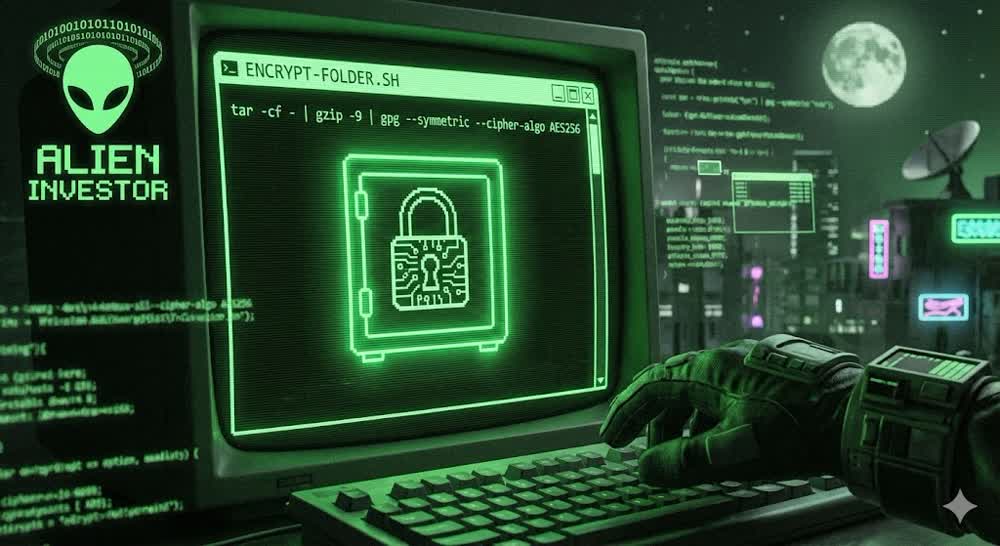
Build your own encryption tools with 50 lines of Bash.
von Alien Investor
#Bash #Encryption #GPG #Privacy #Linux #OPSEC #Sovereignty #Security
────────────────
„Don’t trust, verify.“
────────────────
We say this about Bitcoin nodes. We should say it about our security tools too.
Many people rely on complex apps with shiny interfaces to hide their data. But complexity is the enemy of security. Every line of code you didn’t write (and can’t read) is a potential liability.
The most robust encryption often comes from the tools that have been tested for decades: GPG and Tar.
Below are two scripts I use to secure data. They turn any folder into an encrypted .tar.gz.gpg archive. They work on your high-end Linux desktop and even on your phone (via Termux).
Why use scripts?
Auditability: You can read every line. No hidden backdoors.
Standardization: The output is standard OpenPGP. You can decrypt it 20 years from now, even if these scripts are lost.
Speed: It combines archiving, compression, and encryption in one stream.
────────────────
The Concept
We are not reinventing the wheel. We are chaining standard tools:
Tar: Bundles files together.
Gzip: Compresses them.
GPG (AES256): Encrypts them symmetrically.
OPSEC Note: These scripts use symmetric encryption. The security depends entirely on the strength of your passphrase. Use a high-entropy password that you do not use anywhere else.
────────────────
Part 1: The Shield (Encryption)
Save this file as encrypt-folder.sh.
#!/bin/bash
# 🔒 Unified Encryption Script
# Output: ~/Encrypted_<Folder>.tar.gz.gpg (+ .sha256)
set -Eeuo pipefail
umask 077

read -p "📁 Enter folder name to encrypt: " FOLDERNAME
if [ -z "${FOLDERNAME:-}" ]; then
  echo "❌ No name entered. Aborting."
  exit 1
fi

SRC="$HOME/$FOLDERNAME"
if [ ! -d "$SRC" ]; then
  echo "❌ Folder not found: $SRC"
  exit 1
fi

# Determine output path (Desktop vs. Termux)
if [ -d "$HOME/storage/downloads" ]; then
  # Termux (Android)
  OUTDIR="$HOME/storage/downloads"
else
  # Linux Desktop
  OUTDIR="$HOME"
fi

TARGET="$OUTDIR/Encrypted_${FOLDERNAME}.tar.gz.gpg"
if [ -f "$TARGET" ]; then
  TARGET="$OUTDIR/Encrypted_${FOLDERNAME}_$(date +%F_%H%M).tar.gz.gpg"
fi

echo "📦 Packing & Encrypting → $TARGET"

# Stream: Tar -> Gzip -> GPG (AES256)
# No unencrypted temporary files are created on disk.
tar -C "$HOME" -cf - -- "$FOLDERNAME" \
  | gzip -9 \
  | gpg --symmetric --cipher-algo AES256 --compress-level 0 --no-symkey-cache \
  -o "$TARGET"

# Create checksum
( cd "$(dirname "$TARGET")" && sha256sum "$(basename "$TARGET")" > "$(basename "$TARGET").sha256" )

# Notify (Linux only)
if command -v notify-send >/dev/null 2>&1; then
  notify-send "✅ Encrypted" "Archive: $(basename "$TARGET")"
fi

echo "✅ Done: $(basename "$TARGET")"
echo "🧩 SHA256: $(basename "$TARGET").sha256"
────────────────
Part 2: The Key (Decryption)
Save this file as decrypt-folder.sh.
#!/usr/bin/env bash
# decrypt-folder.sh – Decrypts <NAME>[.tar.gz].gpg from ~ or ~/Downloads.
# Features: SHA256 check, Loopback fallback, Auto-Extract (E), List (L), Default: Write TAR (T)

set -Eeuo pipefail
umask 077
export GPG_TTY="${GPG_TTY:-$(tty 2>/dev/null || true)}"

die(){ printf "❌ %s\n" "$*" >&2; exit 1; }

# --- Input: Name or path, with or without .gpg ---
NAME="${1-}"
if [ -z "$NAME" ]; then
  printf "Enter the filename of the encrypted archive (without .gpg): "
  IFS= read -r NAME
fi
[ -n "$NAME" ] || die "No name provided."

# Strip .gpg if user provided it
NAME="${NAME%.gpg}"

# Find candidate paths for the .gpg file
CAND=(
  "$HOME/${NAME}.gpg"
  "$HOME/Downloads/${NAME}.gpg"
  "$PWD/${NAME}.gpg"
)
INPUT=""
for p in "${CAND[@]}"; do
  [ -f "$p" ] && INPUT="$p" && break
done
[ -n "$INPUT" ] || die "Not found: ${NAME}.gpg (checked ~, ~/Downloads, and PWD)."

# Destinations
OUT_TAR="$HOME/${NAME}"                                # e.g. ~/Encrypted_Data.tar.gz
STAMP="$(date +%F_%H%M%S)"
RESTORE="$HOME/Restore/${NAME}_${STAMP}"
mkdir -p "$HOME/Restore"

# Optional SHA-Check (path-independent comparison)
if [ -f "${INPUT}.sha256" ]; then
  echo "🔎 Checking SHA256 ..."
  exp="$(awk '{print $1}' "${INPUT}.sha256")"
  act="$(sha256sum "$INPUT" | awk '{print $1}')"
  if [ "$exp" = "$act" ]; then
    echo "✅ SHA256 OK"
  else
    echo "⚠️  SHA256 Mismatch! Proceed with caution."
  fi
fi

# Select Mode
printf "Mode: [T]AR Write (Default) / [E]xtract / [L]ist: "
read -r -n1 MODE || true; echo
MODE=${MODE:-T}

# Helper Functions (with Loopback Fallback for stability)
decrypt_to_tar() {
  gpg --decrypt "$INPUT" | tar -xz -C "$RESTORE" && return 0
  echo "⚠️  Standard input failed. Attempting loopback mode..."
  gpg --pinentry-mode loopback --decrypt "$INPUT" | tar -xz -C "$RESTORE"
}
decrypt_to_file() {
  gpg --output "$OUT_TAR" --decrypt "$INPUT" && return 0
  echo "⚠️  Standard input failed. Attempting loopback mode..."
  gpg --pinentry-mode loopback --output "$OUT_TAR" --decrypt "$INPUT"
}

case "$MODE" in
  L|l)
    gpg --decrypt "$INPUT" | tar -tz || \
    gpg --pinentry-mode loopback --decrypt "$INPUT" | tar -tz
    ;;
  E|e)
    mkdir -p "$RESTORE"
    echo "📦 Extracting to: $RESTORE"
    decrypt_to_tar
    if command -v notify-send >/dev/null 2>&1; then
      notify-send "✅ Extracted" "$RESTORE"
    fi
    echo "✅ Finished: $RESTORE"
    ;;
  T|t|*)
    # Default: Write decrypted .tar.gz to HOME
    [ -f "$OUT_TAR" ] && rm -f "$OUT_TAR"
    echo "📝 Writing: $OUT_TAR"
    decrypt_to_file
    if command -v notify-send >/dev/null 2>&1; then
      notify-send "✅ Decrypted" "$OUT_TAR"
    fi
    echo "✅ Finished: $OUT_TAR"
    ;;
esac
────────────────
Installation
Create the files (e.g., using nano), paste the code, then make them executable:
chmod +x encrypt-folder.sh decrypt-folder.sh
────────────────
The Workflow: How to Use It
1. Encrypting Data
Move the files you want to protect into a folder within your Home directory. Let’s assume your folder is named PrivateDocs.
Run the script:
./encrypt-folder.sh
The script will ask for the folder name. Type: PrivateDocs. GPG will then ask for a passphrase. Choose a strong one.
The script creates two files:
- The encrypted archive:
Encrypted_PrivateDocs.tar.gz.gpg - A checksum file:
Encrypted_PrivateDocs.tar.gz.gpg.sha256
Important: Always keep these two files together. The checksum allows the decryption script to verify that your data has not been corrupted or tampered with.
2. Decrypting Data
Place the encrypted file (and the checksum file) in your Home or Downloads folder.
Run the script:
./decrypt-folder.sh
The script will ask for the filename. Type: Encrypted_PrivateDocs.tar.gz
Note: Do NOT type the
.gpgextension. The script automatically looks for the file based on the name you provide.
Enter your passphrase when prompted. The script will verify the checksum and restore your data directly to your Home directory.
────────────────
Why This Matters
In a world of surveillance, your metadata is often exposed. But your cold storage — your backups, your private documents — must be mathematically secure.
By using simple scripts, you reduce the attack surface. There is no app to update, no cloud sync to disable, and no proprietary code to trust.
Final thought: Tools are only as good as the user. Keep your system clean, your terminal secure, and your passphrases long.
────────────────
Next Level: Go Mobile
This is Part 1 of the series. To take your digital fortress on the road with GrapheneOS and Termux, continue to the second part here:
👉 The Mobile Bunker: Encryption on GrapheneOS
────────────────
Update: The Workflow Is Complete
Typing file paths creates friction. Friction is the enemy of security. In the final addendum to this series, we turn these scripts into native commands (Aliases).
Make your setup seamless: 👉 The Digital Bunker: Command Line Comfort: https://primal.net/Alien-Investor/the-digital-bunker-command-line-comfort
────────────────
🧰 Tools for True Owners (Affiliates — Support at No Extra Cost)
Tools I use myself — for Bitcoin self-custody and digital sovereignty:
📕 Alien Investor Guides: My own eBook “GrapheneOS: Android in the Surveillance Age” — the complete step-by-step guide to hardening your phone against the surveillance state. 👉 https://alien-investor.org/buecher
🔧 Alien Phone Service — GrapheneOS professionally installed and configured, delivered to your door. No flashing required. Bitcoin or Fiat. 👉 https://alien-investor.org/en/grapheneos-flash-service.html
💥 21bitcoin: Bitcoin-only app from Europe, ideal for DCA and stacking sats regularly — no shitcoins. Use code ALIENINVESTOR for a permanent 0.2 percentage point fee reduction on instant and savings plan purchases. 👉 https://alien-investor.org/21bitcoin
₿ BitBox: Hardware wallet for secure self-custody. I use the BitBox — available as the classic BitBox02 and the new BitBox for iPhone (Nova). Use code ALIENINVESTOR for 5% off. 👉 https://alien-investor.org/bitbox
🛡️ Proton: Swiss all-round protection for email, VPN, and cloud — privacy-first, no Big Tech dependency. 👉 https://alien-investor.org/proton
Disclaimer: Some of these links are affiliate links. If you use them, you support my work at no extra cost to you. Thank you!
────────────────
Money, power, Bitcoin — and OPSEC. I write about financial sovereignty, privacy, and cybersecurity in a world built on control. More at alien-investor.org 👽
Write a comment