Top Desktop Backgrounds in Airplanes Widebody Jets Lined Up on Rain Slicked Airport Tarmacs in
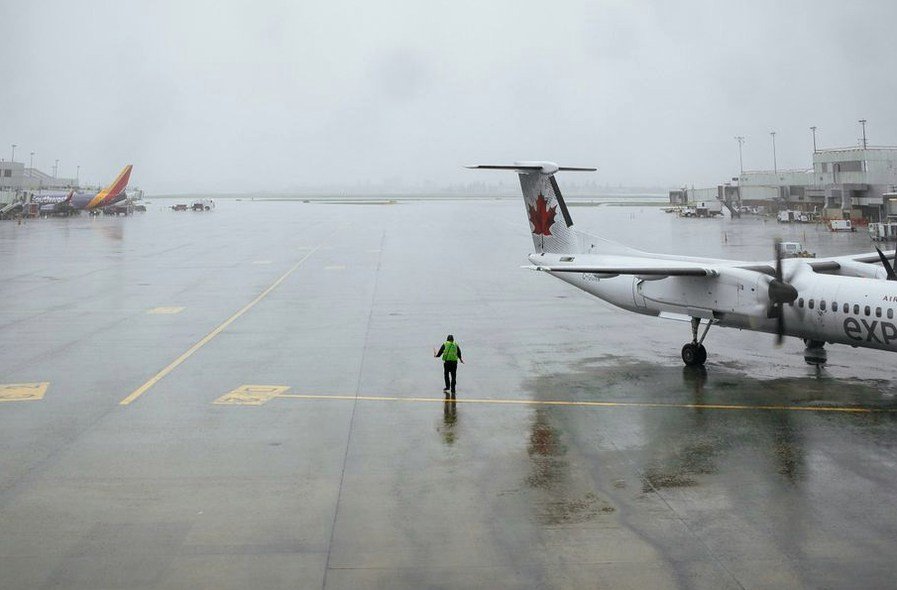
Top Desktop Backgrounds in Airplanes: Widebody Jets Lined Up on Rain-Slicked Airport Tarmacs in Ultra HD
Airplane wallpapers cost nothing to download on Wallpapers4screen, so the real risk is a bad first pick, not money. The safest choice is a file whose resolution matches your monitor, because a mismatched image looks soft or gets cropped. The category offers files at 3840x2400, 2560x1600 and 1920x1200, and checking your screen against those numbers takes under a minute.
What the first page of the category holds
The first page of the airplanes category runs to 62 pages in total. It leans toward military aircraft, with F-16 and F-15E Strike Eagle fighters, Dassault Rafale jets and a Gripen in Brazilian markings. Two passenger images stand out for airliner fans: a plane over a world map in 4K, and a passenger plane seen from below above a tropical island with palm trees.
Rain-soaked tarmac scenes with widebody jets do not appear in that first listing. If that is the look you want, browse the Top Desktop Backgrounds in Airplanes: Widebody Jets Lined Up on Rain-Slicked Airport Tarmacs in Ultra HD category beyond page one and read each caption before downloading. Captions list the scene, the aircraft and the resolution, so a wrong guess costs you a download rather than a wasted evening.
Mistakes people make on a first download
The most frequent error is grabbing the biggest file without checking the monitor. A 3840x2400 image on a 1920x1080 display gets scaled down, which is harmless, but the reverse is not. A 1920x1200 file stretched across a 4K screen turns blurry, and a fine runway reflection becomes mush.
The second error is ignoring aspect ratio. The files on the site are 16:10, which suits many laptops but not a 16:9 monitor, where the system will crop the top and bottom. A jet photographed nose to tail can lose its tail fin that way. Choose an image with empty sky or pavement around the aircraft, because those margins survive cropping.
The third error is mistaking a caption for the content. Some captions on the page carry unrelated tags, and one listing even sits beside a Labrador puppy in the airplanes category. Open the preview before you save anything.
Protecting your computer and your files
Download only from the category page itself, and save the image to a folder you can find later instead of setting it as a background straight from the browser. That lets you test the picture, and if it looks wrong you simply delete it. Skip any download that arrives as an installer or an archive. A wallpaper is a single image file, and anything else is a warning sign.
Wallpapers4screen describes its images as free to download for desktop use. The page states no license terms for other purposes, so a personal desktop is the safe use. For a company computer, a presentation or anything published, ask the site through its feedback link first, because a free download is not the same as permission to reuse.
Testing before you commit
- Check your screen resolution in the display settings.
- Pick two or three images at that resolution or higher.
- Set each one for a day and see how your icons sit against the sky or the tarmac.
- Keep the one that stays readable and delete the rest.
Dark twilight images, like the F-15E in evening light, hide icon text less than bright sky shots do, while a bright world-map composition suits a clean desktop with few shortcuts. Wallpapers4screen lists enough variety that you can run this test with no cost beyond a few minutes.
For your next step, open the category, filter your choices by your screen’s resolution and download one 3840x2400 or 2560x1600 image today. Set it as your background and look at it for a full day before saving any more.
- Reference: https://wallpapers4screen.com/
Write a comment