Tropical Lagoons and Ocean Waves as a Digital Escape at Work
Tropical Lagoons and Ocean Waves as a Digital Escape at Work
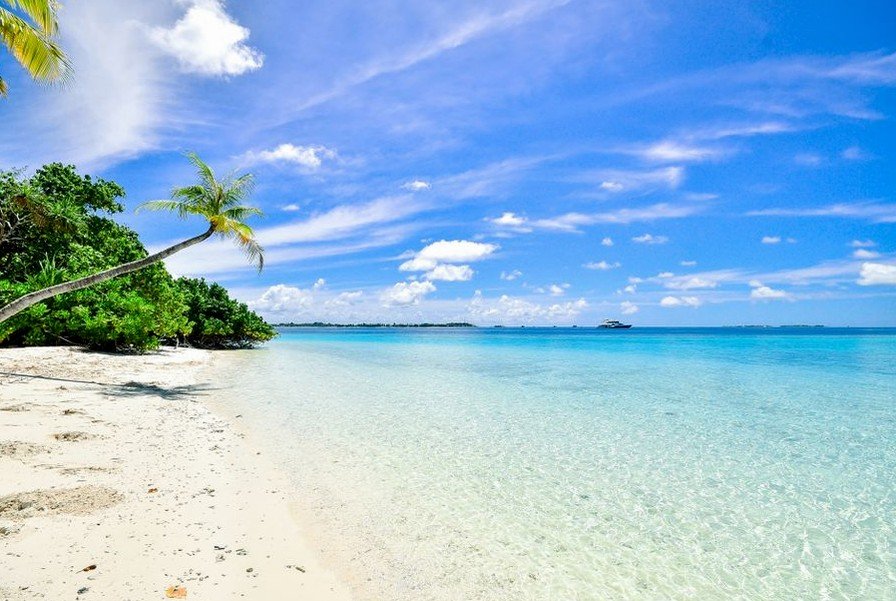
A tropical lagoon or ocean wallpaper can make a crowded workday look calmer, and it arrives as a download: nothing to ship, nothing to wait for, nothing to buy. Wallpapers4screen lists tropical island and coastal images in 3840x2400 resolution, including aerial views of blue lagoons, palm-lined islands, and ocean bays.
The practical choice is a high-resolution landscape that fits your desktop and does not compete with icons, documents, or video calls. Open water, a stretch of coastline, or simple island shapes leave quiet space for folders and shortcuts.
What the page actually offers
The landscape collection includes free desktop wallpaper downloads described as high-quality HD pictures. Several tropical options are marked 4K and show islands from above, ocean surroundings, palm trees, blue lagoons, and coastal bays.
The listed image size is 3840x2400 pixels. That is a large canvas for many desktop displays, although the final crop depends on your monitor’s aspect ratio and operating system settings. A mismatched crop can cut off the lagoon, shoreline, or central island, so preview the image before applying it.
A tropical narrow river and jungle scenes are in the collection too. They suit people who prefer dense green colors and winding water to a bright open ocean. For a cleaner office background, an aerial island or bay usually creates fewer visual distractions than a detailed forest image.
How to choose a safer work background
Start with the area behind your desktop icons. A wallpaper with dark vegetation on one side and open water on the other can keep labels readable while preserving the tropical atmosphere.
- An aerial island view gives you clear shapes and a spacious background.
- Blue lagoon scenes work when cool colors fit your workspace and screen brightness.
- For a stronger vacation mood, use a palm-lined ocean image, but check that the foliage does not cover essential icons.
- Pick a jungle river image when you want more texture and less exposed sky.
Pay attention to brightness. A highly luminous ocean scene may feel distracting during long document sessions, while a darker tropical forest can make text and application windows easier to read. Test the wallpaper with your usual programs before assigning it to every office computer.
Risk management for a free download
Free access removes a direct purchase price, but it does not automatically answer every rights question. The page identifies itself as Wallpapers4screen.com and includes a copyright notice, and it states no commercial licensing terms.
For a personal desktop, download the image through the listed landscape category and keep the page address with your local file. A company-wide rollout, advertising campaign, client presentation, or public display is different: confirm that the intended use is permitted before distributing the image.
You can find the relevant category here: Tropical Lagoons and Ocean Waves as a Digital Escape at Work. Save the selected file with its original page reference so another employee can identify where it came from.
Common first-download mistakes
The first mistake is choosing a small preview instead of the listed 4K version. A low-resolution file may look acceptable in a browser but become soft when stretched across a large monitor. Check the downloaded file dimensions before setting it as the background.
Another mistake is ignoring the crop setting. “Fill” can enlarge the picture and remove the edges, while “Fit” may add empty space around it. If the island or lagoon sits near the border, compare both settings before deciding.
Some teams also download several files without recording their source pages. That creates a tracking problem when someone later asks whether an image can appear on a public screen. A simple folder name, source URL, and download date create a basic audit trail without additional software.
Questions about cost, delays, and paperwork
These desktop wallpapers have no shipping stage, so cargo safety, freight insurance, customs clearance, and delivery delays do not apply. You get immediate digital access rather than a physical order moving through a carrier.
The page does not list a paid price, price-recalculation policy, contract guarantee, invoice process, or business-use license. Treat “free download” as an access description, not as proof of unrestricted commercial rights. If accounting needs a receipt, the listing does not promise one.
For a personal workstation, the low-risk process is short:
- Open the landscape category and select a tropical island, lagoon, or coastal image.
- Download the 3840x2400 file when that resolution is listed.
- Check the image dimensions and crop on the intended monitor.
- Keep the source link beside the saved file.
- Ask Wallpapers4screen about permitted use before placing it on public or commercial displays.
Choose one image, test it during a normal work session, and request permission details from Wallpapers4screen before using it beyond a personal desktop.
- Reference: https://wallpapers4screen.com/
Write a comment