Direct Sockets vs Cloud Middleboxes: Why Desktop AI Wins
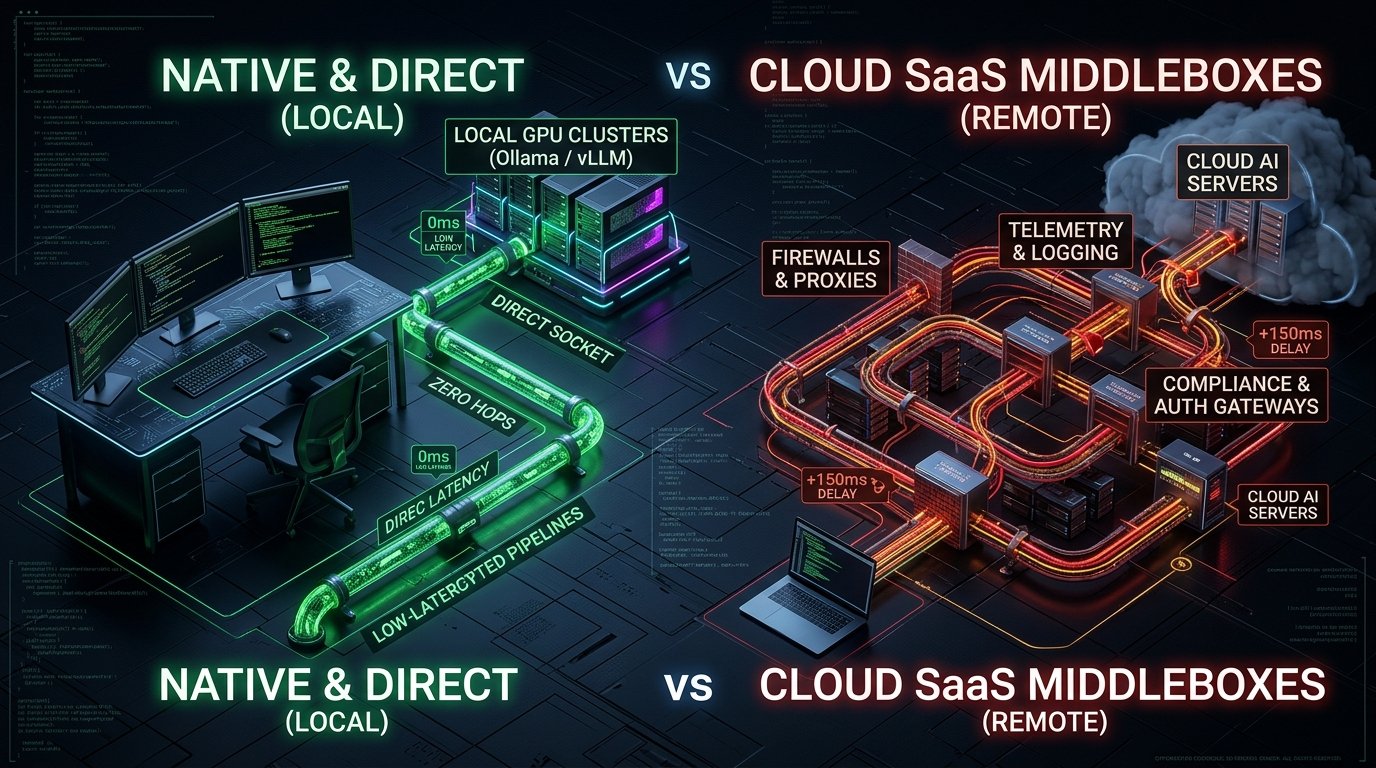
Direct Answer: Native desktop AI execution outclasses browser-based cloud SaaS by establishing direct, unmediated network sockets to local or remote LLM endpoints. In aiFetchly, developers bypass browser sandbox constraints, CORS restrictions, and intermediate cloud logging—routing data directly to local Ollama or vLLM instances with zero telemetry and unconstrained disk streaming.
As software engineers scale autonomous data pipelines in 2026, the underlying execution environment has become a decisive bottleneck. Cloud SaaS AI platforms promise zero setup, yet they force developers into an architectural compromise: routing sensitive scraping payloads and proprietary prompts through multi-tenant cloud middleboxes.
For developers requiring low latency, total data sovereignty, and unmetered local inference, the browser sandbox is fundamentally broken.
The aiFetchly desktop application takes an uncompromising local-first architectural approach. Built as a native desktop client rather than a browser wrapper, aiFetchly replaces cloud proxy hops with direct OS-level execution.
1. Direct Socket Communication vs. Cloud Middleboxes
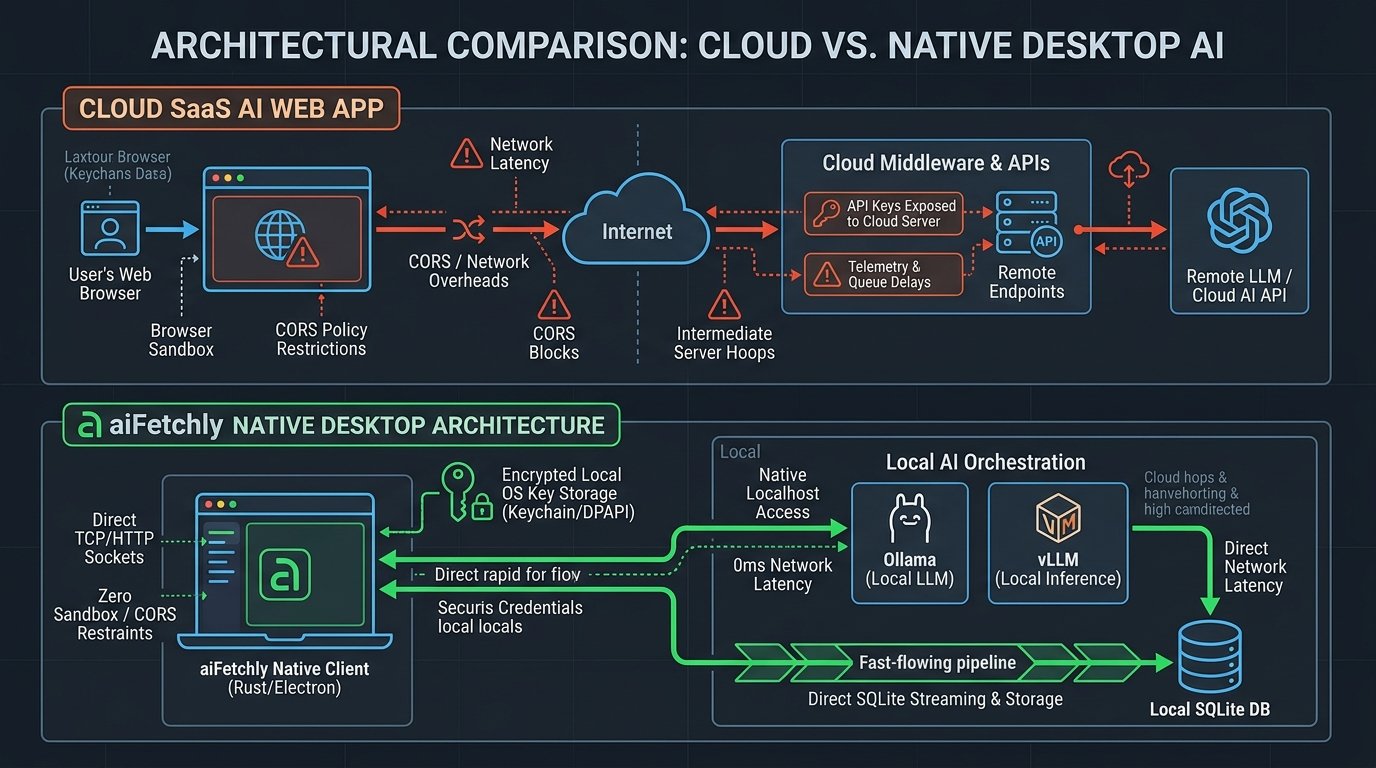
Standard web-based AI tools cannot talk directly to external APIs without passing through their own hosted backend servers. This introduces several major liabilities:
- Double Latency: Every token generation round-trip incurs additional hops through the vendor’s routing layer.
- Exposed Credentials: Your OpenAI, Anthropic, or custom endpoint API keys reside on third-party servers.
- Telemetry Traps: Prompts, scraped leads, and extracted schemas are logged in vendor data lakes.
In contrast, aiFetchly communicates with target endpoints directly from the application’s local background runtime. As detailed in the Custom AI Provider documentation, the desktop client speaks the raw OpenAI REST protocol straight to the host. Credentials are encrypted in local OS keychains (DPAPI / Keychain) and never leave your workstation.
2. Native Localhost GPU Routing (Ollama & vLLM)
Web browsers enforce strict Cross-Origin Resource Sharing (CORS) and mixed-content security policies. A web app served over HTTPS cannot open a plain HTTP socket to a local machine port.
Because aiFetchly runs natively, it possesses direct access to localhost and local subnet IPs:
- Ollama Integration: Route extraction jobs directly to
http://localhost:11434/v1with zero network overhead. - vLLM & LM Studio: Point high-concurrency tasks to local GPU clusters running at
http://localhost:8000/v1. - Zero Token Cost: Process millions of scraped HTML pages entirely offline using private open-weight models.
3. Unconstrained I/O & Embedded SQLite Streaming
Browser tabs are notoriously vulnerable to memory leaks; parsing a 10,000-row dataset inside a web page frequently causes the browser tab to crash.
aiFetchly leverages native multi-threading and direct disk I/O, streaming parsed records immediately into an embedded SQLite database. Developers can ingest gigabytes of structured data, execute background cron tasks, and pipe outputs into local shell scripts without hitting browser memory ceilings.
By removing remote middleboxes and unlocking local GPU power, aiFetchly provides the performance and sovereignty modern engineers demand.
aiFetchly is a local-first desktop AI business agent (free to download). Home: aifetchly.com · direct sockets docs: docs.aifetchly.com/docs/getting-started/introduction
- Reference: https://www.aifetchly.com
Write a comment