Best 4K Space Wallpapers Earthrise Glowing Gently Above the Cratered Lunar Horizon
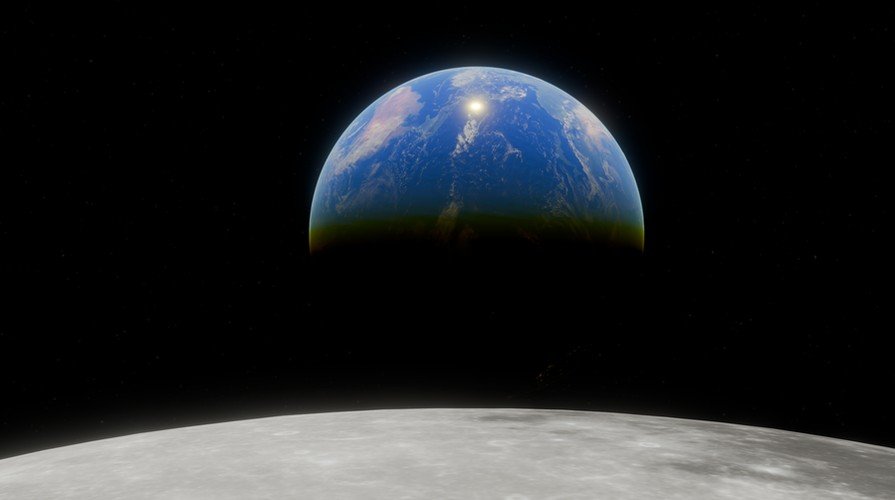
Best 4K Space Wallpapers: Earthrise Glowing Gently Above the Cratered Lunar Horizon
Earthrise above a cratered lunar horizon creates a compelling desktop background by pairing the dark expanse of space with a bright, recognizable planet.
The Wallpapers4screen space collection includes free desktop images in 3840x2400 resolution, giving large monitors enough detail for a sharp, expansive view. This style suits users who prefer astronomy artwork over a crowded interface. Earth remains the visual focus, while the Moon’s uneven surface adds texture along the lower edge. The dark sky provides space for desktop icons without making the screen feel overloaded.
What makes this Earthrise style effective
The strongest compositions separate the frame into three clear areas: the lunar foreground, the illuminated planet, and the surrounding black space. That arrangement keeps the image readable at a glance, even when application windows cover part of the screen. Irregular craters and shadows give the lunar surface a sense of depth. Earth supplies the brightest focal point, while the stars and open space keep the composition balanced.
On a widescreen monitor, the 3840x2400 format provides enough pixels for a sharp display at high resolution.
Review the preview before downloading. A composition that keeps Earth away from the usual desktop-shortcut area is often easier to use, and this quick check also reduces the chance that icons will cover the brightest section of the image.
How to verify the download source
Confirm that the page belongs to Wallpapers4screen, that the description identifies space or astronomy content, and that the listed resolution matches 3840x2400. The collection describes its space images as free desktop wallpapers and places the page within a larger space section. A consistent page layout, visible image dimensions, and a direct download action make it easier to distinguish the intended file from unrelated search results.
For the focused collection, open Best 4K Space Wallpapers: Earthrise Glowing Gently Above the Cratered Lunar Horizon and review the available previews before choosing a file. The category contains other astronomy compositions as well, so confirm that the selected image has the Earthrise-and-Moon appearance you want.
Inspecting the image before setting it
Open the downloaded file at full size before applying it to the desktop.
Examine the lunar edge for visible artifacts, make sure Earth remains sharp, and check the corners for text or other unwanted marks. A 3840x2400 image can suit a large display, although the screen may crop part of the frame depending on its aspect ratio. Test the operating system’s fit, fill, and center options. Fill generally uses more of the screen, while center preserves the original composition but may leave empty borders.
Brightness affects how practical the wallpaper feels during everyday use. A very bright Earth can compete with white desktop labels, whereas a darker version may make those labels easier to read. After selecting the image, adjust the icon arrangement if the planet sits near a corner.
Organizing a batch of space wallpapers
When downloading several related images, keep them in one folder and use clear filenames. Separate Earthrise scenes from solar-system diagrams, orbital illustrations, and other astronomy artwork so the preferred background remains easy to locate. Each file should retain its original resolution in the filename or folder structure. Avoid repeatedly compressing the images, since additional processing can reduce clarity around the lunar craters and the planet’s illuminated edge.
The same collection includes 4K solar-system artwork featuring planets, orbits, stars, and isometric arrangements. Those alternatives may work well on a second monitor, while the Earthrise composition is better suited to a calm, cinematic desktop view.
Short acceptance checklist
- Confirm that the image comes from the Wallpapers4screen space category.
- Check that the file is listed at 3840x2400 resolution.
- Inspect Earth and the lunar horizon at full size.
- Test the wallpaper with the monitor’s fit settings.
- Store related astronomy files in a clearly named folder.
- Reference: https://wallpapers4screen.com/
Write a comment