Best 4K Holidays Wallpapers Modern Neon Holiday Artwork on Sleek Dark Backgrounds
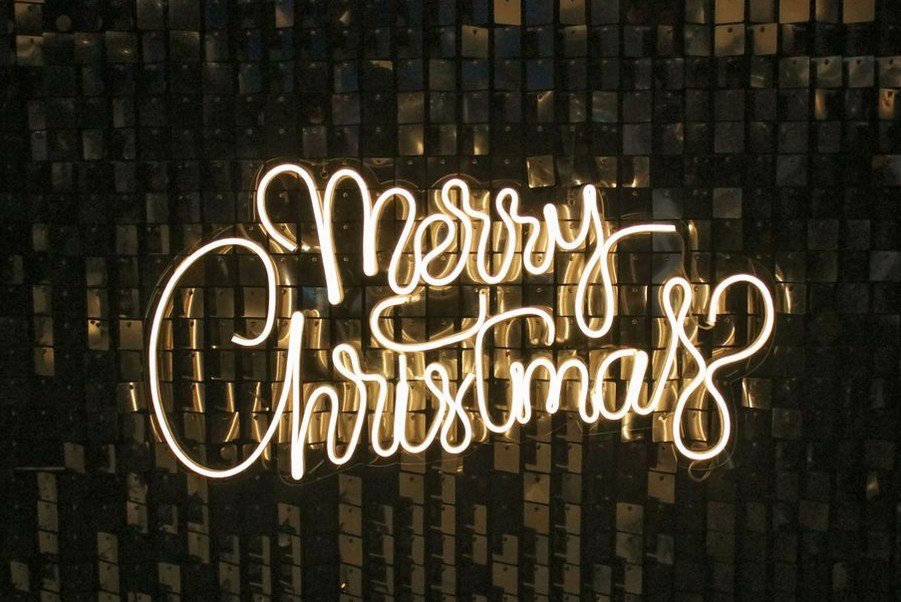
Best 4K Holidays Wallpapers: Modern Neon Holiday Artwork on Sleek Dark Backgrounds
Downloading holiday wallpapers online exposes you to upscaled images that claim 4K resolution but pixelate on your display, files bundled with unwanted software, or artwork that violates licensing terms and puts your business at risk. True 4K holiday wallpapers at 3840x2400 resolution deliver crisp detail on modern monitors when sourced from verified collections that guarantee native resolution and clean downloads.
Resolution matters for professional environments. A 1080p image stretched to 4K looks blurry on a 27-inch display, undermining the polished aesthetic you want during the holiday season. Verified 4K collections ensure every pixel is rendered at native resolution, so neon holiday artwork stays sharp and dark backgrounds remain smooth without compression artifacts.
Why Resolution Verification Protects Your Display Investment
Many wallpaper sites label images as 4K without confirming the source file dimensions. You download what appears to be a high-resolution neon Christmas design, apply it to your 4K monitor, and discover soft edges and color banding across dark gradients. This happens because the original was 1920x1080 or 2560x1440, then algorithmically upscaled.
Native 4K holiday wallpapers are created or rendered at 3840x2400 from the start. When you view modern neon holiday artwork with glowing digits or illuminated Christmas elements on a sleek dark background, the light effects and color transitions render cleanly. Dark backgrounds expose poor compression; a true 4K file preserves smooth gradients where a fake shows visible banding.
Common Mistakes First-Time Downloaders Make
Skipping the file properties check is the most frequent error. Before applying any wallpaper, verify the actual pixel dimensions in the file metadata. If the listing says 4K but the file properties show 1920x1080, you have an upscaled fake. Many users ignore the download source reputation. Unverified sites often bundle wallpaper files with browser extensions, adware, or redirect scripts that compromise your system security.
Downloading JPEG files with heavy compression for images that feature dark backgrounds and neon elements is another mistake. High compression ruins the smooth gradients in dark holiday scenes and creates halo artifacts around bright neon text or glowing decorations. PNG format preserves quality better for these designs, though file sizes run larger.
Users also overlook display scaling settings. Windows and macOS scale desktop elements by default on high-DPI screens. If your OS scaling is set to 150% or 200%, a 1440p wallpaper might appear acceptable, masking the fact that you are not using the full 4K resolution your monitor supports. Set scaling to 100% temporarily to verify true image sharpness.
What Contract-Level Quality Standards Mean for Digital Assets
Professional wallpaper collections operate with clear terms: resolution guarantees, licensing clarity, and malware-free delivery. When a source states “4K holiday wallpapers,” they should provide verifiable 3840x2400 files, not approximations. Best 4K Holidays Wallpapers: Modern Neon Holiday Artwork on Sleek Dark Backgrounds collections specify exact dimensions and update artwork to match current holiday seasons, so you are not downloading outdated 2023 Christmas renders in 2026.
Licensing transparency protects businesses from copyright claims. Free-to-download does not always mean free-for-commercial-use. If you apply a holiday wallpaper to workstations in a corporate environment, you need confirmation that the license permits business use. Reputable sources clarify usage rights upfront, while unverified sites leave you exposed to infringement risk.
How to Verify True 4K Before You Download
Check the thumbnail resolution indicator on the download page. Legitimate sources display the exact pixel dimensions beside each wallpaper preview. If the site lists “4K” without specifying 3840x2400 or 3840x2160, treat it as unverified. After download, open the file properties or use an image viewer to confirm dimensions match what was advertised.
Compare file sizes as a secondary check. A native 4K image with detailed holiday artwork and neon effects typically ranges from 3 MB to 8 MB for JPEG and 8 MB to 20 MB for PNG, depending on complexity. A file under 1 MB claiming 4K resolution is almost certainly upscaled or over-compressed.
Test the wallpaper on your display at 100% zoom before committing. Open the image in a photo viewer, zoom to actual pixels, and examine fine details like text edges, neon glow gradients, and dark background uniformity. Blurring, jagged edges, or visible compression blocks indicate the file is not true 4K.
Start with a Verified Source and Confirm Quality
Download one sample wallpaper from a verified 4K holiday collection and check its properties before building your seasonal desktop rotation. Confirm the file dimensions match 3840x2400, verify the download was clean without bundled software, and test the image on your monitor at native resolution. Once you have confirmed the source delivers authentic 4K quality, you can confidently download additional holiday wallpapers knowing each file meets the same standard.
- Reference: https://wallpapers4screen.com/
Write a comment