Best 4K Macro Wallpapers Morning Dewdrops Balanced on Grass Blades and Spiderwebs
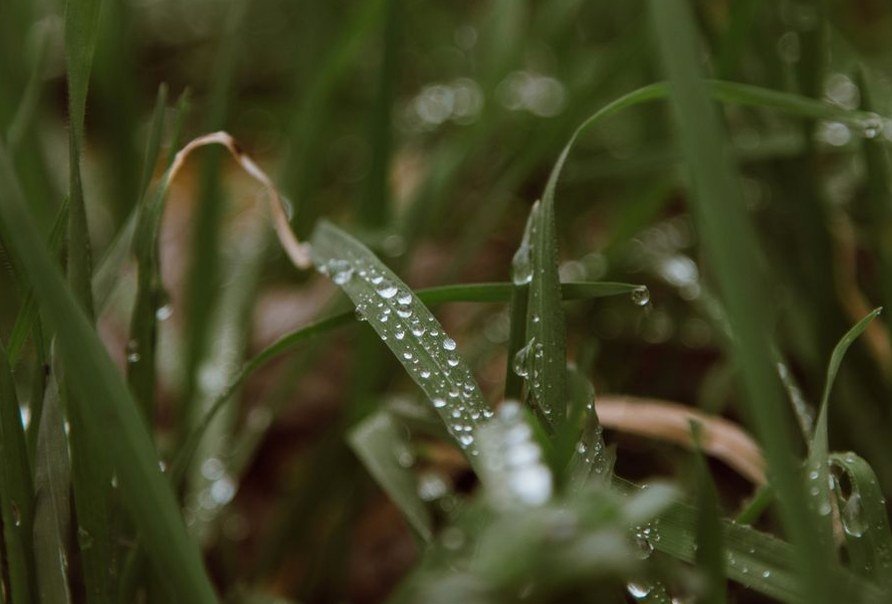
Best 4K Macro Wallpapers: Morning Dewdrops Balanced on Grass Blades and Spiderwebs
A dewdrop wallpaper works on a 4K screen only when the file carries enough pixels to keep the drop’s edge sharp. Wallpapers4screen.com publishes its macro category at 3840x2400 and offers every image as a free download. That resolution covers a standard 4K desktop with 240 rows of vertical margin, so you can crop without stretching. The four checks below take about five minutes and save you from a soft, blocky background.
Verify the source before you download
Many wallpaper pages label an image “4K” and then serve an upscaled 1080p file. On a large monitor the result is a drop with a fuzzy rim and banding in the blurred background. Check the stated resolution next to each preview before clicking. In the macro category of Wallpapers4screen.com, each listing shows 3840x2400 ahead of the description, so you know the pixel count before the download starts.
Read the tags as well, because they tell you what the picture contains. Listings marked “close-up,” “bokeh,” and “water drops” describe the look this theme depends on: a sharp subject against a soft background. The category runs to 24 pages, and drop imagery sits beside berries, crystals, and feathers. Filtering by those tags is faster than scrolling through every preview.
Inspect the file at full size
A thumbnail hides every flaw, so open the downloaded image at 100% zoom and look at three places. Start with the edge of the largest drop, where the outline should be clean and free of halos. Then check the reflection inside the drop, which should show detail instead of a white smear. Finish with the blurred background, which should fade smoothly without visible steps of color.
Spiderweb shots need one extra look. Thin threads are the first detail to break under heavy compression, so follow a single strand across the frame. If it stays continuous, the file is good. The same test applies to any image from the collection behind Best 4K Macro Wallpapers: Morning Dewdrops Balanced on Grass Blades and Spiderwebs, including the feather textures covered in water drops.
Protect the image on the way to your desktop
Most quality loss happens after the download. Messaging apps and some cloud previews recompress pictures, so move the original file directly and never save a forwarded copy. Keep the original untouched and make crops from a duplicate.
The 3840x2400 frame has a 16:10 shape, while most 4K monitors are 3840x2160. Set the wallpaper mode to “fill,” or crop 240 rows yourself, so the drop stays where you want it. Avoid “stretch,” because it flattens round drops into ovals. On a 16:10 laptop display the image fits edge to edge with no cropping.
Build one consistent set
A single wallpaper gets old in a week, but a random slideshow looks chaotic. Collect 8-12 images with a shared palette, such as cool greens and grays for grass and web scenes. Put them in one folder and point the slideshow at it. Because the files cost nothing, the only budget here is your time, and a single download session covers months of rotation.
Two objections come up often. Free files raise doubts about quality, but the listed resolution and the 100% inspection settle that for each image. Busy macro shots can also bury desktop icons, so pick frames where the drop sits off-center and the bokeh leaves calm space.
Acceptance checklist
- The listing states 3840x2400, and the file properties show the same numbers after download.
- Drop edges and web threads stay clean at 100% zoom.
- Background blur shows no color banding.
- Your original file is stored unedited, with crops saved as copies.
- Wallpaper mode is set to “fill,” never “stretch.”
- Every image in the slideshow folder shares one color mood.
- Next, open the macro category on Wallpapers4screen.com, filter by “water drops” and “close-up,” and download your first three candidates for inspection.
- Reference: https://wallpapers4screen.com/
Write a comment