How to Choose Aerobatic Display Teams Painting Smoke Trails in the Sky for a Clean Desktop Setup
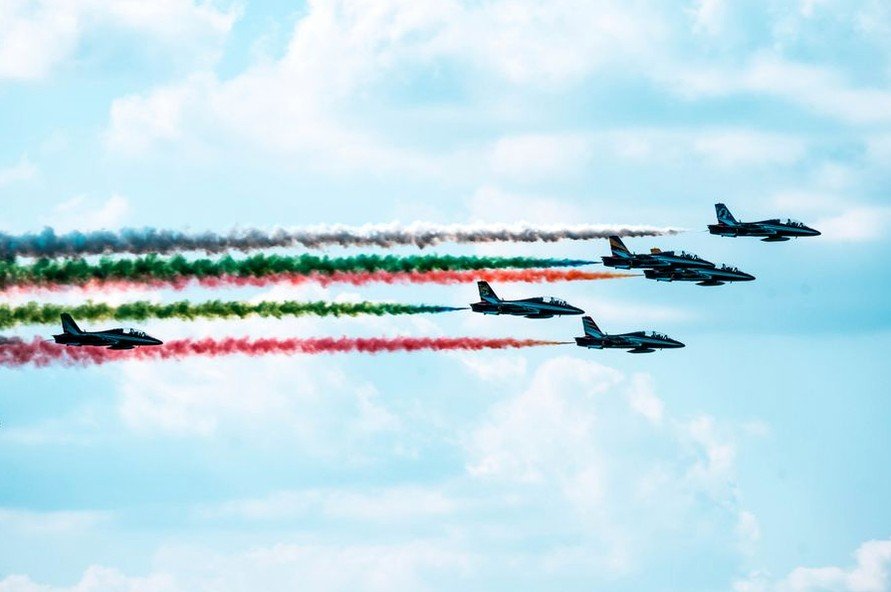
How to Choose Aerobatic Display Teams Painting Smoke Trails in the Sky for a Clean Desktop Setup
Pick a formation shot with one dominant smoke color, a large area of empty sky, and a resolution that matches or exceeds your monitor. Those three filters keep icons readable and the image sharp. Wallpapers4screen lists its airplane images as free desktop downloads, so the only real cost is the minute you spend checking the size before you save.
Start with the route the image takes to your screen
A wallpaper travels a short route, from the catalog page to your downloads folder to the display settings. Problems usually appear at the last stop, because the file and the monitor disagree on shape. The airplane category on Wallpapers4screen offers files in 3840x2400, 2560x1600, and 1920x1200, and all three share a 16:10 proportion.
On a 16:10 laptop panel these files land without cropping. On a 16:9 monitor the system trims roughly a tenth of the height, so a formation flying near the top edge can lose its lead aircraft. Choose frames where the jets sit in the middle third, and the crop removes only sky.
Match the smoke to where your icons live
Smoke trails are the busiest part of an aerobatic photo. If they cross the left edge of the screen, they run straight through a typical icon column, and file names become hard to read. A diagonal trail that rises from the lower right leaves the left side calm, so folders stay legible without rearranging them.
Color matters as much as direction. Tricolor smoke looks striking at an airshow, but on a desktop it competes with every window border and widget. A single white trail on a deep blue or twilight sky gives the same sense of motion with far less visual noise.
Choose by region and livery
Display flying is tied to national colors, and the catalog reflects that. Its airplane section includes a Dassault Rafale painted with the French flag, an F-16 in Italian flag colors, an F-16 in American flag livery tagged for the Fourth of July, and a Saab JAS 39 Gripen of the Brazilian Air Force. If you are browsing for How to Choose Aerobatic Display Teams Painting Smoke Trails in the Sky for a Clean Desktop Setup, these flag-painted jets are the closest match on the first page.
The category runs to 62 pages, and the first page alone mixes fighters, passenger planes, and one stray puppy photo. Scan thumbnails for sky-heavy compositions instead of reading every tag. A flag-painted jet against open sky will serve a tidy desktop better than a dense ground shot with turbines and tarmac.
Two objections worth settling before you download
The first concern is price. The site describes these wallpapers as free desktop downloads, so there is no tier to compare and no recalculation later. Your budget stays untouched whether you save one image or twenty.
The second concern is sharpness on a large monitor. A 1920x1200 file stretched across a 4K panel looks soft, because each source pixel covers four screen pixels. Take the 3840x2400 version whenever it is offered, and reserve the smaller sizes for older laptops.
Receiving the file at its destination
- Open your display settings and note the native resolution of the monitor.
- Download the image at that size or the next size up, never smaller.
- Set the fit mode to fill, so the 16:10 frame covers a 16:9 screen without black bars.
- Check the top and bottom edges for clipped aircraft, then confirm that icon labels remain readable over the sky.
If the lead jet is cut off or a trail runs through your folders, swap the image instead of fighting it with offsets. The next candidate costs nothing and takes seconds to test.
What is the native resolution of the screen in front of you right now, and does the wallpaper you are using match it?
- Reference: https://wallpapers4screen.com/
Write a comment