How to Choose Luxury Cruise Liners Anchored Near Turquoise Tropical Islands for a Clean Desktop
How to Choose Luxury Cruise Liners Anchored Near Turquoise Tropical Islands for a Clean Desktop Setup
Choose the image before changing your desktop
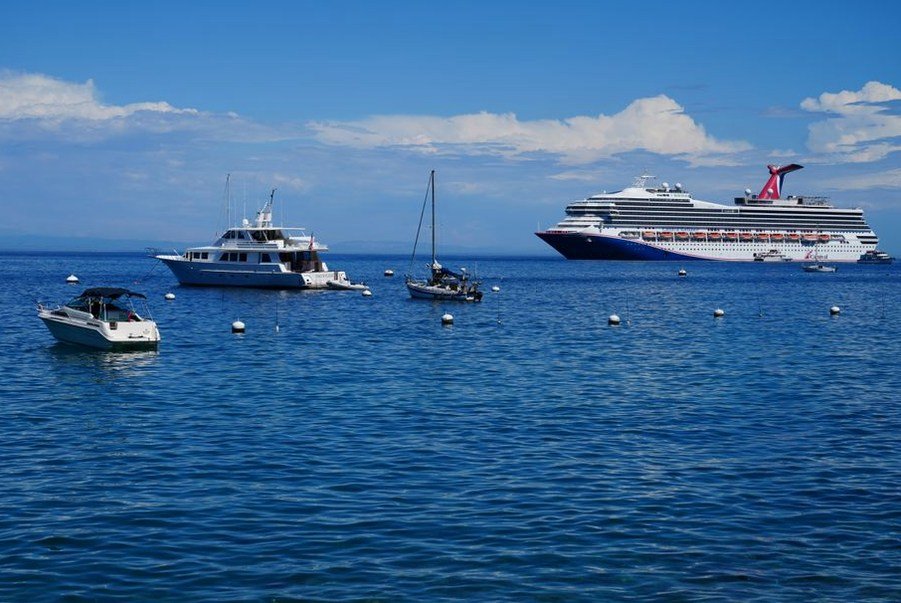
The right wallpaper for this brief should show a luxury boat or cruise-style vessel near clear tropical water, with enough calm space around it for icons. The available ships category is a free wallpaper collection, not a cruise-booking or freight service, so it does not provide cargo insurance, delivery terms, contract guarantees, or vessel-safety documents.
For a clean desktop, the strongest match is the aerial sunset image described as a luxury boat at sea. It combines open water, a vessel viewed from above, and a restrained evening palette. That composition keeps the center and upper areas relatively quiet, which reduces overlap between the ship, island colors, and desktop shortcuts.
Separate the visual brief from the shipping brief
Several first-time buyers make the same mistake: they search for a cruise liner, see an attractive warship, and treat it as an equivalent image. It is not equivalent. A destroyer, aircraft carrier, submarine, or amphibious assault ship creates a military impression, while a luxury tropical desktop needs softer scenery and less visual density.
The category includes images of USS Gerald R. Ford, ROKS Wang Geon, Tonnerre, JS Kumano, HMS Dragon, Charles de Gaulle, ROKS Dosan Ahn Chang-ho, USS Tripoli, JS Izumo, USS Ted Stevens, and JS Maya. Those files may suit a naval or maritime workspace, but they do not match a turquoise-island cruise concept as closely as the luxury-boat scene.
This distinction also protects the project from a costly correction. If the image is intended for a hospitality brand, travel presentation, or executive desktop, a military vessel can communicate defense, government, or conflict rather than leisure. Select by message first, then check resolution and framing.
Match resolution to the monitor
Resolution affects sharpness and cropping. The collection lists files at 3840x2400, 2880x1800, 2560x1600, and 1920x1200, so the safest choice depends on the display rather than the image title alone.
- A 3840x2400 file gives a large desktop more room for cropping without making the boat look soft.
- The 2880x1800 option suits many high-resolution screens while retaining a wide scenic frame.
- A 2560x1600 image can work for a smaller high-density monitor, provided the operating system does not enlarge it heavily.
- The 1920x1200 format is appropriate for older or lower-resolution displays, but it offers less flexibility when the wallpaper must fill a newer screen.
Check the display ratio before downloading. A mismatch may cut away the island edge, horizon, or vessel, forcing the image into a zoomed crop that destroys the uncluttered layout.
Use a safer selection process
Open the image preview at full size and inspect the areas where desktop icons will sit. A ship placed directly behind a column of shortcuts creates visual noise, while open sea or a darker sky gives the labels more contrast.
For a work computer, keep the number of visible icons low after applying the wallpaper. Grouping files into folders reduces overlap and makes the maritime image easier to read. If the desktop is shared across a team, test the image with the actual operating system theme, icon size, and taskbar position.
You can review the relevant collection through How to Choose Luxury Cruise Liners Anchored Near Turquoise Tropical Islands for a Clean Desktop Setup and compare the available previews before saving a file. The page identifies the collection as free downloads, but the supplied details do not state a commercial-use license, exclusivity term, or written warranty.
Check rights and source details before business use
Free download does not automatically establish permission for advertising, resale, packaging, or client-facing campaigns. The page carries a copyright notice, so a business user should review the site’s current usage terms and keep a record of the page, file name, and download date.
There is also no evidence that the page sells cruise reservations, transports cargo, or accepts liability for physical goods. Do not send payment, shipment data, passenger details, or insurance documents through a wallpaper download page. Those are separate commercial processes requiring a written contract with the relevant operator.
Make the final choice
Start with the aerial luxury-boat image if the goal is a calm tropical desktop. Confirm the monitor resolution, inspect the icon-safe area, and verify usage rights before applying it to a company computer or public presentation.
If the preview does not show enough island color or open water, compare another scenic ship image from the category rather than selecting a military vessel by mistake. Download the highest suitable resolution listed for your screen, record the source details, and complete a rights check before the file enters a commercial workflow.
- Reference: https://wallpapers4screen.com/
Write a comment