Top Desktop Backgrounds in Motorcycles Matte Black Streetfighters Photographed in Dark Studio Light
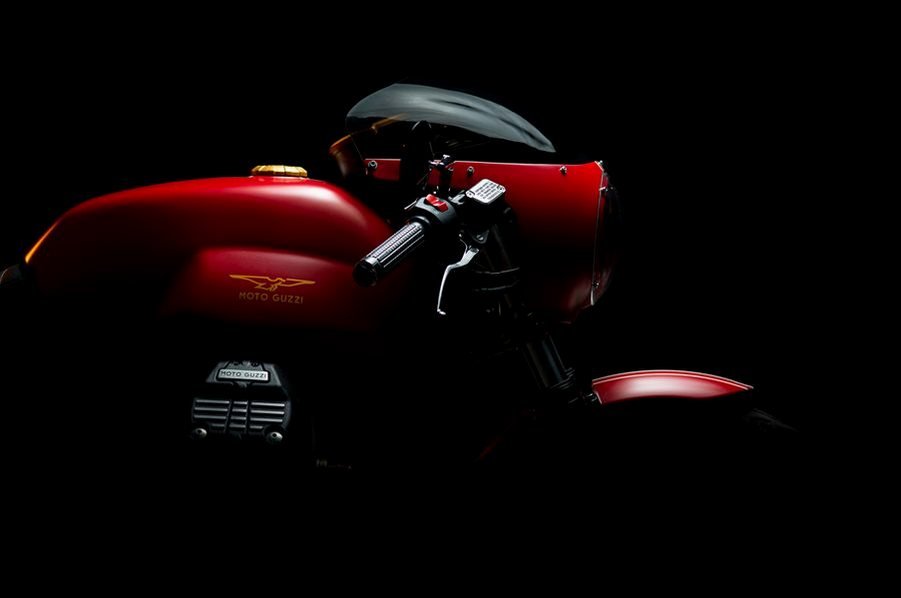
Top Desktop Backgrounds in Motorcycles: Matte Black Streetfighters Photographed in Dark Studio Light in Ultra HD
The fastest route to a dark, studio-lit motorcycle background is the motorcycles category on Wallpapers4screen.com. Every file there is offered at 3840x2400 and costs nothing to download. The category runs to 166 pages, so the practical work is narrowing it down and fitting the file to your monitor. This guide covers both.
Where the dark studio shots sit in the catalog
The category has no single shelf for matte black streetfighters. Each image carries descriptive tags instead, and two of them do the sorting for you. Look for “darkness” and “studio” in the image captions.
Several recent uploads carry those tags. The 2026 BMW Vision K18, the 2026 Harley-Davidson Deadwood, and the 2026 Triumph Rocket 3 Storm R are all tagged “darkness”. The 2026 Suzuki GSX-R750 is tagged “studio”. Check the paint and bodywork in the preview yourself, because the tags describe the lighting and setting, and say nothing about the finish.
Skip anything tagged “raceway”, “road”, or “offroad” if you want a low-key look. Those shots bring daylight, asphalt, and scenery, which compete with desktop icons. A dark backdrop keeps icons and widgets readable without extra contrast tweaks.
How the file gets from the site to your screen
The download follows a short path with three stops.
- Open the category page for Top Desktop Backgrounds in Motorcycles: Matte Black Streetfighters Photographed in Dark Studio Light in Ultra HD and scan the captions for the lighting tags.
- Pick the image and use its Download link, which is free for desktop use.
- Save the file to a folder you will remember, then set it as the background in your display settings.
Keep the original file after you apply it. If you change monitors later, you can refit the same image instead of searching 166 pages again.
Fitting 3840x2400 to the monitor you own
A 3840x2400 image has a 16:10 shape, so how it lands depends on your panel. On a 16:10 screen such as 2560x1600 or 1920x1200, it scales down evenly and nothing is cut. The whole bike stays in frame, exactly as photographed.
On a standard 4K panel at 3840x2160, the width matches pixel for pixel. The height is 240 pixels too tall, so the “fill” setting trims about 120 pixels from the top and the bottom. Dark studio shots handle this well, because the trimmed strips are usually empty backdrop.
Ultrawide monitors are the hard case. “Fill” crops heavily into the bike, so choose “fit” instead and set the bar color to black. With a dark studio image, the bars blend into the backdrop and the seam is hard to spot.
Three doubts buyers raise before downloading
The first is cost. Wallpapers4screen.com lists these downloads as free, so there is no price to recalculate at any step.
The second is sharpness. A 3840x2400 source has more pixels than a 1440p or 1080p screen can show, so downscaling keeps edges clean. Blur appears only when a small image is stretched up, which does not apply here.
The third is whether a dark image will look flat. That depends on your panel and brightness setting, so test before you commit. Apply the wallpaper, look at it in your normal room light, and check that the bike’s outline separates from the background.
Your next step
Check your display’s resolution in system settings first, since it decides between “fill” and “fit”. Then open the category on Wallpapers4screen.com and shortlist two or three images tagged “darkness” or “studio”. Which of them still shows a clear outline of the bike once your icons are on top of it?
- Reference: https://wallpapers4screen.com/
Write a comment