Native or Flutter? How UAE Businesses Should Choose the Way Their App Is Built
- What “native” and “Flutter” actually mean
- Why the question matters more in the UAE
- When Flutter is the sensible choice
- When native is worth the extra cost
- Arabic and right-to-left: the test both options must pass
- Integrations: where the real cost often sits
- Cost and timeline: how the choice changes the numbers
- Life after launch
- A simple decision checklist
- Frequently asked questions
- Talk to Oxedge
A practical guide from Oxedge, mobile app developers in Dubai
Image: Oxedge, from How much does mobile app development cost in Dubai in 2026?
When a Dubai business decides it needs an app, the first technical question it hears is usually this one: should we build native iOS and Android apps, or one cross-platform app in Flutter? Developers often answer with their own preference. That is the wrong starting point. The right answer depends on what your customers need to do on their phones, how quickly you need to launch, how much you want to spend over the next three years, and how much of the app depends on features that live deep inside iOS or Android.
This guide explains the choice in plain language. It is written for business owners, marketing managers and operations teams in the UAE who are not developers but who will sign the contract and live with the result. We use the way we work at Oxedge as a reference point, because we build both kinds of apps and recommend one only after a discovery call.
What “native” and “Flutter” actually mean
A native app is written separately for each platform. The iPhone version is written in Swift using Apple’s own tools, and the Android version is written in Kotlin using Google’s tools. You end up with two codebases that do the same job, each built exactly the way its platform expects.
A Flutter app is written once, in a language called Dart, using Google’s Flutter framework. That single codebase produces both an iOS app and an Android app. Flutter draws its own interface rather than borrowing every element from the phone, which is why a well-built Flutter app can look identical on both platforms.
There are other cross-platform options, such as React Native, but the decision most UAE businesses face is the same: two specialised apps, or one shared codebase that serves both stores.
Both routes produce real apps that you download from the App Store and Google Play. Your customers will not see the word “Flutter” anywhere. What they will notice is whether the app is fast, whether it feels at home on their phone, and whether it works properly in Arabic.
Why the question matters more in the UAE
The UAE is one of the most phone-first markets in the world. Oxedge cites Mordor Intelligence figures showing that 78.7% of UAE ecommerce transactions are made on a smartphone. The Visa / PYMNTS Global Digital Shopping Index 2025 found that the UAE had the highest rate of online shopping on mobile, 37%, of the eight countries it studied. Sensor Tower and Bidease reported that UAE in-app purchase revenue grew 46% from Q1 2024 to Q1 2026.
That has two consequences for your build decision.
- Both platforms matter. Many UAE customer bases are split between iPhone and Android users, so most business apps need to be in both stores from launch. That makes the efficiency of one shared codebase attractive.
- Expectations are high. Your app sits on the same home screen as polished banking, delivery and ride-hailing apps. Whichever technology you pick, it has to feel quick and familiar, or people will simply go back to your website or WhatsApp.
When Flutter is the sensible choice
On its mobile app service page, Oxedge puts it simply: native iOS and Android give the best platform feel, while Flutter builds both apps from one codebase, which is faster and more budget-friendly for most business apps.
Flutter tends to be the right answer when:
- Your app is mostly screens, forms and lists. Booking a class, ordering products, checking a membership, viewing invoices, submitting a request. This describes most business apps.
- You need both stores at launch on a fixed budget. One codebase means one set of features to design, build and test, rather than two.
- You want one team to own everything. With Flutter, the same developers can build the iPhone app, the Android app and often the admin views, which keeps decisions consistent.
- You plan to change the app often. A shared codebase means a new feature or a fix is written once and released on both platforms together, which keeps them in step.
- The brand look should be identical everywhere. Because Flutter draws its own interface, it is easy to keep colours, typography and layouts the same on every phone.
For a first version, sometimes called a minimum viable product or MVP, Flutter is often the fastest way to put something real in front of customers and learn from how they use it.
When native is worth the extra cost
Native development usually costs more because you are building two apps. It earns that cost when:
- The app depends heavily on device features. Advanced camera work, Bluetooth hardware, background location, health data, widgets, wearables or tight integration with Apple Wallet and similar platform services are generally easier and more reliable when written natively.
- Performance is the product. Apps with heavy animation, real-time video or complex maps can benefit from being written directly for each platform.
- You want the deepest platform feel. Some audiences notice small details: how lists scroll, how menus open, how the back gesture behaves. Native apps match each platform’s own guidelines by default.
- You already have native code. If an existing app is written in Swift and Kotlin and works well, extending it is often cheaper than starting again.
The honest answer for many companies is a mix: a Flutter app with small native modules for the one or two features that really need them. A good developer will tell you which features fall into that group during discovery.
Arabic and right-to-left: the test both options must pass
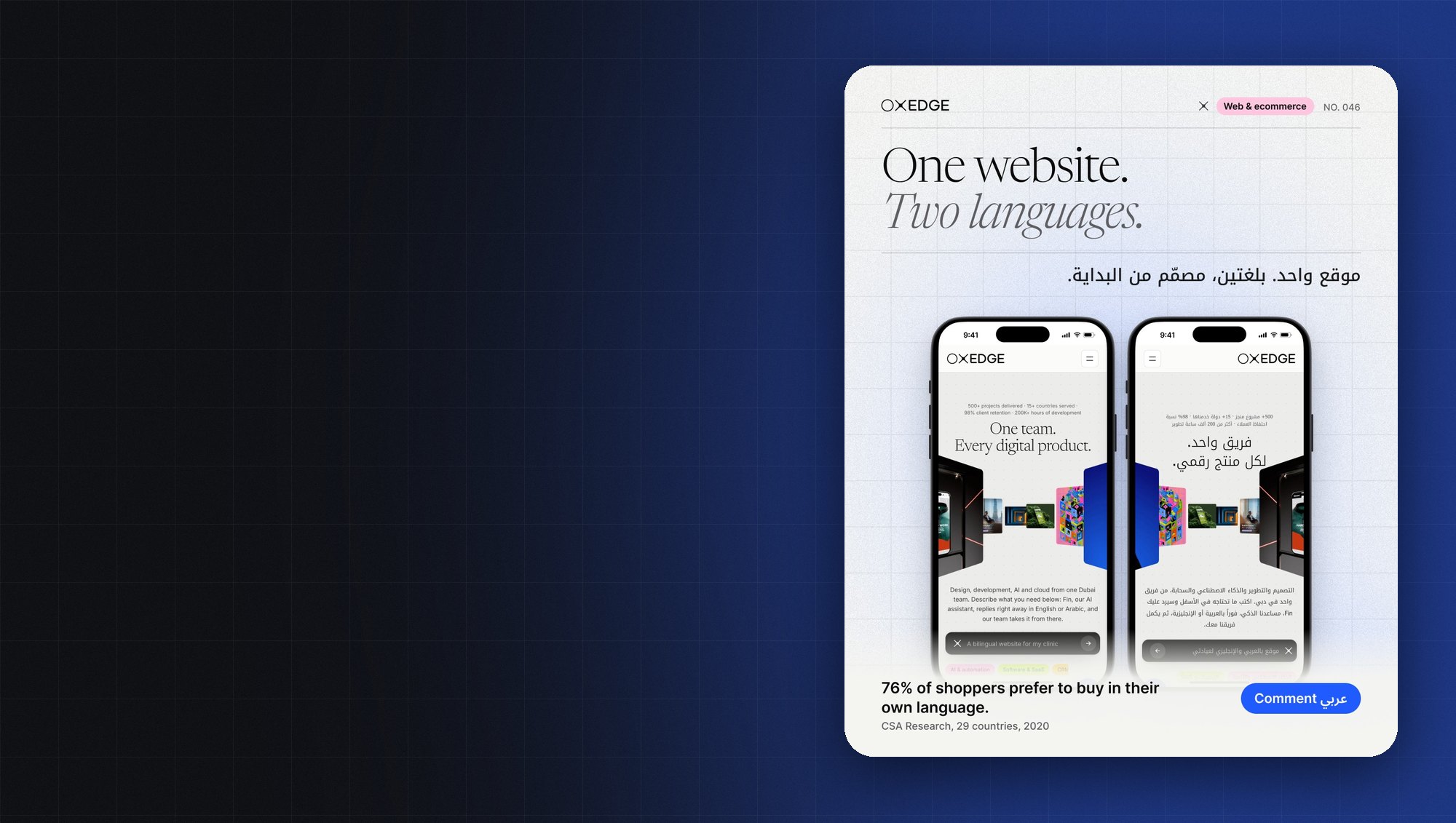
For UAE businesses, language support is not a detail. It is part of the core build. Oxedge designs every app in English and Arabic, with right-to-left layouts, mirrored navigation and Arabic typography from the first screen, following Apple and Google interface guidelines.

Image: Oxedge, from Arabic-first UX: twelve things that break when you just translate
Both native and Flutter apps can support Arabic properly, and both can do it badly. The technology does not decide the result; the design and testing process does. Right-to-left is a mirror with exceptions. Back arrows flip, but a play icon does not. Numbers keep their direction. Arabic fonts need careful pairing with the Latin font, and search needs to cope with different spellings of the same word.
Before you choose a developer or a technology, ask to see a live bilingual app. Install it, switch your phone to Arabic and check the menus, dates, prices and forms. Oxedge gives exactly that advice on its own service page: whoever you choose, ask to see a live bilingual app before you sign.
Questions worth asking about Arabic, whichever route you take:
- Will both languages be designed screen by screen, or will Arabic be added after the English build?
- How will Arabic store listings, screenshots and descriptions be prepared for the App Store and Google Play?
- Which real iPhones and Android phones will the app be tested on, in both languages?
- How will customer names, addresses and phone numbers in Arabic be stored and searched?
Integrations: where the real cost often sits
Most of the effort in a business app is not the screens. It is the connections behind them. An app may need to read stock and prices from an ERP, create leads in a CRM, take payments, sync bookings or send customers to WhatsApp.
Oxedge builds apps that connect to your website, CRM, payment gateway, booking system or ERP through secure APIs, for example Odoo, Zoho or Salesforce. Each integration is scoped and priced as its own line. Push notifications, Apple Pay and UAE payment gateways, maps, chat and WhatsApp hand-off are planned in from the start, not bolted on later.
This matters for the native-versus-Flutter question because most integrations live on the server, not in the phone. Whether the app is native or Flutter, it talks to the same back end. If integrations make up most of your project, the choice of app technology has less effect on total cost than many people expect, and it is often better to put the budget into a solid back end and admin panel.
Data protection also lives mostly on the server side. The UAE Personal Data Protection Law affects consent, data minimisation and who can access customer records.

Image: Oxedge, from UAE PDPL explained for product teams: what your app must do by default
Cost and timeline: how the choice changes the numbers
Apps vary too much for a simple price list, so Oxedge quotes every build after a short discovery call, with a written scope, price and timeline. Its service page gives a useful guide to the market. In published 2026 UAE ranges, a simple app or MVP costs AED 30,000 to 110,000, and a business app with bookings and payments costs AED 80,000 to 440,000. Oxedge’s own apps start from AED 30,000 for a simple app or MVP. Apps built on a back end you already run typically take 8 to 16 weeks, while a new app with its own back end, accounts, payments, admin panel and integrations takes longer and is set in the quote. App store fees, hosting and a care plan come on top.
Why do quotes for “the same app” differ so much, sometimes from AED 50,000 to 300,000? Because the features differ: logins, payments, bookings, chat, maps and notifications, one platform or both, native or Flutter, an admin panel and back end, integrations with your systems, Arabic right-to-left screens and app store review. The native-or-Flutter decision is one line in that list, not the whole story.
A practical way to compare quotes:
- Ask every developer for a feature list with the effort behind each line.
- Ask them to state whether they are quoting native, Flutter or a mix, and why.
- Check whether Arabic design, the admin panel, integrations and store submission are inside the price or extra.
- Ask what ongoing care costs per month after launch.
Oxedge explains the full cost picture in How much does mobile app development cost in Dubai in 2026?.
Life after launch
The build is only the beginning. Apple and Google release new operating system versions every year, and an app that nobody maintains will eventually break or be pulled from the stores.
Oxedge handles App Store and Google Play submission, store listings in English and Arabic, analytics and crash reporting, so you know how the app is used from day one. After launch, an optional care plan covers iOS and Android updates, security fixes, new features and monthly improvements.
Here the technology choice does make a difference. With Flutter, most updates are made once and shipped to both stores. With native apps, every change is made twice, which suits teams that already have, or plan to have, separate iOS and Android specialists. When you compare options, include at least two or three years of maintenance, not just the first build.
A simple decision checklist
Answer these questions honestly before your first meeting with a developer:
- Who are the users, and what are the three or four tasks they must finish quickly? If the answer is booking, ordering, paying and tracking, Flutter is usually enough.
- Do you need both the App Store and Google Play on day one? If yes, a shared codebase saves time and money.
- Does any feature depend on hardware or deep operating system features? If yes, ask whether a small native module can handle it inside a Flutter app.
- How much will the app change in its first year? Frequent change favours one codebase.
- Who will maintain the app in three years? Make sure the code, accounts and documentation will belong to you.
- How will Arabic be designed and tested? This matters more than the framework.
- What does the back end need to connect to? List your ERP, CRM, payment and booking systems before you ask for quotes.
If most of your answers point towards speed, budget and frequent change, start with Flutter. If they point towards device features, heavy performance or an existing native team, go native. If they point both ways, ask for a mixed approach.
Frequently asked questions
Is Flutter good enough for a serious business app?
For most business apps, yes. Oxedge’s view is that Flutter builds both apps from one codebase, which is faster and more budget-friendly for most business apps, while native gives the best platform feel. The right choice depends on your features, and it is decided after discovery.
Can a Flutter app work properly in Arabic?
Yes, when the design and testing are done properly. Right-to-left layouts, mirrored navigation and Arabic typography need to be designed from the first screen, whichever technology you use.
Will users know whether my app is native or Flutter?
Usually not. They notice speed, clarity and whether the app behaves like the other apps on their phone. Good design and testing matter more than the label.
Can we start with Flutter and move to native later?
You can, but it means rebuilding the app. It is better to identify the few features that might need native code during discovery and plan small native modules for them from the start.
Can the app connect to our ERP or CRM?
Yes, through the system’s API, for example Odoo, Zoho or Salesforce. The app can read stock, prices or customer records and create orders or leads. Each integration is scoped and priced separately.
Who publishes the app to the stores?
Oxedge handles App Store and Google Play submission, store listings in English and Arabic, and the review process.
How do we get a price?
Book a short discovery call. You receive a written quote with the scope, price and timeline.
Talk to Oxedge
Oxedge is a mobile app development company in Dubai, designing and building iOS and Android apps for UAE businesses in English and Arabic, natively or in Flutter. If you are weighing up native and Flutter for your next app, Oxedge can help you decide during a short discovery call.
- Mobile app development in Dubai: https://oxedge.com/mobile-app-development-dubai/
- Arabic version: https://oxedge.com/ar/mobile-app-development-dubai/
- Oxedge Solutions: https://oxedge.com/
- Email: info@oxedge.com
- Phone and WhatsApp: +971 50 815 3521
- Hours: Monday to Saturday, 9am to 5pm. Closed on Sunday.
Write a comment