How to Choose Atmospheric Lifestyle Shots Beside Vintage Cars and Bikes for a Clean Desktop Setup
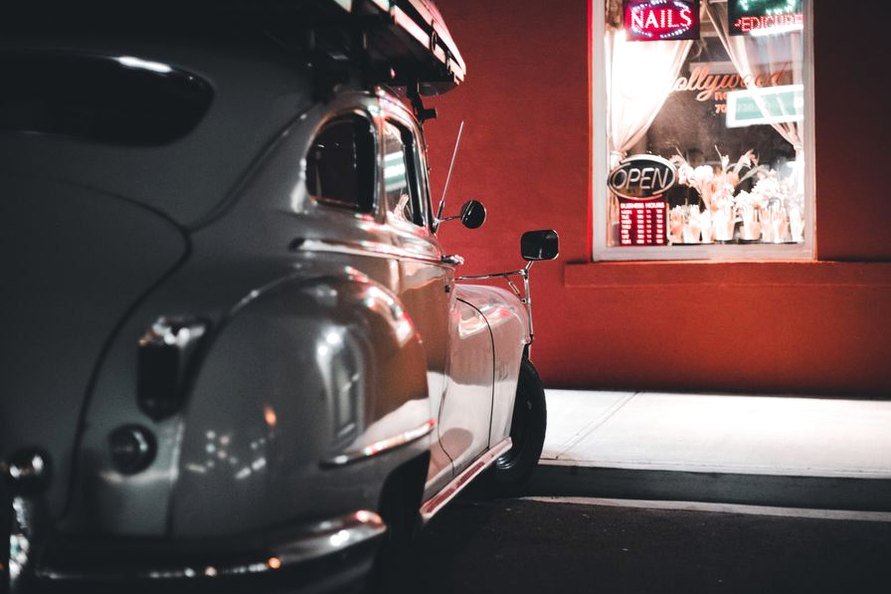
How to Choose Atmospheric Lifestyle Shots Beside Vintage Cars and Bikes for a Clean Desktop Setup
A good desktop wallpaper frames your icons, fits your screen ratio, and stays calm enough for daily work. With a vintage-car or classic-bike theme, composition matters as much as the subject. Look for a high-resolution image, check how much open space surrounds the vehicle, and make sure the download page identifies the file clearly. A striking photo may look excellent on its own but feel distracting once you place folders and shortcuts over it.
Begin with the desktop layout
Leave visual breathing room for the items on your desktop. A photo with the car or bike positioned to one side can leave darker or less detailed space for folders and shortcuts. A centered portrait may look attractive in a gallery, yet put the main subject directly beneath your icons. Before choosing, consider where your shortcuts usually sit and whether the image will keep that area readable.
The catalog includes images in 3840x2400 and 1920x1200 resolutions. The larger format gives you more room to crop for modern widescreens, while 1920x1200 can suit older monitors without heavy enlargement. Check your display dimensions before downloading. A mismatch can stretch the vehicle or crop details, including its wheels, at the edges. Compare the image’s shape with your screen, not just the resolution number, and inspect the preview for space around the subject.
Screen the image before saving it
The atmosphere depends on the relationship between the subject, background, and open space. Muted pavement, garage walls, open roads, or soft shadows can complement a vintage vehicle without competing with desktop icons. A busy crowd, bright signage, or heavy text overlays may make the screen feel cluttered during everyday use. Look at the whole frame, including the corners where shortcuts and folders may appear.
The listed collection focuses on men’s portraits and photoshoots, including 4K files featuring Matthew Perry, David Harbour, and Jake Gyllenhaal. It does not confirm that every image includes vintage cars or motorcycles. Treat the category as a starting point, then inspect each preview rather than assuming the title or thumbnail matches the vehicle theme. Check whether the scene contains the car or bike you want and whether its placement suits your desktop layout.
You can browse the men’s wallpaper category here: How to Choose Atmospheric Lifestyle Shots Beside Vintage Cars and Bikes for a Clean Desktop Setup. Preview the composition at full size before selecting a file, especially if the image will sit behind work documents or design software. A full-size check can reveal details that a small thumbnail hides, such as text overlays or limited space around the vehicle.
Manage download and file risks
A free desktop wallpaper download does not come with a cargo shipment, freight insurance, or delivery contract. The distinction matters for first-time users: a page can offer a free image without providing a commercial-use license, a service guarantee, or protection against every download problem. Review the page and its usage terms before relying on the image for anything beyond a personal desktop.
Use the stated resolution as a practical check, not a guarantee of visual quality. Save the file in a separate downloads folder, scan it with your security software, and open the image after the download finishes. An image file should not require an installer, browser extension, or unrelated executable program. If the download prompts you to install software, do not treat that prompt as part of the wallpaper itself.
Keep the original file until you confirm that the wallpaper displays correctly. If the picture looks blurry, appears cropped, or shows incorrect colors, compare it with the listed dimensions before deleting anything. You can also revisit the preview to check whether the file matches the image you selected. This helps avoid repeated downloads and protects your time during a first selection.
Common mistakes with vehicle-themed wallpapers
- A portrait-oriented image on a wide monitor can cut off the motorcycle, wheels, or background scenery.
- A 1920x1200 file on a much larger display may look visibly soft after scaling.
- A high-contrast subject behind icons can make folders harder to read and disrupt a clean setup.
- A men’s photoshoot category does not guarantee vintage-car content, so the image may not match the intended style.
- Using an image for advertising, packaging, or a client project without checking its usage terms creates a separate rights risk.
Choose the safer first download
For a work desktop, select a 3840x2400 image when your monitor supports a comparable ratio and the preview leaves clear space for icons. Choose 1920x1200 when your display matches that format or when the image will stay on a smaller screen. In either case, check how the crop affects the vehicle before setting the file as wallpaper.
Confirm three details first: the preview shows the intended vehicle scene, the resolution matches your monitor, and the download behaves like an image rather than a software package. Then save the file locally and adjust the crop through your operating system’s wallpaper settings. If the result does not preserve both the vehicle and a clear area for desktop items, return to the previews and select another composition.
Open the category, shortlist two or three previews with quiet backgrounds, and download the one that preserves both the vehicle and your desktop workspace.
- Reference: https://wallpapers4screen.com/
Write a comment