Top Desktop Backgrounds in Men Refined Details of Mechanical Watches Leather and Style in Ultra HD
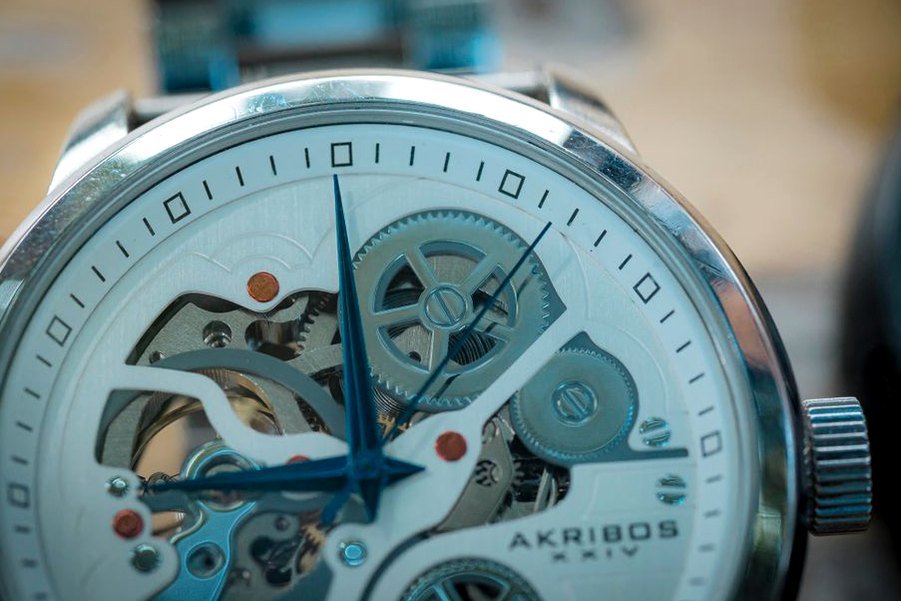
Top Desktop Backgrounds in Men: Refined Details of Mechanical Watches, Leather, and Style in Ultra HD
A men’s-style wallpaper only looks sharp if the file matches your screen pixel for pixel. Wallpapers4screen lists the resolution of every image in its men category before you download, most often 3840x2400 or 1920x1200, and the downloads are free. That means you can judge a file before it reaches your desktop, and a wrong pick costs nothing.
Verify the Supplier Before You Download
Treat a wallpaper site the way a buyer treats a supplier. Check what it states up front, because vague listings lead to blurry screens. Each entry in the men category at Wallpapers4screen shows the pixel dimensions and descriptive tags, so you know the size and subject before you click.
The category runs to 111 pages, and most of it is editorial portrait work, such as actor and musician photoshoots, including magazine sessions. That matters if you want watch and leather details. Fine texture comes from professionally lit shoots, so look for portraits where a wrist, a jacket collar, or a strap sits in focus. A studio photoshoot tag is a better sign of clean detail than a generic “4k” label.
Inspect the File Like Incoming Stock
Open the downloaded image at 100% zoom before you set it as a background. A true 3840x2400 file keeps the brushed steel of a watch case and the grain of leather crisp at full size. An upscaled file shows soft edges and blocky shadows, and those flaws grow on a large monitor.
Compare the listed resolution with the file’s actual properties. If your display is 4K, a 1920x1200 image will be stretched to about twice its width, and the fine detail you chose it for will blur. On a 1920x1200 or Full HD screen, the smaller file is fine and loads faster. This is why browsing Top Desktop Backgrounds in Men: Refined Details of Mechanical Watches, Leather, and Style in Ultra HD by listed size saves time, since you reject mismatched files before downloading them.
Reinforce the Packaging
A wallpaper’s packaging is how the file is stored and displayed. Keep the original download untouched in a dedicated folder and work only from copies. Every re-save in a lossy format removes detail, and dark leather tones show the damage first.
Aspect ratio is the second weak point. Both common sizes in the category are 16:10, so on a 16:9 monitor the system crops a strip from the top and bottom. Choose the “fill” setting and check that the crop does not cut through a face or a watch dial. If it does, pick another image, because cropping it yourself rarely fixes the composition.
Consolidate Your Batch
One strong image gets stale within weeks, but a random pile of pictures looks chaotic in a slideshow. Build a set of eight to twelve files with a shared palette, such as dark suits, warm leather browns, and neutral studio backdrops. Rotate them daily, and the desktop stays fresh without icons clashing against a new color scheme each morning.
Keep every file in a batch at one resolution. Mixed sizes make a slideshow jump between sharp and soft frames, and that is easy to notice on a second monitor. Because Wallpapers4screen charges nothing per download, you can collect a larger batch and keep only the files that pass inspection.
Acceptance Checklist
- The listed resolution equals or exceeds your monitor’s native resolution.
- At 100% zoom, metal edges and leather grain stay sharp, with no blocky shadows.
- File properties match the dimensions shown on the download page.
- Your screen’s crop leaves the face, dial, or main detail intact.
- An untouched original sits in a separate folder from your working copies.
- Every image in the slideshow set shares one resolution and a consistent palette.
- Desktop icons and text remain readable over the darkest and brightest image in the set.
- Reference: https://wallpapers4screen.com/
Write a comment