Top Desktop Backgrounds in Birds Seagulls and Albatrosses Soaring Above Stormy Waves in Ultra HD
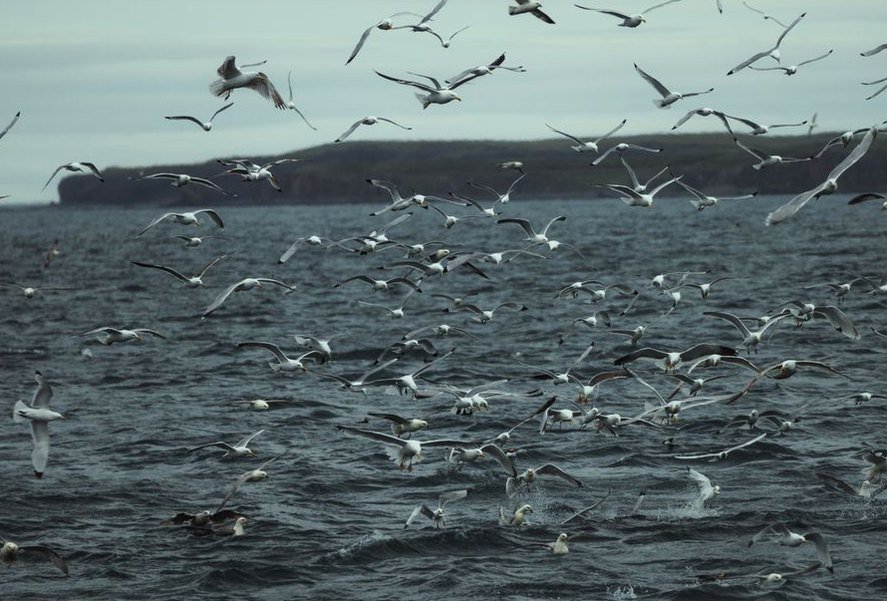
Top Desktop Backgrounds in Birds: Seagulls and Albatrosses Soaring Above Stormy Waves in Ultra HD
The safest way to pick a bird wallpaper is to confirm the file’s resolution against your screen before you download, and to download only from a catalog that lists exact pixel sizes. Wallpapers4screen.com does this: every thumbnail in its birds category carries a size label, and the first page lists 3840x2400 for each image. A stormy seascape with gulls or albatrosses has dark water, fine spray, and thin wing edges, so a low-resolution file turns muddy on a large monitor.
Check the Resolution Before You Click
A 3840x2400 file covers a 4K display and the 16:10 panels common in laptops. If your screen is smaller, the image scales down cleanly. If your screen is larger or has an unusual ratio, the system stretches or crops the picture, and a gull on the horizon can end up cut off at the edge.
Look up your display’s native resolution in your system settings first. Then compare it with the size shown beside the thumbnail. Skipping this check is the most common mistake on a first download, and it costs you a wasted file and a blurry desktop.
What the Catalog Actually Shows
The first page of the Top Desktop Backgrounds in Birds: Seagulls and Albatrosses Soaring Above Stormy Waves in Ultra HD category spans 17 pages in total. It currently leads with a scarlet macaw against blue sky, a hawk and an owl with outstretched wings on black backgrounds, and a long run of bald eagle images in American flag themes. Seagull and albatross images are not on that first page, so plan to page through the category rather than expect them at the top.
The listings are free to download, and each carries keyword tags such as “4k,” “birds of prey,” or “bokeh.” Those tags tell you the mood before you open the file. A dark background with golden detailing will suit a dim workspace, while a blue-sky shot with soft bokeh stays readable under bright office lights.
Mistakes That Cost You on the First Download
Many first-timers choose by thumbnail alone. A thumbnail hides how busy the image is, and a wallpaper with a bright subject in the middle buries your desktop icons. Pick images with open space on one side, such as sky above a wave line, so folders and shortcuts stay visible.
Another common problem is the theme. Several bald eagle images are built around the American flag and the Fourth of July. They look right in early July but feel out of place on a work computer in November, so check the tags for holiday references before you commit to one as a daily background.
A third mistake is saving files from random mirrors. Sticking to one catalog with clear size labels and a visible site name lowers the chance of getting a mislabeled or recompressed copy. Before you download, confirm that the site shows its own name and the current year, as Wallpapers4screen.com does in its footer.
How to Reduce the Risk on Your First Batch
- Note your screen’s native resolution and aspect ratio.
- Open the birds category and read the size label under each thumbnail.
- Download two or three candidates instead of one, so you can compare them on your own screen.
- Set each as your background for a full workday and see whether your icons stay readable.
- Delete the ones that blur or crowd your shortcuts.
Because the files are free, testing several costs nothing but a few minutes. Wallpaper files carry no contract or guarantee, so your real protection is the test itself. A background that looks sharp at full screen on your own monitor is a good choice, and one that does not can simply be replaced.
Start by opening the birds category now, scroll beyond the first page for seascape shots, and download three candidates that match your screen’s resolution.
- Reference: https://wallpapers4screen.com/
Write a comment