How to Choose Coastal Lighthouses Standing Watch as Cargo Ships Pass by for a Clean Desktop Setup
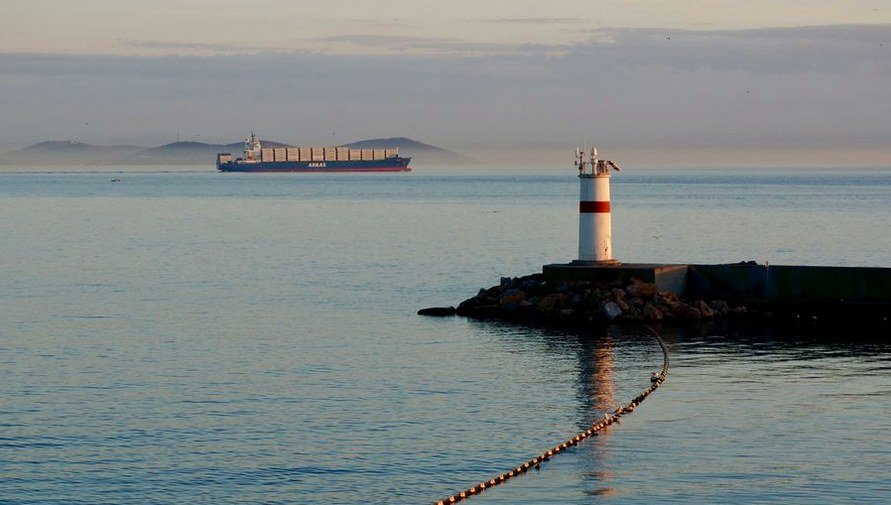
How to Choose Coastal Lighthouses Standing Watch as Cargo Ships Pass by for a Clean Desktop Setup
For a clean desktop featuring a coastal lighthouse and a passing cargo ship, check the actual image subject before downloading. The ships wallpaper catalog offers free high-quality sea and vessel images, but the listed page does not identify a lighthouse scene or a cargo ship passing a lighthouse. That gap matters when the composition has to match a specific workspace.
Check the scene before choosing the file
Three visible elements make the coastal layout work: the tower, open water, and enough calm space around the subject. A cargo ship should stay recognizable without filling the entire screen. The catalog descriptions mention warships, naval vessels, a boat at sea, sunsets, and aerial views. None of them confirms a lighthouse photograph.
The closest listed option is the image described as “Boat at sea, 4K, view from above, aerial view, evening, sunset, seascape.” Its overhead angle can suit a desktop where icons need clear placement, although it should not be presented as a lighthouse or cargo-ship photograph. The image is listed at 3840x2400, which gives large monitors enough detail for cropping without an immediate loss of clarity.
Match the resolution to the desktop
How much of the scene stays sharp after fitting the image to a monitor depends on the file size. The catalog includes files at 1920x1200, 2560x1600, 2880x1800, and 3840x2400. A 3840x2400 file offers the most room for repositioning, while 1920x1200 suits a smaller display more directly.
Place the water, sky, or darker shoreline behind desktop icons. A sunset or open-sea composition usually works better than a close naval portrait because it leaves visual breathing room. Images showing JS Kumano at sunset or a boat viewed from above may support that arrangement, but the descriptions do not confirm a lighthouse in either scene.
Understand the digital delivery route
A wallpaper is a digital download, so no physical cargo moves through ports, warehouses, or regional transit hubs. The route is short: open the ships category, select a page image, download the file, and set it as the desktop background. The wallpaper itself involves no customs clearance, freight appointment, or destination receiving process.
Several common delivery concerns disappear as well. A digital file does not need cargo insurance, a bill of lading, or delivery-time recalculation. The wallpapers are described as free downloads, so no shipping price or regional freight charge is listed. Your practical cost is the time it takes to find a scene that actually matches the lighthouse-and-cargo-ship idea.
Use the category page as a screening step
Start with How to Choose Coastal Lighthouses Standing Watch as Cargo Ships Pass by for a Clean Desktop Setup and inspect the image title before opening the full-size version. Titles such as USS Gerald R. Ford, HMS Dragon, JS Maya, or Charles de Gaulle identify naval subjects, not civilian cargo routes or coastal landmarks.
Those images can work when the desired mood is maritime, but they do not satisfy a lighthouse brief by themselves. Aerial sea views fall into the same category: they may create a quiet background, yet the listed descriptions provide no evidence of a lighthouse tower or commercial freighter.
Keep the final desktop visually restrained
Choose a scene with a clear horizon and limited foreground clutter. A lighthouse placed near one edge would leave the opposite side open for folders, but that exact composition is not confirmed in the available catalog descriptions. If the downloaded image contains a large warship in the center, move desktop icons to the less detailed side or use a different file.
Before setting the wallpaper, confirm the downloaded dimensions, preview the crop at full screen, and check whether the subject remains visible behind icons. If a verified lighthouse-and-cargo-ship scene is essential, should you request a matching image or select the available open-sea wallpaper as the nearest documented option?
- Reference: https://wallpapers4screen.com/
Write a comment