How to Choose Seasonal Nature Transitions from Spring Thaw to Winter Frost for a Clean Desktop Setup
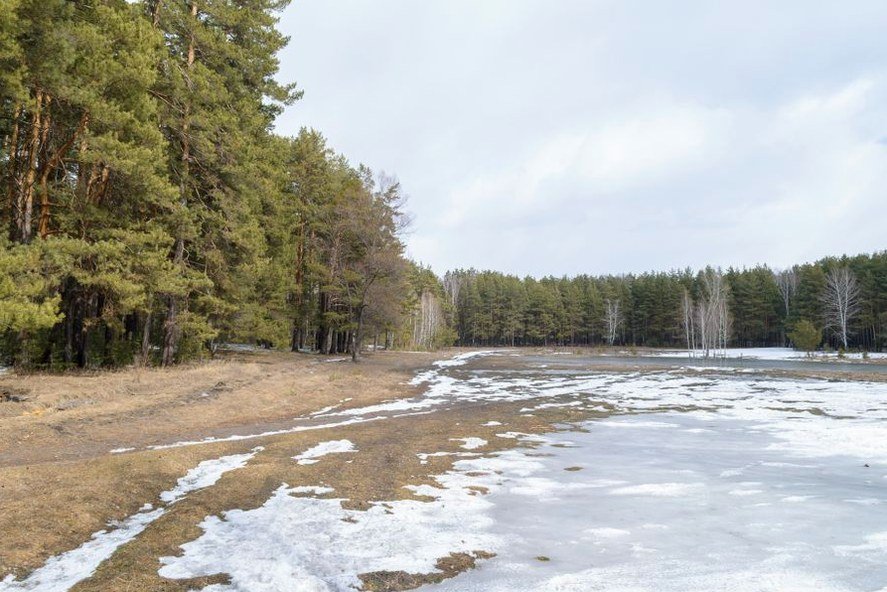
How to Choose Seasonal Nature Transitions from Spring Thaw to Winter Frost for a Clean Desktop Setup
Seasonal nature wallpapers create a calmer desktop when each image follows a clear visual transition. Start with fresh seedling imagery or green spruce, move through autumn leaves and harvest colors, then finish with snow-covered pine trees for the winter stage.
The Wallpapers4screen nature collection offers free desktop downloads in 3840x2400 resolution, including 4K scenes suited to large monitors and detailed backgrounds. Choose by season, contrast, empty space, and screen layout rather than by color alone.
Build a Four-Stage Seasonal Sequence
A clean seasonal setup works best when every wallpaper marks a distinct change in light, texture, and color. The sequence should feel gradual instead of switching randomly between unrelated scenes.
- For spring thaw, use the hand-holding-seedling image. Its small green plant and open background suggest new growth without filling the screen with visual detail.
- Green spruce branches create a transition into early summer. Their deep color gives desktop icons stronger separation, especially when the icons sit over a pale area.
- Autumn maple leaves introduce warmer tones through red, gold, orange, and brown. Leaf close-ups, leaves floating on water, and harvest compositions offer different levels of texture.
- Snow-covered pine trees complete the winter stage. The blue sky and white snow produce a cooler, brighter screen that feels distinct from the previous autumn images.
This order also helps with desktop organization. Spring imagery can mark the start of a work cycle, autumn can signal a review period, and winter can provide a quiet background for year-end tasks.
Check Composition Before Downloading
Resolution matters, but composition determines whether a wallpaper remains practical after icons, folders, and widgets cover part of the image. A close-up of autumn leaves may look rich in a preview, yet its repeated shapes can make file names harder to scan.
Look for an area with restrained detail near the usual icon column. The blue sky above winter pines offers natural open space, while a macro image of maple leaves may need a less crowded icon layout.
Low-angle palm and pine views create strong vertical lines. They suit uncluttered desktops, but a busy workspace may look cleaner with water, sky, or softly blurred foliage. The autumn bokeh images are useful when you want seasonal color without sharp edges competing with text.
Use the Collection Efficiently
The nature category contains 76 pages, so browsing with a short decision list prevents wasted time. Filter your choices by season first, then compare the visual space available for icons and application windows.
You can review the How to Choose Seasonal Nature Transitions from Spring Thaw to Winter Frost for a Clean Desktop Setup collection through the nature category and select a small group for testing. Download one image for each seasonal stage instead of collecting dozens that create inconsistent transitions.
Every listed example uses 3840x2400 dimensions. That gives you a consistent source size across the seasonal set, although the final appearance still depends on your monitor, scaling settings, and desktop orientation.
What to Check Before Payment
The supplied page presents the nature wallpapers as free downloads and does not list a purchase price, paid package, subscription, or delivery charge. You should not enter payment details for a download that is presented as free.
Before downloading, inspect the current page for its usage terms, attribution instructions, and any restrictions connected with commercial display. The available source material does not specify a license, so those conditions should be confirmed on the live page rather than assumed.
There is also no listed contract, delivery deadline, refund clause, or warranty for these free wallpaper files. If a payment request appears during the process, review the seller name, final amount, cancellation terms, and permitted use before approving anything.
Scenario Breakdown for a Clean Setup
Imagine a monitor used for documents, browser windows, and project folders. A practical four-image sequence would begin with the seedling, move to green spruce branches, continue with autumn leaves on water, and end with snowy pine trees.
The seedling image keeps the spring stage visually light. Spruce branches add deeper green without forcing a dramatic change. Leaves on water introduce warmer colors while retaining a relatively calm surface, and snowy pines finish the sequence with high contrast.
For a more decorative desktop, choose autumn maple leaves with bokeh, followed by the autumn harvest image with pumpkins and acorns. These options contain more detail, so move icons into a clear side column or use a minimal desktop layout.
FAQ About Seasonal Nature Wallpapers
Are these wallpapers free to download?
The supplied page describes the nature wallpapers as free downloads. It does not list a price or subscription, so check the live page before completing any payment request.
What resolution do the listed images use?
The examples are listed at 3840x2400 resolution, including the spring, autumn, spruce, and winter nature scenes.
Which image works best for many desktop icons?
The seedling, snowy pine, or blue-sky compositions may provide calmer areas for icons. Test the preview with your actual desktop layout before choosing.
Can the wallpapers be used commercially?
The supplied details do not state commercial-use terms. Review the current page’s license or usage instructions before placing an image in client-facing or paid work.
- Reference: https://wallpapers4screen.com/
Write a comment