JDM Icons vs European Coupes Most Popular Car Wallpaper Themes
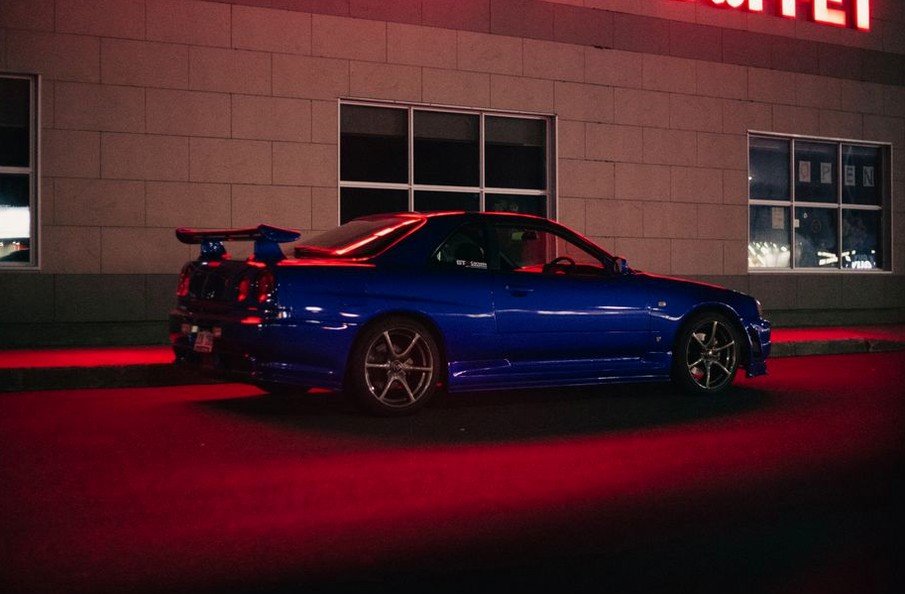
JDM Icons vs European Coupes: Most Popular Car Wallpaper Themes
JDM and European car wallpapers create different desktop moods. JDM themes usually emphasize bold colors, compact performance cars, studio lighting, and tuning culture, while European themes lean toward premium design, darker tones, autumn scenery, and high-speed grand touring.
For a practical download choice, start with the screen size and the number of images you need. The cars collection offers free desktop wallpapers in 3840x2400 resolution, so one image suits a single high-resolution monitor while a batch can refresh several workstations or personal devices.
How JDM themes differ from European performance cars
JDM-style wallpapers work well when the desktop needs vivid color and a more energetic visual identity. The Toyota GR Corolla listing uses studio presentation, tuning details, HDR treatment, and a blue performance-car theme. Those elements create a sharper image on large monitors because the body lines remain easy to see against a controlled background.
Toyota RAV4 and Lexus ES themes take a calmer direction. The RAV4 artwork uses a blue vehicle and studio composition, while the Lexus ES 350e focuses on a luxury-car presentation. These files suit users who want a Japanese automotive theme without an aggressive racing appearance.
European wallpapers cover a broader premium and performance range. The red BMW M3 Competition G80 brings a bright autumn scene and stance-focused styling. The black BMW M5 E60 uses a darker palette, tuning references, and an older-generation design that appeals to fans of German performance cars.
BMW E38 and BMW E64 themes move the collection toward classic luxury and grand touring. Their grunge, black-and-white, autumn, and creative backgrounds work well on desktops where a subdued image is easier to keep behind icons and open windows.
Choosing by screen and download batch
The 3840x2400 format gives a large image area for desktop use, but the correct choice depends on how the wallpaper will appear on your display. A single-screen user can download one theme and adjust the crop to match the monitor. A person managing several computers may prefer a small batch with different colors and compositions.
- A one-file download fits a personal desktop refresh when the car and background already match your preferred style.
- A three- to five-file batch gives a home office or showroom computer several visual options without repeating the same vehicle.
- A larger batch works for multiple screens, but review each image first so bright headlights or dark backgrounds do not reduce icon visibility.
There is no physical cargo, freight route, or parcel timeline for these files. The delivery format is digital download, so the practical comparison concerns file quantity, resolution, and the time needed to select suitable images rather than shipping weight or warehouse handling.
Where to find the strongest themes
The cars category brings Japanese, German, British, and other automotive subjects together, making it easier to compare visual styles before downloading. Browse JDM Icons vs European Coupes: Most Popular Car Wallpaper Themes when you want to compare a tuned Toyota GR Corolla with BMW performance designs or a more refined Lexus theme.
For a clean productivity desktop, choose a BMW E38, BMW E64, or Lexus ES image with a restrained background. For a gaming setup or enthusiast display, the GR Corolla, red BMW M3, or black BMW M5 creates stronger contrast and a more aggressive appearance.
A realistic download selection scenario
Suppose you are refreshing four office monitors and want different automotive images. One practical batch could include the Toyota GR Corolla, Lexus ES 350e, red BMW M3 Competition G80, and black BMW M5 E60. Each file is listed at 3840x2400, so the batch gives every screen a separate high-resolution theme.
The selection process takes longer than downloading one file because you need to check color, composition, and icon placement for each monitor. A dark BMW image may suit a screen with light desktop icons, while a bright Toyota image may need a quieter icon layout. This small check reduces the chance of replacing wallpapers again after installation.
What to check before using a wallpaper
Confirm the image resolution before setting it as a background. A 3840x2400 file gives room for cropping, but an ultrawide or vertically oriented display may still require a different fit setting.
Check whether the chosen vehicle matches the mood of the room or device. European performance themes often suit darker desks and premium interiors, while JDM-inspired Toyota images bring more color to a creative workspace.
Finally, review usage terms if the image will appear in a commercial presentation, advertisement, or public screen. Free desktop downloading does not automatically establish commercial image rights, so personal use and business display should be treated separately.
Choose one Japanese and one European theme first, compare them on your actual screen, then build a larger batch around the style that keeps icons readable and the desktop visually balanced.
- Reference: https://wallpapers4screen.com/
Write a comment