From Deep Space to Classic Cars Gems Hidden in Random Wallpaper Feeds
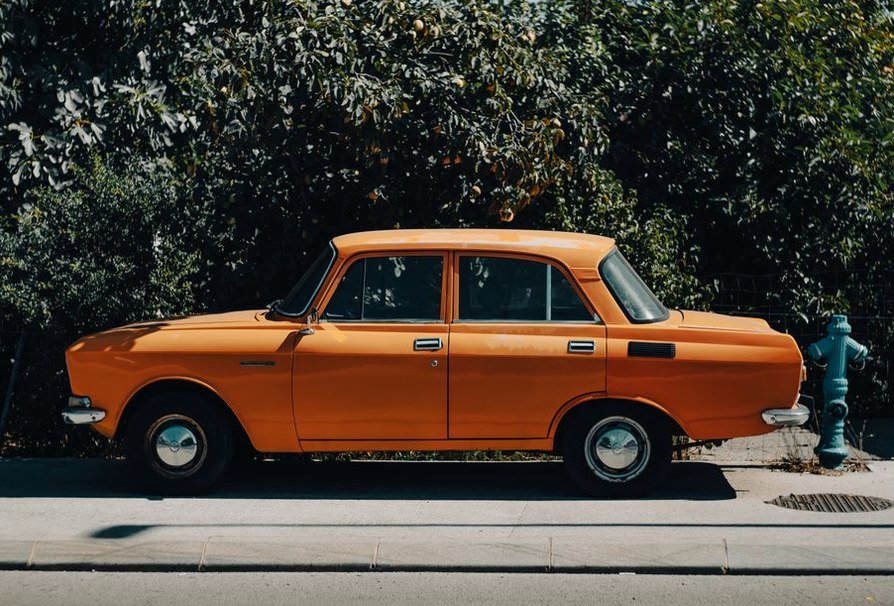
From Deep Space to Classic Cars: Gems Hidden in Random Wallpaper Feeds
Random wallpaper feeds can uncover striking space scenes, classic cars, abstract art, and other desktop images without a purchase or shipment. The main risk is not cargo damage or a surprise delivery fee; it is choosing a file that does not match your screen, workflow, or intended use. A careful download process protects your time and avoids assumptions the site does not support.
What the Random Feed Actually Offers
The random section gathers wallpapers from multiple categories and displays images in several resolutions, including 3840x2400, 2880x1800, 2560x1600, 1920x1200, and 1920x1486. That range matters because a large image can look sharp on a high-resolution monitor, while a mismatched format may crop poorly or leave unused space.
Users can move through a large archive rather than rely on one narrow search. The main site lists more than 9,900 pages, while the random feed draws from categories such as Space, Cars, Transport, Ships, and other visual themes. Random browsing works best when you want discovery; category search works better when a project requires a specific subject.
Managing Risk Before the First Download
Check the displayed dimensions before saving a file. A 3840x2400 image offers more room for cropping than a 1920x1200 image, so it is usually the safer choice for a large desktop display. Smaller files may suit older screens, but stretching them can reduce clarity.
Review the subject in context before using it for work. A dramatic space image may fit a personal desktop, while a detailed classic-car image could distract from icons and documents. For a presentation, store the original file separately and create a working copy so edits do not overwrite the download.
- Confirm the resolution against your monitor’s native format.
- Preview the image at full size before setting it as wallpaper.
- Keep a clear filename if you download several random images.
- Use the category pages when you need a repeatable subject search.
Finding Space Scenes and Classic Cars Faster
The random feed is useful when the goal is variety, but it can produce an image from any available category. If your preference is astronomy, open the Space category instead of refreshing random results repeatedly. The Cars category is more efficient for vintage vehicles, road scenes, and automotive details.
The site’s navigation also includes search and category browsing in several languages. That structure reduces the chance of losing a promising image after moving through many pages. For a focused session, save the page address or note the image resolution immediately after finding a suitable design.
For a broader visual route between subjects, open From Deep Space to Classic Cars: Gems Hidden in Random Wallpaper Feeds and use the random feed as a discovery tool. Treat each result as a candidate, then verify its dimensions and suitability before downloading.
What the Site Does Not Guarantee
The available site information describes free desktop wallpaper downloads, categories, image resolutions, navigation, and a large archive. It does not list prices, paid licenses, delivery schedules, cargo handling, insurance, contract guarantees, or accounting paperwork.
That distinction matters for commercial use. A buyer should not assume that a free desktop download includes permission for advertising, packaging, merchandise, or client work. If the image will appear outside a personal desktop, check the applicable usage terms directly before committing it to a paid project.
There is also no stated recalculation policy because the service is presented as a free download rather than a freight or purchasing contract. Delays are limited to browsing and downloading time, while cargo safety has no practical role because no physical shipment is described. Do not pay a third party for shipping, insurance, or customs processing on the basis of this site’s public information.
Common First-Time Mistakes
One frequent mistake is choosing the most visually impressive image without checking its size. Another is assuming that every random result has the same resolution. The feed displays multiple formats, so a quick dimension check prevents an unsuitable background from reaching your desktop.
Some users also refresh the random page when a category would produce better results. That wastes time and makes it harder to find a consistent visual theme. Use random browsing for inspiration, then switch to Space, Cars, or another relevant category once the preferred direction becomes clear.
Start with the random page, shortlist several images, and compare their resolutions with your screen before downloading the final wallpaper.
- Reference: https://wallpapers4screen.com/
Write a comment