How to Choose Fluffy Red Pandas and Raccoons Perched Among Tree Branches for a Clean Desktop Setup
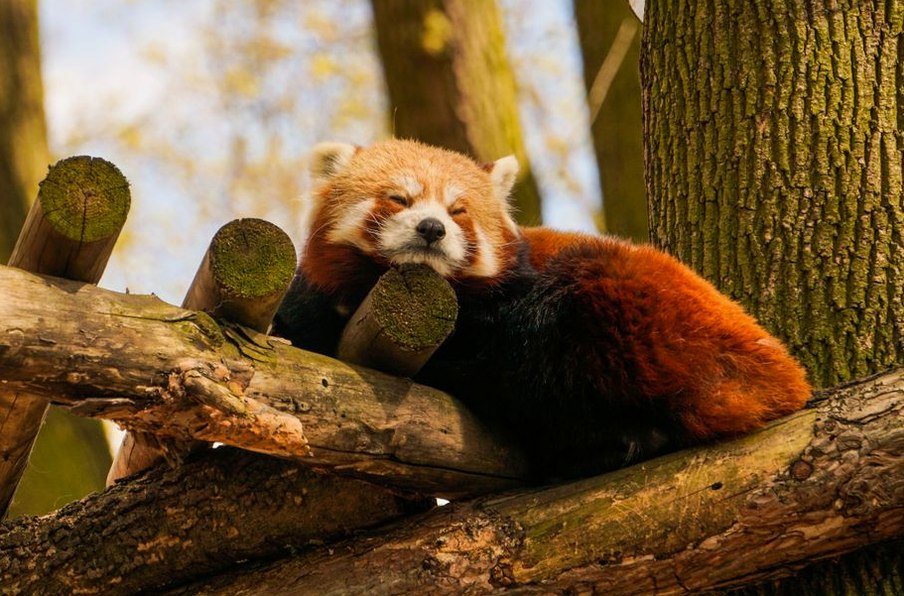
How to Choose Fluffy Red Pandas and Raccoons Perched Among Tree Branches for a Clean Desktop Setup
Pick an image where the animal sits on one side of the frame, the branches stay soft or sparse, and the file matches or exceeds your screen resolution. Those three checks decide whether your desktop looks tidy or turns into a fight between fur, bark, and icon labels. The animals category on Wallpapers4screen.com lists its files at 3840x2400, free to download, so resolution is the easiest of the three to get right.
Where a first download usually goes wrong
Most people choose a wallpaper from a thumbnail. At thumbnail size a raccoon wrapped in a tangle of twigs looks charming, but at full size every twig competes with your folder names. The cost is small and daily: you squint at labels, drag icons around, and replace the picture within a week.
The second mistake is ignoring the shape of the file. A 3840x2400 image has a 16:10 ratio. On a 16:10 laptop panel it fits edge to edge, but on a 16:9 monitor at 3840x2160 the system trims 240 pixels of height. If the red panda’s ears touch the top of the frame, that trim cuts them off, so look for headroom above the animal before you download.
The third mistake is choosing by the animal’s face alone. A red panda’s rust-colored coat is bright and warm, so white icon text over the fur becomes hard to read. A raccoon is gray with a dark mask, so its body hides dark-themed widgets. Keep the animal away from the zone where your icons live.
What a clean composition looks like
Icons on Windows stack along the left edge by default, and macOS places them on the right. Choose a picture where the animal sits on the opposite side, with blurred foliage or open sky behind your icons. The source listings tag some images with “bokeh,” which marks the soft, out-of-focus background that keeps labels readable.
Branches deserve the same scrutiny as the animal. One thick diagonal branch gives the eye a single line to follow and leaves the rest of the frame quiet. A dense canopy with dozens of crossing twigs produces high-contrast noise across the whole screen, so skip it however good the animal looks.
The category runs to 309 pages, so set your rules before you browse. This guide on How to Choose Fluffy Red Pandas and Raccoons Perched Among Tree Branches for a Clean Desktop Setup points to that animals category, where each listing shows its resolution and descriptive tags next to the download link. Reading the tags first saves you from opening dozens of full-size previews.
Three objections worth answering before you download
Is free going to cost me later?
Wallpapers4screen.com labels its animal wallpapers as free desktop downloads, and the listings mention no price tiers. Nothing gets recalculated after you click. Free personal use on your own screen is a different matter from reuse in a client presentation or a product, though. If you plan anything beyond your own desktop, check the site’s terms or ask through its Feedback link first.
Will the picture hold up on a large monitor?
A 3840x2400 file covers a 4K display with pixels to spare and scales down cleanly to 2560x1600 or 1920x1200. Trouble starts only when a file is smaller than the screen and the system stretches it, which smears fur into a blur. After downloading, open the file properties and confirm the dimensions match the listing.
How do I keep the download itself safe?
A wallpaper should arrive as an ordinary image file, such as JPG or PNG. If a download asks you to run an installer or enable browser notifications, close the tab and start again from the category page. That habit takes two seconds and removes the main risk of any free image site.
A five-minute check before you set the image
- Write down your screen resolution and note which side your icons occupy.
- Open the animals category and filter with your eyes for one animal, one main branch, and a soft background.
- Confirm the listing shows 3840x2400 and that the animal has clear space above its head.
- Download the file, verify its dimensions and file type, then set it using the “Fill” option.
- Check your icon labels for 30 seconds of normal use, and swap the image if any label needs a second look.
Start with step one now: check your display settings, then open the animals category on Wallpapers4screen.com and shortlist two candidates, one red panda and one raccoon, to test side by side.
- Reference: https://wallpapers4screen.com/
Write a comment