Top Desktop Backgrounds in Celebrities Motorsport and Athletic Icons Off the Field in Ultra HD
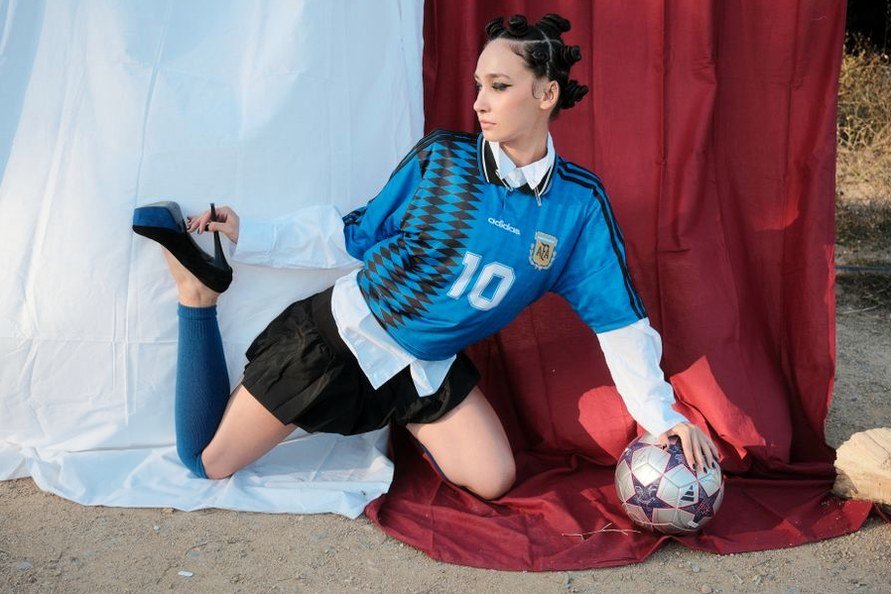
Top Desktop Backgrounds in Celebrities: Motorsport and Athletic Icons Off the Field in Ultra HD
Finding a sharp celebrity desktop background starts with matching the file to your monitor, not with downloading the largest image available. The collection includes high-resolution celebrity photoshoots in sizes such as 3840x2400, 2880x1800, and 1920x1200, so buyers can choose a file that fits their screen without unnecessary scaling.
This matters for motorsport and athletic-inspired desktop styling. An off-field portrait needs enough detail for clothing, facial features, and background texture to remain clean at full screen. A poorly matched image can look stretched, cropped, or soft, especially on wide monitors.
What the available image sizes mean
A 3840x2400 file offers the most room for cropping and high-density displays. It suits users who want a dramatic portrait with space for icons, widgets, or a second monitor arrangement. The larger frame also reduces the chance that a desktop system will enlarge the image and expose blur.
Images at 2880x1800 remain suitable for many modern laptop and desktop screens. They need less storage than the largest files while retaining enough detail for a polished background. A 1920x1200 image works better when the monitor uses a similar aspect ratio; aggressive cropping can otherwise remove the subject’s face or upper body.
Before downloading, check three details:
- Compare the wallpaper dimensions with the monitor’s native resolution.
- Check whether the image orientation leaves room for desktop icons.
- Keep the original file until the background appears correctly on screen.
Choosing a celebrity style without creating visual clutter
Motorsport and athletic themes often work best when the subject stands apart from the background. A portrait with strong contrast keeps desktop shortcuts readable, while a busy photoshoot may make icons difficult to find.
The source catalog focuses on celebrity portraits and editorial shoots, including images of Jennifer Garner, Katrina Kaif, Sophie Turner, and Hilary Duff. Those entries are not motorsport or athletic profiles, so users searching for a specific driver or athlete should verify the subject before downloading. The category page is a practical starting point for filtering the wider selection: Top Desktop Backgrounds in Celebrities: Motorsport and Athletic Icons Off the Field in Ultra HD.
Do not assume that every 4K label means the same file dimensions. The listed images use several resolutions, and the actual pixel size matters more than a marketing tag. Matching pixels to the display reduces scaling problems and avoids wasting time testing unsuitable files.
Download safety and rights checks
This is a digital wallpaper download, not a physical shipment. There is no cargo insurance, freight contract, delivery guarantee, or customs paperwork involved. Buyers should avoid treating a free image page like a commercial stock-license transaction because the supplied material does not state commercial usage rights, exclusivity, or a warranty.
For personal desktop use, save the file from the page and scan the download with current security software. Avoid third-party buttons, browser extensions, and executable files presented as wallpaper tools. A standard image should use a familiar format such as JPG or another normal picture file, not an installer.
Commercial users need a separate rights check before placing a celebrity image in advertising, packaging, social media campaigns, or client presentations. A public download page does not automatically grant permission to use a person’s likeness or a photographer’s work for business purposes.
Common first-download mistakes
The most frequent error is selecting a file by celebrity name alone. Users should confirm the resolution, crop, and subject placement before setting the image as a background. Another mistake is choosing a portrait that matches the monitor width but leaves no quiet area for icons.
Some users also download several versions without recording which file looked best. Rename saved images with the subject and dimensions, such as «portrait-3840x2400», so the preferred version remains easy to identify. Keep a backup copy before editing or cropping.
For a clean first setup, choose one image close to the monitor’s native resolution, preview it with desktop icons visible, and inspect the face and edges at full size. If the file crops poorly, select another resolution rather than forcing the operating system to stretch it.
Start by checking the celebrity category, confirming the exact pixel dimensions, and downloading one preview candidate before building the rest of your desktop collection.
- Reference: https://wallpapers4screen.com/
Write a comment