How to Choose Track Ready Race Cars under Floodlit Night Circuits for a Clean Desktop Setup
How to Choose Track-Ready Race Cars under Floodlit Night Circuits for a Clean Desktop Setup
Picking the right race car wallpaper transforms your desktop from generic to gripping, but resolution and composition matter more than the car itself. A 4K image of a Lamborghini Revuelto under Tokyo’s night lights will pin your attention every time you minimize a window, while a poorly cropped 1080p shot creates blur and distraction. The difference shows up in how your icons sit against the background, whether text stays readable, and whether the image still looks sharp on a 27-inch or ultra-wide monitor.
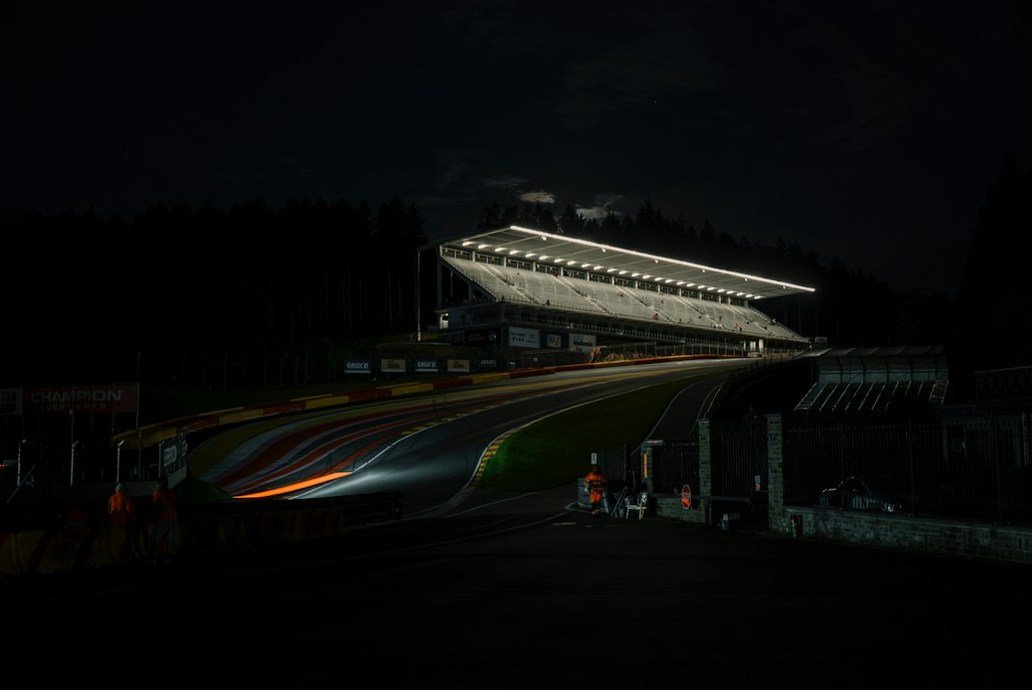
Desktop wallpapers work best when the main subject sits off-center or low in the frame. Race cars photographed under floodlit circuits naturally create this balance because the lighting draws your eye to the vehicle while leaving the upper third dark enough for icon rows and taskbar text. A front three-quarter angle shot of a BMW M3 Competition on wet asphalt at dusk gives you clean visual weight at the bottom without fighting your folder labels.
Resolution and Display Fit
Download at 3840x2400 or higher if your screen runs 4K, and confirm the aspect ratio matches your monitor before saving. A 16:10 image stretched across a 16:9 display will squash the car’s proportions and blur fine details like brake calipers and wheel spokes. Most modern wallpaper sources list resolution in the filename, so check that first. If you run a dual-monitor setup, grab an ultra-wide crop or two separate images that share the same color temperature and lighting angle so the scene flows across both screens.
File size tells you whether the image will load instantly or stutter during boot. A well-compressed 4K wallpaper should land between 2 and 6 MB; anything over 10 MB probably includes unneeded metadata or wasn’t optimized for desktop use. Your operating system caches the wallpaper in memory, so a bloated file eats RAM without adding visible quality.
Lighting and Color Balance
Floodlit night circuits produce high-contrast scenes with deep shadows and bright highlights, which makes icons pop but can also wash out taskbar elements if the highlights sit where your system tray lives. Look for shots where the brightest areas land in the mid-ground, not the top corners. A Genesis Magma GT Concept under studio lighting creates even illumination, while a Lamborghini shot against a Torii gate at night delivers drama without blowing out the upper zones where your clock and notification icons sit.
Color temperature affects readability. Cool blue tones (like those in a Lexus ES 350e studio shot) pair well with dark-mode interfaces, while warm autumn scenes with a BMW M5 E60 suit light-mode desktops. If your folder text is white, avoid wallpapers with large white or pale gray areas in the icon zone.
Composition for Clean Icon Placement
Your desktop holds functional elements, so the wallpaper should guide rather than crowd them. A tuned BMW E38 shot from a low angle keeps the visual weight below the horizon line, leaving the sky area open for two or three rows of icons. Offroad SUV images like the Audi Q7 TDI quattro S line create strong diagonal lines that naturally lead the eye away from icon grids.
When you browse race car wallpapers for a desktop setup under dramatic night lighting, filter by recent upload date to grab images that match current display technology. Older wallpapers often assume 1920x1080 screens and lose sharpness on modern panels.
Matching the Wallpaper to Your Workflow
A busy desktop with 30 icons needs a simpler background. Single-car studio shots against dark gradients (like the Toyota GR Corolla art render) keep attention on your files rather than the image. If you run a minimal setup with five icons or a clean dock, a complex night-city scene with the Lamborghini Revuelto Impavido under neon reflections adds energy without clutter.
Test the wallpaper before committing. Set it, open your three most-used apps, and check whether window edges, text, and buttons remain clear against the background. If your video-call software’s control bar vanishes into a dark patch of asphalt, the image doesn’t serve the workspace.
Download Source and Format
Grab wallpapers directly from dedicated sites rather than search-engine image results. Dedicated sources tag resolution, offer multiple sizes, and strip ad overlays. Confirm the file format is JPEG or PNG; avoid WEBP unless your OS supports it natively. PNG files preserve more detail in high-contrast zones like brake discs and grille mesh but weigh more than JPEG.
Frequently Asked Questions
What resolution do I need for a 32-inch 4K monitor?
Download 3840x2160 or higher. Anything below 4K will soften on a native 4K panel, especially around text and fine car details.
Can I use a portrait-orientation race car image on a landscape screen?
Your OS will either crop or letterbox it. Cropping loses the top or bottom of the car; letterboxing adds black bars. Stick to landscape images.
How often should I change my desktop wallpaper?
Whenever the current one stops serving your workflow. If icons blend into the background or the image distracts during calls, swap it immediately.
Do night-circuit wallpapers work better than daytime shots?
Night shots with selective lighting create contrast that separates icons from the background. Daytime images can wash out text unless the sky is deep blue or overcast.
- Reference: https://wallpapers4screen.com/
Write a comment