How to Choose Iridescent Textures of Feathers Eyes and Insect Wings for a Clean Desktop Setup
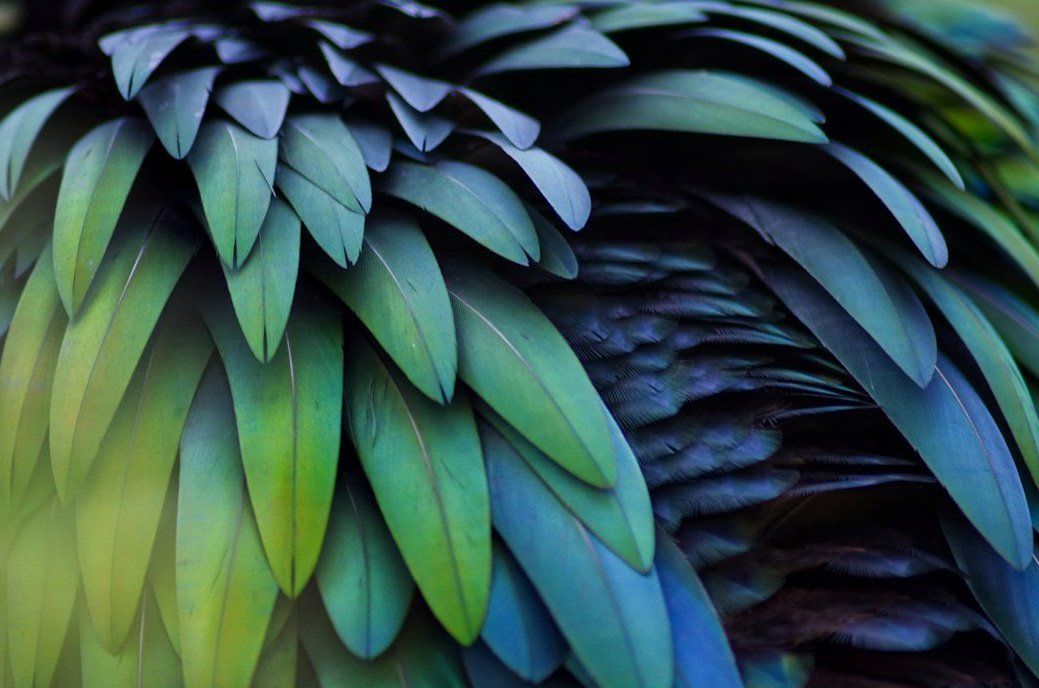
How to Choose Iridescent Textures of Feathers, Eyes, and Insect Wings for a Clean Desktop Setup
Choose a macro wallpaper with one dominant texture, limited background detail, and enough open space for desktop icons. Colorful feathers are the clearest option in the available macro collection, with images listed at 3840x2400 resolution. Eye and insect-wing designs can meet the same criteria, but check their availability on the individual download page.
Your choice depends on how many backgrounds you need: one accent image, a small rotation set, or several files for multiple displays. Wallpapers4screen offers macro images for free download, and no purchase price is stated. The main investment is the time needed to compare and test the options.
Match the texture to your desktop layout
Feathers suit a colorful desktop that still needs a soft focal point. The listed colorful-feather image includes water drops, feather patterns, and a close-up treatment. Those details add iridescent character while keeping the composition organic rather than overly sharp.
Eye textures create a stronger visual anchor. They work best when the desktop has few icons and the center of the image remains visible. If folders, shortcuts, or widgets cover that area, move the most detailed portion toward an open side of the screen.
Insect wings fit a more structured layout because their veins create fine lines and directional movement. Choose a crop with visible transparency or layered color, then avoid placing bright icons over the densest wing pattern. The same principle applies to feather barbs and reflective eye details. A good background supports text visibility instead of competing with it.
Compare digital transport options and timing
For a single monitor, download one 3840x2400 image and test it at its native resolution. This is the smallest digital batch and reduces the time spent comparing nearly identical choices. The wallpapers are described as free desktop downloads, but no fixed download duration is stated. Actual timing depends on the connection and browser.
A small batch works better when you rotate backgrounds by season, task, or display. One feather texture can serve as a soft everyday background, an eye image can mark a focused work mode, and an insect-wing design can suit a darker evening layout. Give each file a clear name so you can switch images without searching through generic downloads.
For several monitors, handle the files as separate digital backgrounds instead of stretching one image across every screen. A 3840x2400 image contains 9,216,000 pixels, providing substantial detail for a large desktop canvas. The final fit still depends on each monitor’s aspect ratio and scaling settings.
Check image quality before committing
Open the full image before setting it as the background. A thumbnail can conceal compression, uneven focus, or a bright patch that makes icons difficult to read. The feather wallpaper is identified as 3840x2400, 4K, close-up imagery, and a natural-texture background, which provides a clear starting point for quality checks.
Apply the same inspection to eye and insect-wing designs. Look for sharp detail in the focal area, smooth color transitions, and enough low-contrast space for labels. If an image feels busy at full size, icons and widgets will usually make that distraction more noticeable.
Browse the relevant macro collection through How to Choose Iridescent Textures of Feathers, Eyes, and Insect Wings for a Clean Desktop Setup and compare the available close-up compositions before downloading. Keep the browser preview open beside your desktop settings so you can test the crop without repeatedly renaming files.
Use a realistic batch calculation
Suppose you want three backgrounds for one monitor: a feather texture for daily work, an eye texture for a focused layout, and an insect-wing texture for evening use. The batch contains three images. Each listed 3840x2400 file represents 9,216,000 pixels, giving the set a total of 27,648,000 pixels.
That calculation does not predict storage size because file weights are not provided. It does show why three appropriately framed images are more practical than dozens of similar macro wallpapers. You can compare the batch, test readability, and remove any background that hides folders or causes visual fatigue.
Choose based on the screen, not the subject alone
A feather image is the safest first choice when you want color with a softer texture. An eye image suits a minimal desktop with a clear focal area, while an insect-wing image works better when fine geometry matches the rest of the workspace.
Start with one download, set it at native resolution, and check icon contrast for several minutes. If the layout stays readable, add the other two textures as a controlled rotation instead of filling the desktop with unrelated macro images.
- Reference: https://wallpapers4screen.com/
Write a comment