Best 4K Celebrities Wallpapers Contemporary Music Artists in Moody Neon Stage Lighting
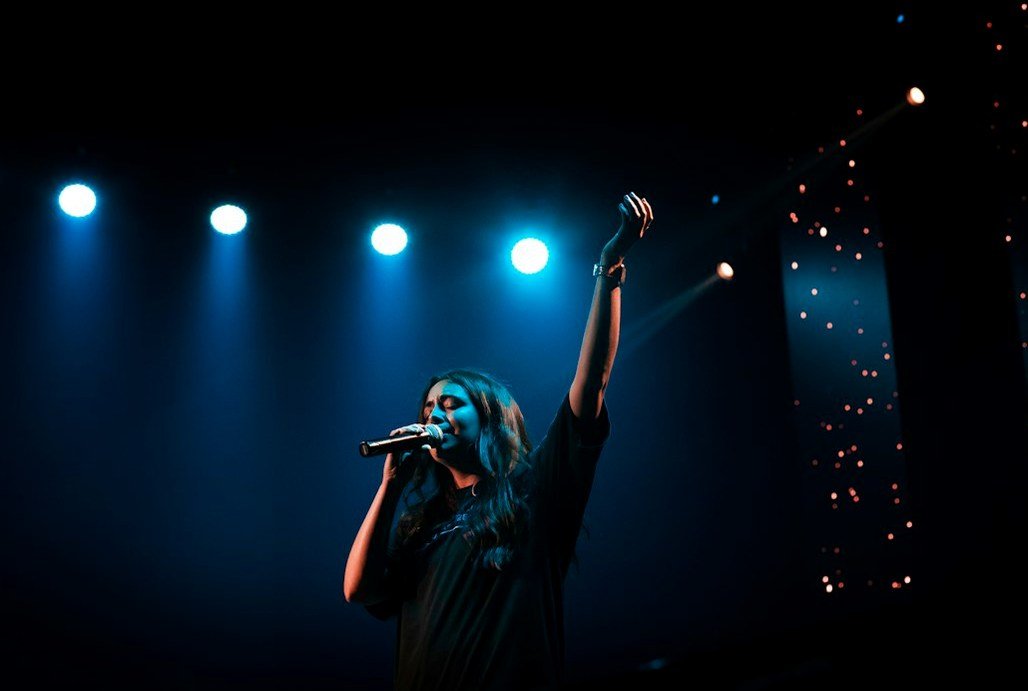
Best 4K Celebrities Wallpapers: Contemporary Music Artists in Moody Neon Stage Lighting
Wallpapers4screen.com offers 4K wallpapers of contemporary music artists as free desktop downloads, most of them at 3840x2400 pixels. That size covers a 4K monitor with room to spare, so dark, neon-heavy frames stay sharp instead of breaking into blocks. The celebrities category runs to 601 pages, and the practical job is getting the right file from the catalog to your screen without losing quality along the way.
What the catalog holds for music fans
Singers sit in the same category as actresses and models, so the tags do the sorting. Hayes Warner appears in a 3840x2400 frame from her Numero photoshoot, tagged as an American singer in a black dress. Becky G is listed at the same resolution from the Ugg X Willy Chavarria photoshoot, under the music stars tag.
Most entries are labeled by photoshoot, not by lighting style. If you want the moody neon stage look, judge each preview by eye: a dark background, one or two saturated color sources, and a face that is still readable. A black dress against a dim set, as in the Hayes Warner frame, already gives you the low-key base that neon accents build on.
The route from catalog page to your screen
Every download passes through the same three stops, and each one affects what arrives on your monitor.
- Start at the category hub, Best 4K Celebrities Wallpapers: Contemporary Music Artists in Moody Neon Stage Lighting, and scan the previews for singer and music tags.
- Open the image page and read the resolution printed in the listing before you click download.
- Save the full file to your drive, because a saved thumbnail will look soft at desktop size.
The second stop matters most. The catalog mixes three sizes: 3840x2400, 2880x1800, and 1920x1200. A 1920x1200 file stretched across a 4K panel shows blur around stage lights first, since neon edges are high-contrast and unforgiving.
Receiving the file at the destination
All three catalog sizes share a 16:10 shape. On a 16:10 laptop panel the image fits edge to edge, and 2880x1800 is enough for most of those displays. On a standard 16:9 4K monitor at 3840x2160, the 3840x2400 file loses 120 pixels from the top and bottom in fill mode.
That crop is small, but check where the artist’s head sits in the frame. If the portrait is composed tightly, slide the image down in your wallpaper settings so the crop comes off the bottom instead. Choose fill over stretch, because stretching distorts faces and turns round stage lights into ovals.
Dark neon frames also change how the desktop works. Icons and white text labels read clearly over deep shadows, but they vanish against a bright pink or cyan light source. Pick a shot where the glow sits on one side, then keep your icons on the other.
Three doubts worth settling before you download
Cost is the first one, and the answer is short: the site lists these wallpapers as free downloads for desktop. No price list applies, so the only budget involved is a few megabytes of disk space per image.
Quality is the second. A “4K” tag on its own tells you little, so trust the pixel dimensions in the listing. For a 4K monitor, take only 3840x2400 files and skip the smaller sizes, even when the photo itself is more appealing.
Usage rights are the third. The site presents the images as desktop wallpapers, which means personal use on your own screen. These are professional photoshoots of real artists, so posting them in a commercial project or on a monetized channel calls for checking the rights with the photographer or publication first.
Choosing a frame that suits your setup
An OLED or high-contrast panel rewards the darkest frames, since true blacks make a single neon accent look like it is lit from inside. A matte office monitor handles mid-toned portraits better, because very dark images there turn gray and flat. If you run two monitors, put the artist portrait on one and a plain dark background on the other so the pair does not compete.
Open your display settings, note the native resolution, and then go through the first pages of the celebrities category with that number in mind. Which artist’s frame matches both your screen size and the side of the desktop where your icons live?
- Reference: https://wallpapers4screen.com/
Write a comment