How to Choose Surfers Tucked Inside Towering Translucent Ocean Barrels for a Clean Desktop Setup
How to Choose Surfers Tucked Inside Towering Translucent Ocean Barrels for a Clean Desktop Setup
A wallpaper on a clean desktop has to work with the screen layout, not fight icons, windows, and the taskbar. For surfers inside translucent ocean barrels, three things decide the result: composition, resolution, and contrast. The Wallpapers4screen catalog lists sports images in 3840×2400 resolution, but it does not identify a specific surfer-in-barrel image or state a separate license, price, shipping service, or contract guarantee.
Start with the image structure
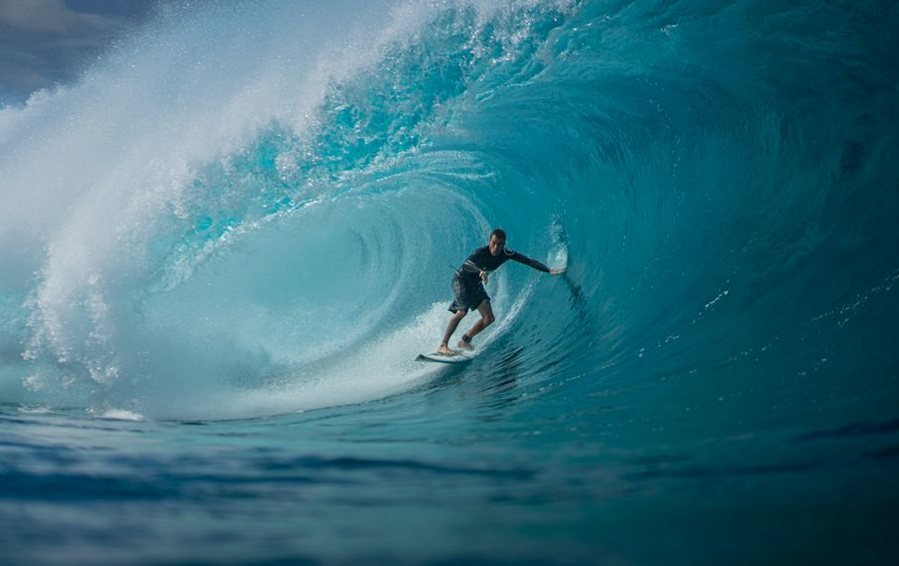
A barrel wave brings strong curves, bright highlights, and dark interior shadows. Those elements can make a desktop look polished, but a crowded action scene may hide folders and shortcuts. Pick an image with calmer water where your icons sit, and keep the surfer and the wave opening away from the taskbar.
Screen shape matters too. A 3840×2400 image has a 16:10 ratio, so it may crop differently on a 16:9 monitor. Check the preview at full size before setting it as the background. If the surfer disappears after cropping, choose a different framing. Stretching the file distorts the barrel and makes it look unnaturally wide.
Use resolution as a safety check
When the desktop scales a wallpaper to a large display, high resolution keeps the image clear. The catalog describes its sports wallpapers as high-quality HD pictures and lists several 4K-format entries at 3840×2400. That is a useful specification for a clean desktop, but it does not confirm that every image in the category has the same dimensions.
Review the individual file details before downloading. A smaller image can look soft on a large monitor, while an oversized file takes up more storage than you need. The practical choice is the smallest file that matches your display without visible blur or aggressive cropping.
Manage visual and download risks
Free access does not settle every question about reuse. The catalog description presents the wallpapers as free downloads, yet it does not say whether a surfer image can be used in advertising, resale products, client presentations, or commercial software. Keep the file for personal desktop use unless the page provides broader permission.
You can inspect the available sports artwork on the category page: How to Choose Surfers Tucked Inside Towering Translucent Ocean Barrels for a Clean Desktop Setup. Confirm the image preview, listed dimensions, and download path before saving anything. Skip any buttons or files that do not clearly correspond to the wallpaper you chose.
No cargo moves in this kind of transaction. A wallpaper download does not require freight insurance, customs paperwork, delivery tracking, or a carrier contract. A page or message asking for shipping payment, parcel details, or a delivery surcharge conflicts with the digital nature of the item, so treat it as a warning sign.
Check the first download before changing your setup
Save the original file in a named folder before applying it. You then have a clean backup if the operating-system crop looks poor or the downloaded version does not match the preview. Record the page address and download date as well, since the image may later be removed or replaced.
Set the background to “fill” only after checking the result on your monitor. “Fit” may introduce empty bands, while “stretch” can distort the wave and surfer. Centered placement works when the artwork has balanced negative space, but it may leave too much unused area on a wide display.
Common first-time mistakes
- Choosing the most dramatic wave without checking where desktop icons will sit.
- Assuming every sports image has the same 3840×2400 resolution.
- Downloading a preview instead of the original file.
- Using an image commercially without reviewing its stated permission.
- Paying an unexpected fee when the page presents the wallpaper as free.
Price recalculation should not come up, because the wallpaper details list no purchase price, delivery charge, or subscription terms. If a payment page appears, verify that it belongs to the intended site and that the charge is clearly explained before entering billing information.
Start by opening the sport category, selecting the closest surfer image, and checking its preview and usage terms before downloading.
- Reference: https://wallpapers4screen.com/
Write a comment