Top Desktop Backgrounds in 3D Graphics Plasma and Fire 3D Vortices on Deep Black Canvases in Ultra
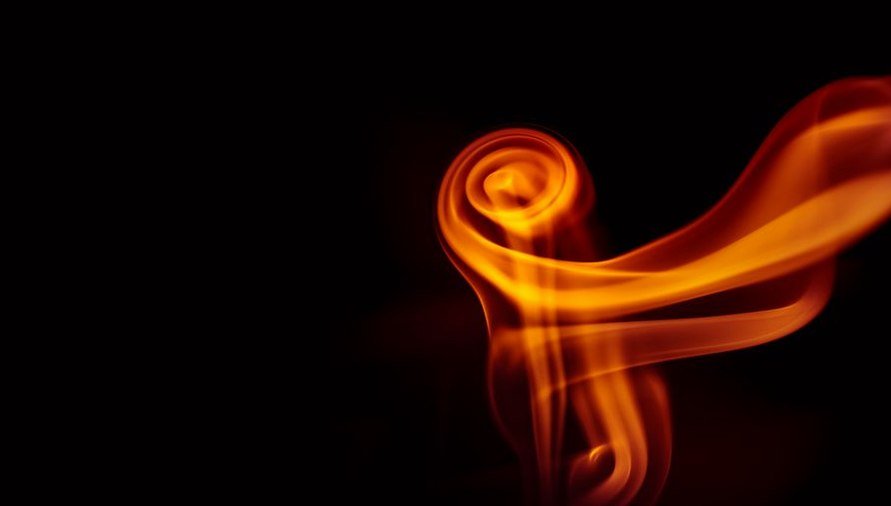
Top Desktop Backgrounds in 3D Graphics: Plasma and Fire 3D Vortices on Deep Black Canvases in Ultra HD
Deep black backgrounds with plasma arcs and fire-like 3D vortices create strong contrast on a desktop, especially at 3840x2400 resolution. The 3D-graphics collection on Wallpapers4screen offers free, high-quality desktop wallpapers, so you can try a dramatic visual style without buying a design pack or accepting a low-resolution image.
The main challenge with a first download is finding an image that looks impressive in a preview but remains comfortable throughout a full workday. Dark canvases reduce visual clutter, while bright plasma and flame details pull attention toward the center. Before applying a wallpaper, check the position of your desktop icons and make sure the brightest part of the vortex will not compete with them.
Why black canvases work well for desktop backgrounds
A deep black base gives luminous blue, orange, red, and violet effects clearer separation from the rest of the desktop. The contrast keeps the artwork visible on large displays without filling every corner with competing detail. It also gives a 3D vortex more apparent depth, since glowing edges stand out sharply against the darker field.
The composition still matters. A bright spiral in the upper-left corner can make file names harder to read if that area contains shortcuts. Designs with darker margins are generally easier to use every day. A dense central vortex works better on a clean desktop with only a few icons.
What the 3840x2400 resolution changes
The listed 3840x2400 format provides enough detail for large desktop screens and high-resolution displays. Fine strands in plasma effects remain more distinct than they would in a compressed or smaller background, reducing visible blur when the image is enlarged.
Resolution does not guarantee a perfect fit on every monitor. Displays use different aspect ratios, so the operating system may crop the top and bottom, add empty borders, or enlarge the picture. Review the fit settings before evaluating the artwork. An unsuitable crop can remove the vortex center or place a bright edge behind desktop icons.
How to choose a safer first wallpaper
Begin with the composition rather than color alone. A vortex with a clear dark zone around the icon area is easier to use than a full-frame burst of light. Check for open space near the edges as well, since those areas often contain shortcuts, folders, and system indicators.
- Check the listed resolution before downloading to avoid aggressive enlargement.
- Preview the artwork at full size instead of relying only on a small thumbnail.
- Compare the brightest areas with the locations of your usual icons.
- Save the original file before editing or cropping it for a particular monitor.
- Keep downloaded wallpapers in a separate folder so you can restore a previous background quickly.
The catalog includes 3D artwork in 3840x2400 resolution, and its first page belongs to a much larger collection. Browse the dedicated category through Top Desktop Backgrounds in 3D Graphics: Plasma and Fire 3D Vortices on Deep Black Canvases in Ultra HD to compare compositions before choosing an image.
Mistakes that make a wallpaper look worse
The most common mistake is choosing a background solely because its colors look vivid in the preview. Strong orange flames can overpower text, while electric blue details may create glare on a bright monitor. Stretching a smaller image can also soften or pixelate the edges of the vortex.
Automatic slideshow settings can create another problem. When the desktop changes images frequently, a highly energetic vortex may become tiring even if it looks excellent as a single still image. Keep one candidate active for a full work session, then decide whether its contrast suits your routine.
Download the right image for your setup
Wallpapers4screen lists these 3D-graphics wallpapers as free desktop downloads and identifies the available artwork by resolution and subject. That information supports a practical first choice: select a 3840x2400 image, inspect its brightest zones, and test the crop on your actual display.
Open the 3D-graphics category, select a plasma or fire vortex with clear dark space around your icons, and download the 3840x2400 version before applying it.
- Reference: https://wallpapers4screen.com/
Write a comment