How to Choose Heavy Icebreakers Carving Channels Through Frozen Polar Waters for a Clean Desktop
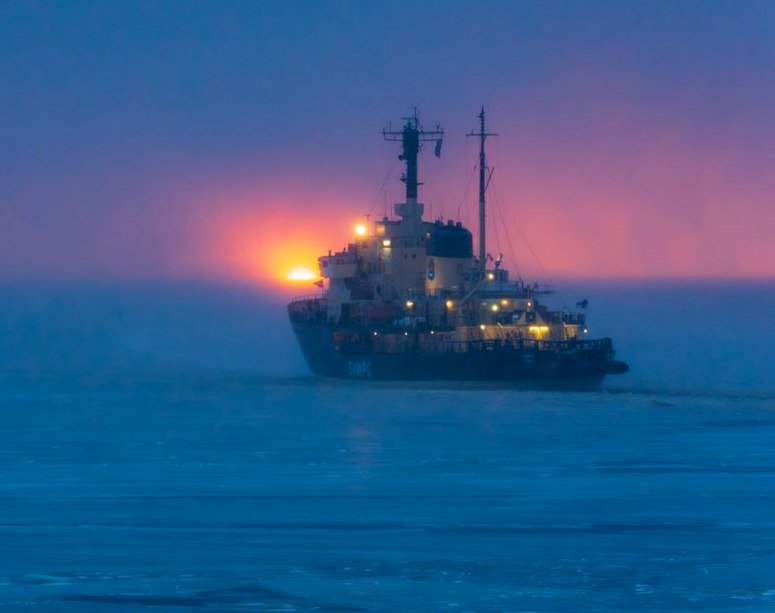
How to Choose Heavy Icebreakers Carving Channels Through Frozen Polar Waters for a Clean Desktop Setup
For a clean desktop, choose a ship wallpaper by resolution, subject placement, and visual contrast rather than by vessel size alone. The catalog at Wallpapers4screen.com offers free ship wallpapers in resolutions such as 3840x2400, 2880x1800, 2560x1600, and 1920x1200, but the listed collection does not specifically identify heavy icebreakers cutting through polar ice.
That distinction matters before you download. A naval ship at sea can create a convincing maritime workspace, yet it should not be presented as an icebreaker or a polar channel scene when the image description does not say so.
Start with the desktop display
The wallpaper should match the screen’s aspect ratio closely. A 3840x2400 image fits a 16:10 display with enough detail for large monitors, while a 1920x1200 file suits a smaller 16:10 desktop without forcing aggressive enlargement.
Images listed at 2880x1800 and 2560x1600 also use the 16:10 format. This reduces cropping around the bow, wake, and horizon, which helps preserve a clear area for folders and shortcuts. A mismatched image can place the vessel behind desktop icons or cut away the ice channel that gives the scene its direction.
For a clean setup, check three areas before downloading:
- Keep the brightest water, sky, or ice away from the icon column.
- Look for open negative space near the left or right edge, depending on icon placement.
- Choose a file with enough resolution to avoid visible softness after scaling.
Choose the scene by visual function
A heavy icebreaker scene usually works best when the ship points into the image rather than directly at the viewer. A diagonal bow creates depth and leaves calmer space behind the vessel for desktop controls. The source catalog, however, lists naval subjects such as USS Gerald R. Ford, ROKS Wang Geon, Tonnerre, JS Kumano, and HMS Dragon rather than named polar icebreakers.
For a darker, more restrained desktop, the 3840x2400 image of USS Gerald R. Ford offers high resolution and a large carrier silhouette. The 3840x2400 JS Maya image provides a similar resolution with a smaller destroyer profile. These are warships, not icebreakers, so use them when the goal is a maritime command-center look rather than an authentic polar scene.
The 4K aerial image described as “Boat at sea” may suit a cleaner desktop because an overhead view often leaves broad areas of water around the subject. Its description does not identify a polar setting or an exact pixel size, so verify the download dimensions before setting it as a permanent background.
Check the file before setting it
Open the full-size image instead of relying on a thumbnail. Inspect the bow, horizon, wake, and darker regions at normal desktop scale. Compression marks around the ship become distracting when the wallpaper sits behind text and application windows.
Resolution also affects practical use. A 3840x2400 file gives more room for cropping on a compatible display, but it may occupy more storage than a 1920x1200 version. If the monitor uses 16:10, the listed files at 1920x1200, 2560x1600, 2880x1800, and 3840x2400 provide a consistent shape across several screen sizes.
You can compare the available ship categories through How to Choose Heavy Icebreakers Carving Channels Through Frozen Polar Waters for a Clean Desktop Setup and then filter your choice by composition. The category page should be treated as a source for listed images, not as proof that every file shows an icebreaker or frozen polar water.
Review payment and usage conditions
The supplied page describes the wallpapers as free downloads. That means a normal download should not require a purchase contract, deposit, or recurring payment based on the available description. If another page asks for money, compare its terms with the original listing before entering payment details.
Check the page address, the stated download action, and any usage language shown near the file. The available material does not specify a commercial license, redistribution permission, attribution requirement, or warranty about image ownership. Do not assume that “free download” automatically means unrestricted commercial use.
Before payment, any seller or third-party page should state the exact file, resolution, price, refund terms, delivery method, and permitted use. If those clauses are missing, paying for a wallpaper creates uncertainty without improving the desktop result. For a personal background, the listed free-download route is the more sensible starting point.
Scenario breakdown for a clean setup
Suppose the desktop uses a 16:10 monitor with icons aligned on the left. A ship centered on the left side will compete with those icons, so choose an image with the vessel toward the right or crop the frame carefully. A 2880x1800 or 3840x2400 file gives more room for that adjustment.
For a dark interface, a sunset or evening scene can reduce glare, but bright reflections may still interfere with white labels. For a light interface, darker water or a shaded hull usually provides stronger separation. The source list includes JS Kumano at sunset and several aerial or sea-view compositions, giving you different layouts without claiming that they depict polar ice.
Frequently asked questions
Are heavy polar icebreakers listed in the collection?
The supplied descriptions do not name a heavy icebreaker or a frozen polar channel scene. They list naval ships, carriers, destroyers, an amphibious assault ship, a submarine, and a boat at sea.
Which resolution suits a 16:10 monitor?
Match the display as closely as possible. The catalog lists 1920x1200, 2560x1600, 2880x1800, and 3840x2400, all in a 16:10 format.
Do I need to pay before downloading?
The page describes the wallpapers as free downloads. A separate payment request should be checked carefully because the available material gives no paid license or service terms.
Can I use a free wallpaper for business materials?
The supplied description does not state commercial-use rights. Review the specific file’s licensing language before placing it in advertising, presentations, products, or client work.
- Reference: https://wallpapers4screen.com/
Write a comment