Best 4K Nature Wallpapers Organic Textures of Tree Bark Leaves and Raindrops
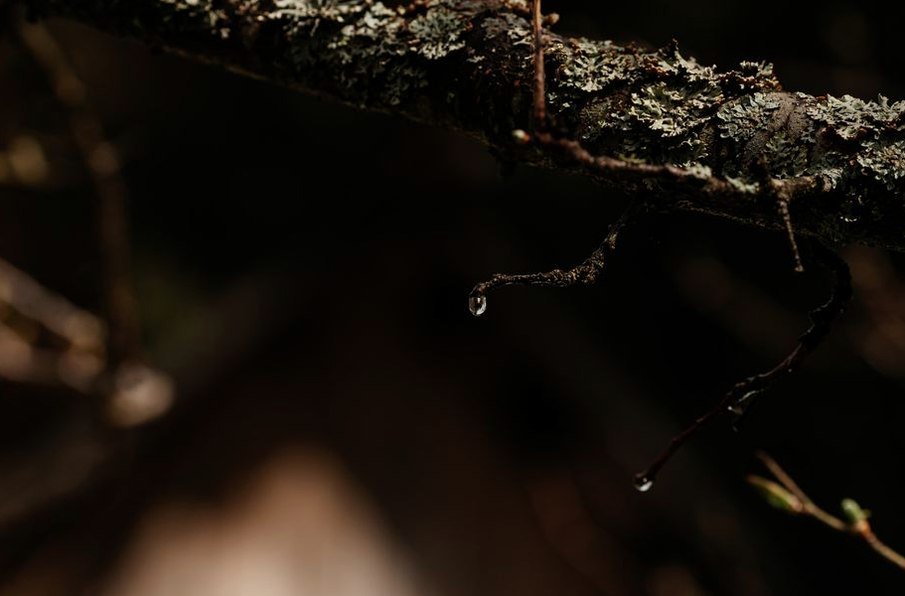
Best 4K Nature Wallpapers: Organic Textures of Tree Bark, Leaves, and Raindrops
The strongest 4K nature wallpapers for a desktop are close-up scenes with visible texture, layered color, and enough empty space for icons. Tree bark, autumn leaves, wet surfaces, and spruce branches make a more natural background than generic landscape images. Wallpapers4screen.com lists free nature downloads at 3840x2400, a resolution suited to large desktop displays and high-density screens.
The right image depends on the screen, the number of files you need, and how quickly you want a usable collection. One macro image is enough for a focused desktop setup. A larger batch gives you more variety for automatic rotation.
Which textures work best on a desktop
Tree bark gives a screen a strong organic pattern without filling it with bright details. Its grooves and uneven tones stay visible at high resolution, and the darker areas help white icons stand out. The collection on Wallpapers4screen.com leans heavily on natural surfaces, especially leaves, branches, and close-up seasonal scenes.
Autumn maple leaves suit displays that need warmer color. Macro compositions show red, gold, and green tones in greater detail than distant forest views, so the wallpaper still looks sharp when stretched across a large monitor.
Leaves lying on water are a softer option. Reflections and wet surfaces add depth, yet the image stays calm enough for daily work. These backgrounds fit anyone who wants visual texture without a dense arrangement of objects.
Spruce branches bring a cooler green palette. The 4K spruce images pair well with minimalist desktops because the repeated needles form a consistent pattern instead of a distracting focal point. Snow-covered pine branches look brighter and more wintry, although pale icons may blend into the sky.
Comparing one download with a larger batch
A single wallpaper is the quickest route when you need to refresh one computer. Select a 3840x2400 image, download it, and crop only if your monitor uses a different aspect ratio. Storage demand is minimal, and you skip sorting through similar scenes.
A batch makes more sense for several monitors or rotating backgrounds. The nature category contains 76 pages, so a wider search can turn up several related styles: autumn maple leaves, leaves on water, spruce branches, and seasonal pine scenes. The trade-off is selection time, because repeated images and similar compositions have to be filtered by hand.
For a small batch, choose three to five files with different visual densities. Pair one dark bark or spruce image with a colorful leaf background and a lighter water scene. The rotation stays varied, and the list stays short enough to organize.
Digital transport options and realistic timelines
Because these wallpapers are digital files, “transport” means moving the download from the website to the target device. A direct download to the desktop is the shortest route for one screen. Downloading to a phone first adds a transfer step, and the file may be compressed if you later share it through a messaging app.
For several computers, download the selected files to one folder, check their dimensions, and move that folder through your normal storage or network method. The site lists the downloads as free at 3840x2400 but does not state fixed download times or file sizes. Actual timing depends on the connection, browser, device storage, and batch size.
Suppose you select four wallpapers for one workstation: an autumn maple macro, leaves on water, green spruce branches, and snow-covered pine trees. If each download takes two minutes on your connection, the direct selection stage would take about eight minutes, excluding browsing and file organization. That is a planning estimate, not a published service time.
For ten workstations, the same four-image set becomes a 40-file batch. Downloading each file individually could take roughly 80 minutes at that hypothetical two-minute rate. A shared folder or local transfer may cut down on repeated downloads, though no specific transfer speed is guaranteed.
How to choose files for different screens
Large monitors benefit from the listed 3840x2400 resolution because the image retains detail during desktop scaling. Check the screen ratio before setting the wallpaper, since a 16:10 image may crop differently on a wider display.
Use darker bark, spruce, or shaded leaf images when the desktop holds many shortcuts. Bright autumn leaves or snowy pine scenes suit a cleaner workspace with fewer icons. Water and macro images fit presentation screens because their close-up details remain visible from a short viewing distance.
Preview every file before adding it to a rotation. Look at the top, center, and lower edges for areas where menu bars or icons may cover the texture. A strong central pattern can become distracting when the same image stays on screen throughout the workday.
Where to build a focused nature collection
The Best 4K Nature Wallpapers: Organic Textures of Tree Bark, Leaves, and Raindrops selection is useful when you want organic surfaces rather than broad scenic views. Wallpapers4screen.com identifies the downloads as free and presents them at 3840x2400, which gives you a clear starting point for a desktop-sized collection.
Start with three visual categories and download one or two images from each. A batch of that size stays practical, produces fewer duplicate files, and is easier to match to each screen. If you are undecided between a single image and a larger set, compare your monitor count, preferred rotation frequency, and available storage before downloading.
- Reference: https://wallpapers4screen.com/
Write a comment