Top Desktop Backgrounds in Computers Clean Minimalist Desk Setups and Glowing Gaming Battlestations
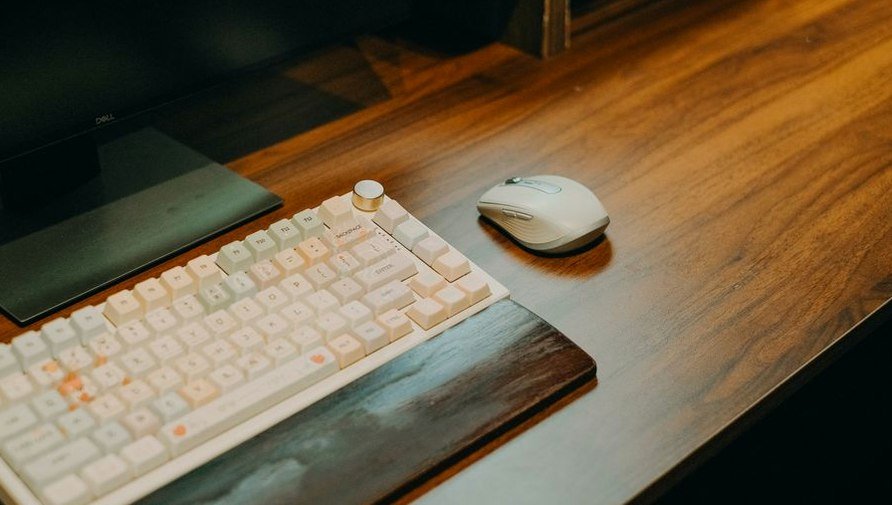
Top Desktop Backgrounds in Computers: Clean Minimalist Desk Setups and Glowing Gaming Battlestations in Ultra HD
A strong computer wallpaper gives the desktop a clear focal point while leaving enough empty space for icons. Wallpapers4screen lists free computer backgrounds in 3840x2400 resolution, including dark technology scenes, neon operating-system logos, motherboard details, and gaming artwork. This size works well on large monitors because it keeps edges sharp and leaves room for cropping when the display uses a different layout.
Color is only one part of the choice. Review the source page, inspect the preview, confirm the resolution, and consider whether the composition suits a restrained workspace or a glowing gaming battlestation. For a commercial or branded setup, check the usage conditions before publishing the image outside personal desktop use.
How to verify the wallpaper source
Start with the page that hosts the file. The Computers category on Wallpapers4screen identifies the collection and provides download context, while the listed images show their dimensions and visual subjects. That information helps filter out low-resolution copies, reposted previews, and files that do not match the monitor.
Compare the image title with its preview before downloading. A listing marked 3840x2400 should produce a file with those same dimensions. If the downloaded image is smaller, heavily compressed, or surrounded by unexpected branding, leave it out of the final desktop batch and choose another item.
Usage rights require the same attention. A wallpaper downloaded for a personal computer carries different business risks from artwork used in advertising, product packaging, a public display, or a company website. The source material identifies free desktop downloads, but it does not provide a commercial license statement. Confirm permission before using a logo-based image in public-facing work.
Inspecting the digital warehouse
Here, inspection means reviewing the category page, preview quality, image dimensions, file format, and download result before adding anything to a shared folder. Checking each stage helps keep broken files and inconsistent sizes out of the final collection.
The catalog page shows 369 pages, so a focused selection is more practical than browsing every entry. Begin with the intended visual setting. For a restrained office desktop, consider the Windows 11 blue 3D logo, the Apple 3D logo with white neon lighting, or the blue abstract Windows 11 design. Their darker backgrounds leave more room around desktop icons and reduce visual competition.
A gaming station can support a stronger visual direction. The red ASUS ROG 3D logo combines a motherboard setting with a crystal-like red emblem. The Windows mechanical logo uses blue neon lighting and a factory-style technology background. Both styles create stronger contrast against RGB lighting, black peripherals, and dark desk surfaces.
Reinforcing the file package
Preserve the original image quality during download, storage, and transfer. Keep the full-resolution file instead of relying on a compressed screenshot, then rename it with the subject and dimensions. A filename such as ROG-red-3840x2400 makes later selection easier and reduces the chance of replacing the image with a smaller copy.
Save original files separately from cropped versions. The original can serve a large monitor, while a copy can be adjusted for a laptop, ultrawide display, or dual-screen layout. Keeping those versions apart ensures that an edited image does not become the only available file.
Inspect the image edges before applying it. A logo near the center may sit behind desktop icons, while bright neon details along the lower edge can compete with the taskbar. Minimalist setups generally work better with darker corners and a central area that is not overcrowded.
Consolidating a useful batch
Group wallpapers by practical use instead of downloading every attractive image. A small office batch might include three dark designs with blue, white, and neutral highlights. A gaming batch could contain the red ROG artwork, copper Windows 11 imagery, and a blue neon mechanical logo.
Use the category page to compare the available styles in one place: Top Desktop Backgrounds in Computers: Clean Minimalist Desk Setups and Glowing Gaming Battlestations in Ultra HD. Limit each batch to files with a similar visual direction. Automatic rotation will then feel consistent rather than random.
Organized batches also reduce storage clutter. Keep one verified original per image, remove duplicate downloads, and include the resolution in each filename. If several wallpapers use the same brand logo, retain the version with the clearest subject and the least distracting background.
Acceptance checklist before use
- Confirm that the downloaded file measures 3840x2400 when the listing specifies that resolution.
- Inspect the preview and final file for blur, compression marks, missing edges, or unexpected overlays.
- Choose darker, less crowded compositions for minimalist desks with many desktop icons.
- Reserve red, blue, copper, and neon motherboard designs for gaming stations or high-contrast displays.
- Keep original files separate from cropped copies and name each file with its subject and dimensions.
- Check usage permission before placing a logo-based wallpaper in public, promotional, or commercial content.
- Reference: https://wallpapers4screen.com/
Write a comment