How to Choose Mythical Phoenixes Griffins and Celestial Creatures for a Clean Desktop Setup
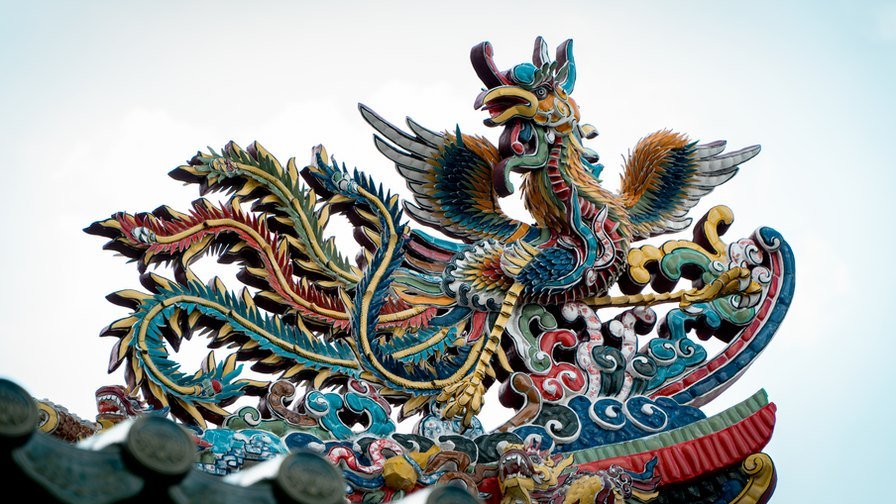
How to Choose Mythical Phoenixes, Griffins, and Celestial Creatures for a Clean Desktop Setup
Choose a wallpaper by matching the creature’s visual weight to your screen resolution and desktop layout. Wallpapers4screen offers free fantasy images in sizes such as 3840x2400, 2880x1800, and 1920x1200, so the correct file can reduce cropping and keep icons readable. Since the files are digital, regional delivery does not involve trucks, customs, transit hubs, or destination cargo handling.
How regional delivery works for digital wallpapers
The file reaches your computer through the website rather than through a physical shipping route. You select an image, open its download page, and save the file to your device. The source material does not publish a country-by-country delivery map, transit schedule, server location, or guaranteed download time, so those details should not be assumed.
This distinction matters when you are setting up several workstations. A physical shipment could require a route through regional hubs and a receiving address. A wallpaper download requires an internet connection, available storage, and a compatible desktop display. Your location may affect connection performance, but Wallpapers4screen does not state fixed regional speeds or delivery windows.
Choosing a phoenix-style image for your monitor
A fiery bird works well when the desktop should feel energetic without filling every corner with detail. The fantasy collection includes a 3840x2400 image described as a fire eagle with birds of prey, a fire bird, and fantasy artwork. It is not labeled as a phoenix, so treat it as a phoenix-style option rather than an exact mythological character.
Use this image on a large high-resolution display when the screen supports a 16:10 layout. Its 3840x2400 dimensions provide more room for resizing than the 1920x1200 option. Before applying it, place shortcuts along the quieter side of the composition so the bird’s head and flames remain visible.
Finding a griffin-style composition
The listed collection does not identify a specific griffin wallpaper. A griffin-focused setup therefore requires checking the fantasy category for an image that combines avian and leonine features, while confirming the actual preview before downloading.
For a practical starting point, the site’s fantasy section gathers themed artwork in one category. Visit How to Choose Mythical Phoenixes, Griffins, and Celestial Creatures for a Clean Desktop Setup and inspect each preview for empty space, contrast, and the correct aspect ratio. This avoids choosing an attractive image that hides folders beneath a dark creature silhouette.
Using celestial backgrounds without desktop clutter
Moonlit scenes suit a clean setup because darker areas often create separation around icons. The collection includes a 2880x1800 fantasy landscape with a bright moon, red leaves, and a night setting. Another 1920x1200 image features an elephant on a mountain peak, a blue moon, and fantasy artwork.
Select the 2880x1800 file when your display uses that resolution or a similar 16:10 format. The 1920x1200 image fits older or smaller monitors more naturally. Stretching either file across a different aspect ratio can cut off the moon, mountain peak, or surrounding sky, so check the operating system’s crop preview before confirming the wallpaper.
Receiving and organizing the downloaded file
Digital receiving happens on the destination device. Create a folder such as “Fantasy Desktop Wallpapers,” save the original file there, and keep a second copy if the image will be used across several computers. This gives you a clear local record without relying on browser history or repeated downloads.
- Check the listed dimensions before selecting the image.
- Open the preview and identify the quietest area for desktop icons.
- Download the file through the wallpaper page.
- Set the operating system to fit, center, or crop the image according to the screen ratio.
- Review the desktop at normal brightness so small icons remain legible.
What to check before selecting a file
Start with resolution rather than the creature name. The fantasy page includes dragons, a fire eagle, moonlit landscapes, and other mythical artwork, but the descriptions do not confirm exact phoenix or griffin labels. Matching the file dimensions to the monitor gives a cleaner result than choosing an image solely for its subject.
For a dual-monitor setup, compare each screen’s ratio before downloading multiple versions. A 3840x2400 image may suit a larger 16:10 display, while a 1920x1200 file may fit a smaller panel with less cropping. If you are ready to compare the available fantasy scenes, open the category and choose the resolution that matches your destination screen.
- Reference: https://wallpapers4screen.com/
Write a comment