Top Desktop Backgrounds in Fantasy Alchemists Spellbooks and Towering Candlelit Libraries in Ultra
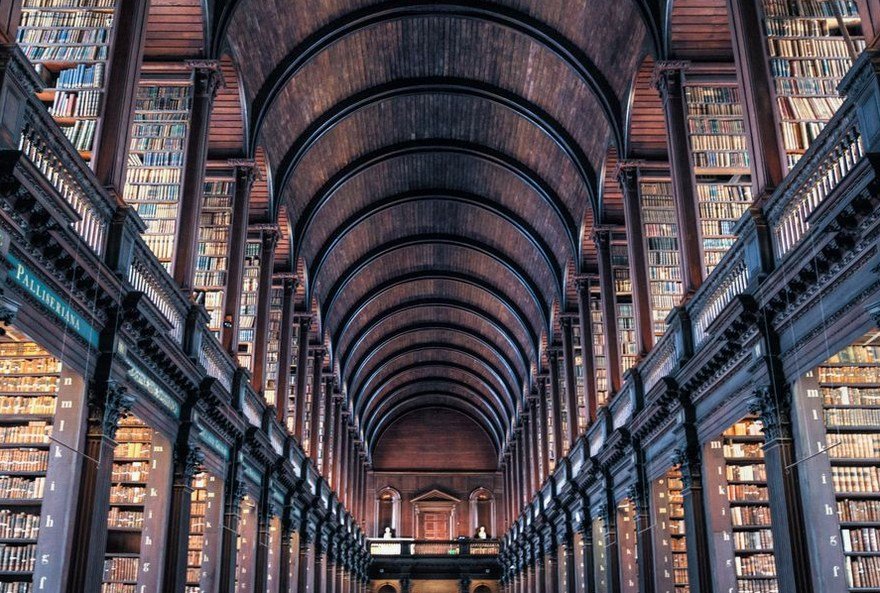
Top Desktop Backgrounds in Fantasy: Alchemists, Spellbooks, and Towering Candlelit Libraries in Ultra HD
For fantasy desktop backgrounds, direct download is the most practical delivery option: choose a resolution that matches your screen, download only the images you need, and transfer them to other devices afterward. Wallpapers4screen lists free fantasy images in 3840x2400, 2880x1800, and 1920x1200 formats, so the right choice depends on display size, storage, and batch volume.
The fantasy category is suited to users searching for atmospheric artwork rather than generic office backgrounds. Its catalog includes dragons, moonlit landscapes, mythical creatures, fire-themed artwork, and dark cinematic scenes that can support an alchemist’s study, a spellbook workspace, or a towering candlelit library mood.
Which resolution fits your desktop
A 3840x2400 image is the strongest option for a large high-resolution monitor. It retains more detail when the image fills a wide desktop, which matters for shelves, books, candle flames, carved wood, and other fine elements in fantasy interiors.
The 2880x1800 format suits smaller high-resolution displays and laptops. It reduces the amount of image data compared with 3840x2400, while still giving a richly detailed appearance on many modern screens.
Images sized at 1920x1200 make sense for older monitors, secondary displays, or users who want smaller downloads. They can also serve as quick replacements when a large Ultra HD file would consume unnecessary storage.
- Choose 3840x2400 for a large primary display or a detailed multi-monitor setup.
- Use 2880x1800 when the screen is smaller but still benefits from high-resolution artwork.
- Select 1920x1200 for a compatible older monitor or a lighter download batch.
Comparing digital delivery options
Single-file downloading works best when you need one background immediately. It reduces sorting work and makes it easier to compare a dragon scene, a moonlit landscape, and a darker library-style composition before saving more files.
Batch downloading suits users refreshing several desktops or preparing a rotating collection. The site organizes pictures by category, and its fantasy section provides a focused path instead of requiring a search through unrelated transport, sports, or abstract images.
Browser downloading is the simplest route for a personal computer. If a file transfer stops, repeating one image is less inconvenient than restarting a large archive, although the site does not publish fixed download times or guaranteed transfer speeds.
For a second computer, external storage or a private cloud folder can handle the transfer after download. The actual time depends on the image resolution, connection speed, browser behavior, and storage device, so a precise delivery promise would be unsupported.
Where to find the fantasy collection
The dedicated category is the most direct starting point for this theme: Top Desktop Backgrounds in Fantasy: Alchemists, Spellbooks, and Towering Candlelit Libraries in Ultra HD. Wallpapers4screen separates content into categories and presents multiple pages of fantasy artwork, which reduces the time spent filtering unrelated pictures.
Look for scenes with visual space around the center if desktop icons must remain readable. A busy spellbook table or dense library wall may look impressive, but it can make folders difficult to identify. Darker artwork also works well when the operating system uses light text, while brighter scenes may suit dark interface settings.
Hypothetical batch calculation
Suppose you want six backgrounds for one desktop rotation: two files at 3840x2400, two at 2880x1800, and two at 1920x1200. The batch contains three resolution levels, so you can test each pair on the intended screen instead of downloading an entire category.
That six-file plan also limits sorting time. Save the images in separate folders by resolution, test the largest pair first, and keep the smaller files for a laptop or secondary display. Because the source material does not state file sizes or connection speeds, the download duration must be checked in your browser rather than estimated as a fixed number of minutes.
What happens when quality or delivery becomes a concern
Resolution is the main quality check. A 1920x1200 file may look soft when stretched across a much larger screen, while a 3840x2400 image can be unnecessary for a smaller display and may take longer to transfer.
There is no freight carrier, shipping charge, insurance claim, or customs paperwork for these digital wallpapers. The practical risk is an interrupted download or an unsuitable resolution, so preview the image, confirm its dimensions, and save a second copy only when the design is worth keeping.
Wallpapers4screen presents these fantasy backgrounds as free downloads, but the available material does not state commercial licensing terms, exclusive usage rights, or a support guarantee. For a personal desktop, select the matching resolution from the fantasy category and begin with a small batch before building a larger collection.
- Reference: https://wallpapers4screen.com/
Write a comment