How to Choose Legendary Rock and Pop Musicians Captured Live on Stage for a Clean Desktop Setup
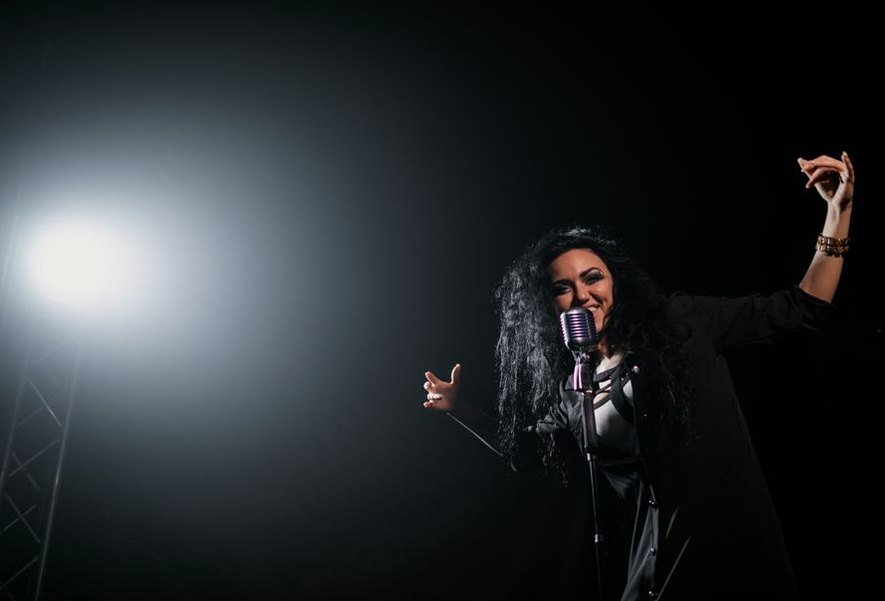
How to Choose Legendary Rock and Pop Musicians Captured Live on Stage for a Clean Desktop Setup
For a clean desktop, choose a wallpaper by screen resolution first, then by subject, crop, and visual contrast. Wallpapers4screen.com lists free celebrity images in HD and 4K formats, including singer Becky G at 1920x1200 and several portrait-oriented music-related entries at 3840x2400. The catalog does not identify these files as live-stage photographs, so treat them as studio or photoshoot images rather than verified concert captures.
Start with the right image dimensions
The screen resolution determines whether a musician’s image looks sharp or becomes visibly stretched. A 1920x1200 file fits many desktop monitors with a 16:10 layout, while a 3840x2400 file offers four times as many pixels and gives a larger display more room for cropping.
Becky G’s listed 1920x1200 wallpaper suits a monitor with that exact ratio. It can also work on a smaller 16:10 screen without aggressive enlargement, which keeps facial details cleaner and reduces the chance of blurred edges.
The 3840x2400 files provide more flexibility for large displays. A desktop operating system can crop the sides or reposition the subject while preserving a clear central figure. That matters when icons occupy the left side of the screen and the performer’s face needs to remain visible.
Compare file transport options before building a batch
For a single wallpaper, direct browser downloading is the simplest route. Open the selected image, save the original file, and place it in a dedicated desktop-wallpaper folder. This avoids repeated searching when you want to change the background later.
A small batch works better when files move through one organized folder. Download several resolutions, separate them by screen format, and keep the original filenames until you confirm each image opens correctly. This reduces the risk of applying a compressed preview instead of the full-resolution file.
- One file fits a quick desktop refresh and creates almost no sorting work.
- A batch of three to five files gives you rotation options without filling the wallpaper folder with near-duplicates.
- A larger collection needs folders for 1920x1200, 2880x1800, and 3840x2400 images, so the operating system can match the background to the display more accurately.
Download time depends on the image file size, network connection, and browser performance. The source material provides image dimensions but does not publish file sizes or guaranteed transfer times, so a precise minute-by-minute estimate would be misleading.
Match the subject to a clean desktop layout
A portrait with the subject centered can conflict with desktop icons. Images with open space around the performer usually create a calmer workspace because folders and shortcuts remain readable against less detailed areas.
Becky G’s entry is tagged as a photoshoot image and an American singer, making it relevant for a music-focused desktop theme. The listing does not describe a stage, microphone, concert lighting, or live performance, so select it for the artist connection rather than a documented concert atmosphere.
The catalog also includes music-related celebrity imagery connected with singers and fashion shoots. Hayes Warner is listed with an American singers tag and a 3840x2400 file, while Becky G appears with a 1920x1200 image. These details help narrow the selection by subject and resolution, but they do not establish that either picture captures a live show.
For more options, browse How to Choose Legendary Rock and Pop Musicians Captured Live on Stage for a Clean Desktop Setup as a category search phrase, then inspect each image description before downloading. The wording may guide discovery, but the actual listing tags should determine whether the picture matches your desktop plan.
Use a practical resolution calculation
Suppose you want a four-image batch for two desktop computers. You select two 1920x1200 files and two 3840x2400 files, keeping one resolution pair for each screen type.
Each 1920x1200 image contains 2,304,000 pixels. Each 3840x2400 image contains 9,216,000 pixels, exactly four times as many. The higher-resolution pair therefore offers more cropping room, while the 1920x1200 pair may require less storage and transfer time, depending on the encoded file size.
This approach keeps the batch purposeful. Instead of downloading every celebrity image, you choose files that correspond to the two screen formats and retain a spare background for rotation. The catalog lists 2880x1800 files as well, which can suit another 16:10 display between those two resolution levels.
Check the image before setting it as wallpaper
- Confirm the listed dimensions against the monitor’s native resolution.
- Open the downloaded file at full size and inspect facial details, edges, and background texture.
- Preview the image with desktop icons visible to check whether text remains readable.
- Test fill, fit, and crop settings before deleting any alternative version.
Choose the original high-resolution download when the screen is large or the wallpaper will be cropped. Choose the closer 1920x1200 format when the monitor matches that layout and you want a lighter file to transfer and manage.
If your requirement is specifically a verified live-stage photograph of a legendary rock or pop musician, check the image description for explicit concert or stage language before using it. Wallpapers4screen.com supplies free celebrity wallpaper listings, but the available descriptions here identify photoshoots and singer tags rather than documented live performances.
- Reference: https://wallpapers4screen.com/
Write a comment