How to Choose Ray Traced 3D Renders with Realistic Light Reflections for a Clean Desktop Setup
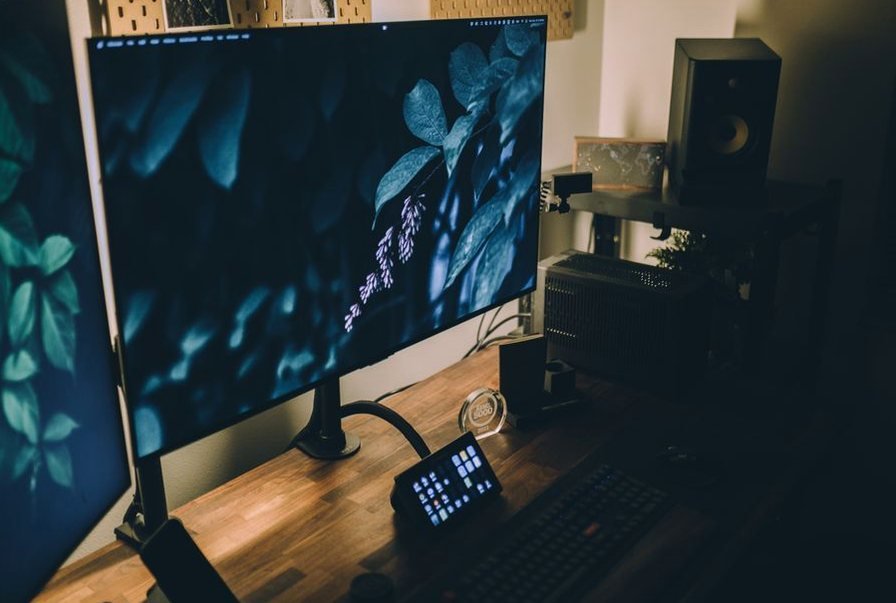
How to Choose Ray-Traced 3D Renders with Realistic Light Reflections for a Clean Desktop Setup
Choose the image by lighting behavior first
A clean desktop works best with a render whose highlights support the workspace rather than compete with icons, windows, and taskbar elements. The Wallpapers4screen 3D-graphics collection offers free desktop images in 3840x2400 resolution. The most practical choice depends on composition, contrast, and the way reflective surfaces behave on your screen.
A 3D label does not necessarily mean that an image uses ray tracing. The collection includes 3D art, digital scenes, vehicles, mechanical designs, astronomy images, and abstract compositions. Its descriptions do not provide a rendering engine, ray-tracing specification, or reflection guarantee, so treat those features as visual criteria to check before downloading.
Reduce visual risk before downloading
Dramatic images often look convincing at thumbnail size while hiding clipped highlights, muddy shadows, or a bright area positioned directly behind desktop shortcuts. Open the full preview and inspect the places where light meets metal, glass, painted panels, or polished surfaces.
- Reflections should follow the shape of the object. A highlight across a curved car panel should bend naturally rather than appear as a flat white stripe.
- Dark areas need enough detail for comfortable use. Deep black regions can make folders and application labels difficult to read.
- Bright points around neon lights, stars, and metallic edges deserve careful inspection. Excessive glow may look attractive in a gallery but cause eye strain during long work sessions.
- The main subject should sit away from the usual icon area. This helps prevent overlap and keeps the desktop readable.
High resolution alone does not guarantee a functional wallpaper. The setup can still feel cluttered if the strongest reflection sits behind every shortcut or if the background forces you to increase text contrast.
Match the render to the desktop layout
The listed 3840x2400 format provides substantial image area for a large monitor, but scaling and cropping determine what remains visible. A widescreen display may trim parts of the composition, while a smaller screen can compress fine reflections into bright, indistinct patches.
Mechanical maps, cyberpunk eagle artwork, and tuned-car scenes often contain numerous hard edges. They can suit a minimal desktop when icons are grouped along one side. The origami owl and origami piglet designs offer a quieter alternative, with paper folds that create softer shadows and fewer competing highlights.
Solar-system images require a separate check. Labels, orbital lines, and bright planets may cross the center of the screen, interfering with documents or browser windows. A scene with open dark space around the edges usually works better for a desktop that stays active throughout the day.
Use a safer first-download process
Downloading several files before checking resolution, composition, or licensing information creates unnecessary clutter. It also makes it harder to identify which image caused a display problem. Start with one file, save it in a temporary folder, and test it at the intended desktop scaling.
- Open the 3D-graphics category and select a scene with visible reflections or controlled light.
- Verify that the displayed resolution is 3840x2400 before saving the file.
- Preview the image without desktop icons covering the main subject.
- Apply it temporarily and check text readability, edge cropping, and brightness during normal work.
- Keep the file only if it remains comfortable after several minutes of ordinary use.
You can browse the relevant collection here: How to Choose Ray-Traced 3D Renders with Realistic Light Reflections for a Clean Desktop Setup. The page identifies the category and download options, while the visual inspection still needs to happen on your own monitor.
What the source does and does not guarantee
The collection describes free desktop wallpaper downloads and lists high-resolution 3D-graphics images. It does not state cargo handling terms, shipping conditions, insurance, delivery times, refund rules, contractual guarantees, or technical guarantees for ray-traced reflections.
A gallery description should not be treated as a complete product specification. A title mentioning 4K or 3D does not confirm a particular renderer, physically accurate reflections, HDR support, color calibration, or compatibility with every operating system. If those features matter for a professional presentation, inspect the image and verify its behavior before using it.
No shipment is involved in the described service. The main first-use risks are a misleading preview, an unsuitable crop, a file that reduces desktop legibility, or an image that does not match your monitor’s proportions. A preview test addresses those issues more directly than shipping terms or a delivery contract.
Pick a visual style that stays usable
Realistic light should remain subordinate to readability on a clean workstation. A black tuned Audi scene with red neon can create strong contrast, but its brightest red reflections may dominate a dark interface. Mechanical world-map artwork can feel more balanced when the metallic surface has controlled highlights and enough low-detail space for icons.
Colorful paint-splash renders need extra care because saturated areas can make small labels harder to see. Origami artwork is often easier to use when a calm desktop matters more than dramatic lighting. Astronomy images work well when planets and orbital paths remain clear of the shortcut column.
Choose one candidate, inspect its full-size preview, and test it on your actual desktop before downloading more files. That process gives you a more reliable result than selecting a render from a small thumbnail or assuming that every 3D image includes ray-traced reflections.
- Reference: https://wallpapers4screen.com/
Write a comment