How to Choose Civilian Helicopters Soaring Above Glass Skyscraper Districts for a Clean Desktop
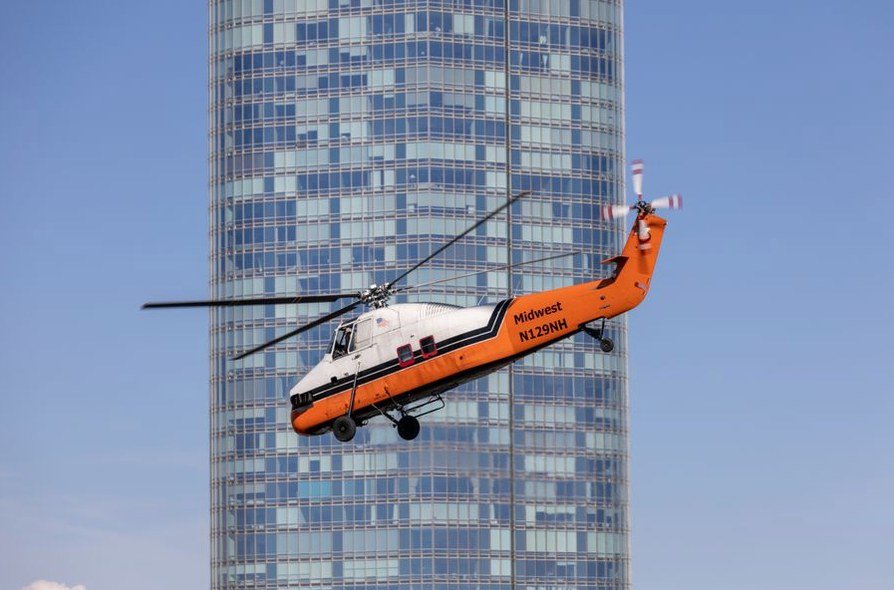
How to Choose Civilian Helicopters Soaring Above Glass Skyscraper Districts for a Clean Desktop Setup
Choose a civilian helicopter wallpaper by matching the aircraft, resolution, and desktop layout before downloading. For a clean view above reflective skyscrapers, the Airbus H135 and Airbus H145 images are the strongest options in the available helicopter collection because both are identified as civilian or multipurpose aircraft and offered in high-resolution formats.
The collection is free to download, so the main cost is your time. A quick verification workflow prevents blurry images, incorrect military models, and wasted setup work after the file reaches your computer.
Start with the aircraft category
Begin with the aircraft label rather than the background color. The source collection identifies the Airbus H135 as a white multipurpose helicopter connected with civil aviation, while the Airbus H145 appears as a yellow multipurpose helicopter used in a civil aviation context. Those two models fit a polished desktop theme better than attack or military aircraft.
The Sikorsky SH-60 Seahawk, Bell AH-1Z Viper, Boeing CH-47 Chinook, and McDonnell Douglas AH-64 Apache belong to military or transport categories in the listed descriptions. They can suit an aviation-focused workstation, but they do not match a civilian skyline aesthetic as closely. Filtering them out early reduces the chance of building a theme around the wrong visual subject.
Check the display resolution before downloading
Resolution determines whether the helicopter and skyline remain sharp across the desktop. The H135 and H145 listings include 3840x2400 files, which provide more working pixels than the 1920x1200 image listed for the Apache.
A 3840x2400 wallpaper gives you more room to crop around glass towers, rotor blades, and open sky. It also offers a better starting point for high-density monitors. The 2880x1800 files in the collection may still work well, but they give you less flexibility if your display has a larger native resolution.
Check your monitor settings before choosing the file. If your screen uses a different aspect ratio, a wallpaper may crop the aircraft or leave empty bands. Decide whether the helicopter should sit near the center, upper third, or side of the screen, then select an image with enough open space around that position.
Verify the visual balance for a clean desktop
Glass skyscraper districts create bright vertical lines, reflections, and dense architectural detail. A wallpaper with a clearly separated helicopter keeps icons readable and prevents the desktop from looking crowded.
For a restrained setup, the white H135 image offers a neutral aircraft color that can sit behind light or dark icons. The yellow H145 creates stronger contrast, but it may compete with folders, widgets, or a bright taskbar. Choose it when the desktop uses muted icons and a simple color scheme.
Inspect the preview at full size instead of judging only the thumbnail. Look for enough uncluttered sky around the rotor disk and enough darker or quieter space for desktop shortcuts. This check prevents repeated cropping and repositioning later.
Use the download page as a verification stage
The helicopter category contains eight pages, so the first page does not represent every available option. Use the aircraft name and resolution shown beside each preview to confirm that the file matches your plan before opening the download.
For a focused search, visit How to Choose Civilian Helicopters Soaring Above Glass Skyscraper Districts for a Clean Desktop Setup and look specifically for the H135 and H145 entries. Their listed 3840x2400 formats make them practical candidates when a sharp, spacious desktop background matters.
Do not rely on a military keyword simply because the helicopter looks dramatic. The label supplies useful context about the aircraft, while the resolution confirms whether the file can support your display. Confirm both before saving the image.
Set the wallpaper without losing the composition
Save the original file first, then apply it through your operating system’s wallpaper settings. Choose a fit mode that preserves the aircraft’s proportions. Stretching can distort the fuselage and make the skyline look uneven.
If the system offers fill, fit, or center options, preview each one briefly. Fill usually removes part of the image, so check that the rotor and skyscraper edges remain visible. Fit may add empty margins on a different aspect ratio, but it protects the original composition.
Keep desktop icons away from the busiest part of the image. A few minutes spent moving shortcuts can preserve the helicopter silhouette and make the final layout easier to use during daily work.
Practical checklist before payment or download
- Confirm that the aircraft is the civilian H135 or H145, rather than a military model.
- Check the listed resolution, with 3840x2400 as the preferred high-detail option.
- Preview the full image for open space around the helicopter and desktop icons.
- Verify that your screen ratio will not crop the rotor, fuselage, or skyline.
- Choose fill, fit, or center only after checking the preview.
- Download from the helicopter category and retain the original file before editing.
Since the listed wallpapers are free, there is no stated purchase price to compare. If a separate paid license appears elsewhere, verify its terms before payment and confirm that the file, resolution, and usage rights match the desktop setup you intend to create.
- Reference: https://wallpapers4screen.com/
Write a comment