Best 4K Macro Wallpapers Frozen Water Splashes and Rising Air Bubbles in Clear Glass
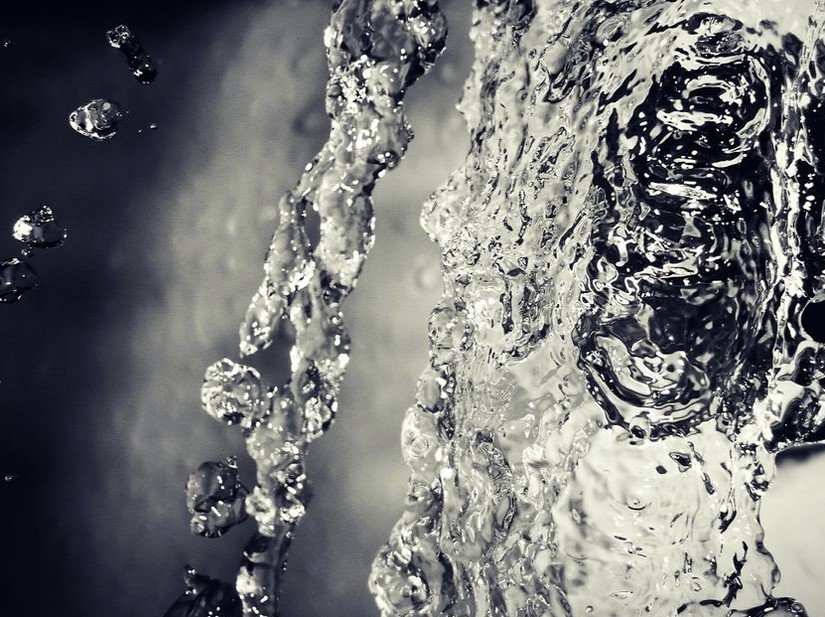
Best 4K Macro Wallpapers: Frozen Water Splashes and Rising Air Bubbles in Clear Glass
You can download 4K macro wallpapers for free from Wallpapers4screen.com. Files come in 3840x2400, so they fill a 4K desktop screen without upscaling. The catalog’s macro section runs 24 pages, and the first page already holds water-drop and liquid shots that suit a frozen-splash look.
What the macro page offers for water and liquid themes
The first page of the macro category lists a falling drop with mixed multicolored paint swirling into a vortex. It also has colorful feathers covered in water drops and a 3D-style paint splash shaped like a flower. These are the closest matches to frozen splashes. Rising air bubbles in clear glass are not listed on page one, so browse deeper pages before you count on that exact scene.
Every file on the page is tagged 4K and close-up, which matters on a large monitor. Fine droplets and thin liquid edges stay sharp at full size, while a lower-resolution image turns soft and blocky around them.
How a wallpaper reaches your screen
A digital wallpaper has no freight route, no customs and no transit hub. The path is short. The file travels from the site’s server to your browser, lands in your Downloads folder, and then you set it as your background. Because nothing is shipped, nothing can be held up at a border or stuck at a warehouse.
Your own connection is the only real variable. A 3840x2400 image is a large file, so on a slow mobile network a download can take noticeably longer than on home broadband. Start the download on Wi-Fi if your data plan is limited.
Receiving and setting the file on your device
Once the file arrives, check that it opened at full resolution before you apply it. Right-click the image in your file manager, open its properties, and confirm it reads 3840x2400. If it shows a smaller size, you saved a preview instead of the full file, so go back to the download button on the page.
- Open the macro category and pick a droplet or liquid image.
- Choose the 3840x2400 download and save it to a folder you will remember.
- Set it as your desktop background and select the fill or fit option that matches your screen shape.
The 3840x2400 size has a 16:10 shape, which is slightly taller than a standard 16:9 4K monitor. On a 16:9 screen, the fill option trims a thin strip from the top and bottom, so keep the main splash near the center of the frame.
Where to browse for the closest match
Start with the Best 4K Macro Wallpapers: Frozen Water Splashes and Rising Air Bubbles in Clear Glass section, then move through the pages in order. Wallpapers4screen.com sorts the macro images together with fruit, crystals and mechanical close-ups, so scan thumbnails for liquid and droplet scenes rather than relying on titles alone. Each listing carries a keyword list, and words like drops, water, bokeh and close-up point to the right images quickly.
Common concerns before you download
Cost is the first one, and the answer is simple. The wallpapers are listed as free for desktop use, so you pay nothing to try several and keep the one that fits your screen.
The second concern is fit. If a splash image looks too busy behind your desktop icons, choose a darker bokeh-style macro shot instead. Those leave more empty space, so folders and text stay readable. If you later tire of the image, you can swap it in seconds, since each file is a plain download with no installation.
The third concern is quality on a smaller display. A 4K file shown on a 1080p monitor is downscaled, which usually looks crisper rather than worse. You lose nothing by choosing the larger size.
Which look do you want behind your icons, a bright paint-in-water swirl or a calm, dark droplet close-up? Pick one on Wallpapers4screen.com and download it at 3840x2400 today.
- Reference: https://wallpapers4screen.com/
Write a comment