How to Choose Modern Cliffside Villas Opening Onto Calm Ocean Terraces for a Clean Desktop Setup
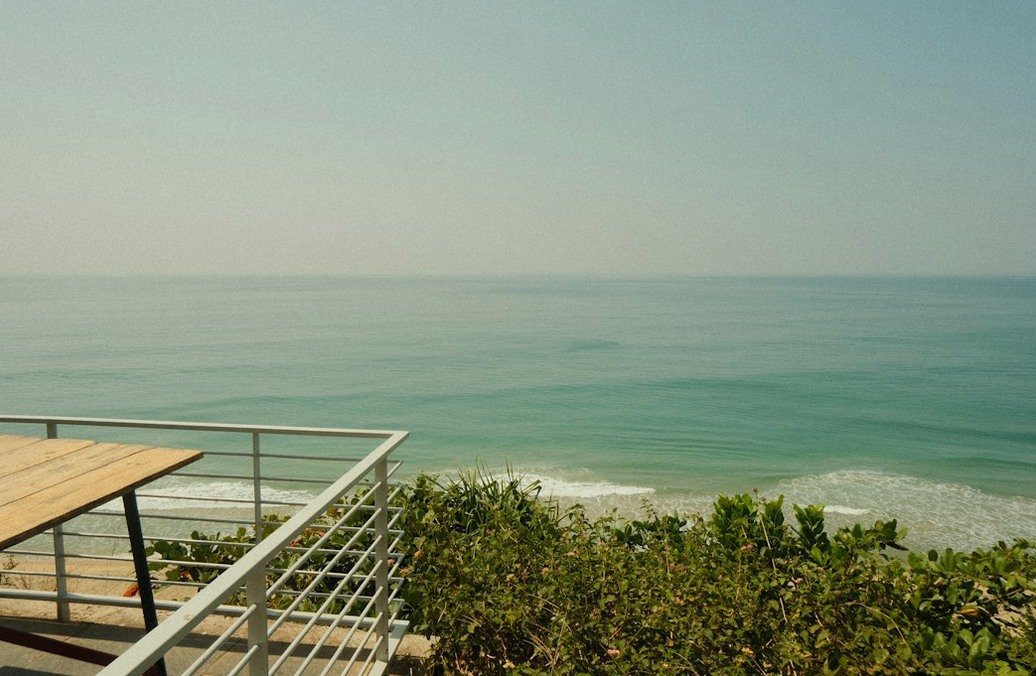
How to Choose Modern Cliffside Villas Opening Onto Calm Ocean Terraces for a Clean Desktop Setup
Choosing the right desktop wallpaper transforms your workspace from generic to intentional. High-resolution images of modern architectural interiors—especially those featuring open layouts with natural light and clean lines—reduce visual clutter and help you focus. When your screen displays a calming, well-designed space rather than a busy pattern or default gradient, you spend less time distracted by your background and more time working efficiently.
The source material offers interior design wallpapers in resolutions from 1920x1200 up to 3840x2400, ensuring sharp detail on 4K displays. Higher pixel density matters because a blurry or pixelated background creates subtle eye strain during long sessions. A crisp image of a minimalist bedroom or loft-style kitchen maintains its quality when you glance at your desktop between tasks.
Decision Criteria for Desktop Wallpaper Selection
Color temperature drives the entire aesthetic. Interiors with beige, gray, and pastel tones create a neutral canvas that won’t clash with your application windows or icon sets. The catalog includes modern kitchens with green cabinetry, loft spaces with concrete gray walls, and bedrooms in soft beige—each establishing a different mood. Green and earth tones promote calm, while industrial grays convey focus.
Layout geometry affects icon readability. Images with strong vertical elements, such as the black metal spiral staircase in a two-level loft apartment, can interfere with desktop shortcuts arranged in columns. Horizontal compositions—like the stylish living room with a brown wooden dining table—leave the left and right edges clear for file stacks. Before committing, preview the wallpaper with your actual desktop layout to verify icons remain legible.
Lighting balance prevents glare issues. Wallpapers featuring large windows or bright surfaces can make dark text harder to read in certain ambient conditions. The bedroom designs with beige curtains and fireplaces offer even illumination, reducing contrast spikes that tire your eyes during evening work sessions.
Matching Interior Styles to Workflow Context
Loft and industrial aesthetics suit technical or creative disciplines. The concrete textures and open floor plans in these designs communicate structure without formality, working well for developers, designers, or writers who value a no-nonsense environment. Retro and Scandinavian styles, seen in the children’s room project and round chandelier images, inject warmth and personality—useful for roles that benefit from a less austere backdrop.
Multi-level apartment images introduce spatial depth, which can make a single-monitor setup feel less confined. The two-level living room with beige walls visually extends your screen real estate, though the effect depends on proper scaling. If you explore how to choose modern cliffside villas opening onto calm ocean terraces for a clean desktop setup, prioritize images where architectural lines guide the eye outward rather than trapping it in the center.
Resolution and File Quality Checks
Download the native resolution that matches or exceeds your monitor. A 2880x1800 image scales cleanly to a MacBook Retina display, while 3840x2400 handles 4K without interpolation artifacts. Stretching a 1920x1200 file across a larger screen introduces softness, undermining the professional appearance you’re trying to achieve.
Compression quality varies across free wallpaper sources. Examine edges and gradients in the preview—banding in a gray concrete wall or color shifts in marble textures indicate over-compression. The site provides HD downloads, but verify file size before applying; a 3840x2400 image under 2 MB likely sacrificed detail.
Practical Application and Testing
Set the wallpaper and work through a typical day before deciding. A design that looks stunning in preview might reveal problems in practice: a black kitchen interior could make dark-mode application windows disappear, while a bright luxury bedroom may cause eye fatigue by 3 PM. Rotate two or three options weekly to identify which image you stop noticing - that’s the one doing its job correctly.
Frequently Asked Questions
What resolution should I download for a 27-inch monitor?
For a standard 2560x1440 display, download the 2560x1600 or 3840x2400 option. The larger file scales down cleanly, preserving sharpness.
Do interior wallpapers work on dual-monitor setups?
Yes, but choose horizontal compositions. Vertical elements split awkwardly across bezels, while wide kitchen or living room shots span both screens naturally.
How often should I change my desktop wallpaper?
Change when you notice it again. If a wallpaper catches your eye during work, it’s distracting. Fresh images monthly prevent visual fatigue without constant disruption.
Can I use these wallpapers commercially?
Check the site’s terms. Most free wallpaper collections allow personal use; commercial projects may require different licensing or attribution.
- Reference: https://wallpapers4screen.com/
Write a comment