Top Desktop Backgrounds in Landscapes Golden Autumn Forests Framing Winding Country Roads in Ultra
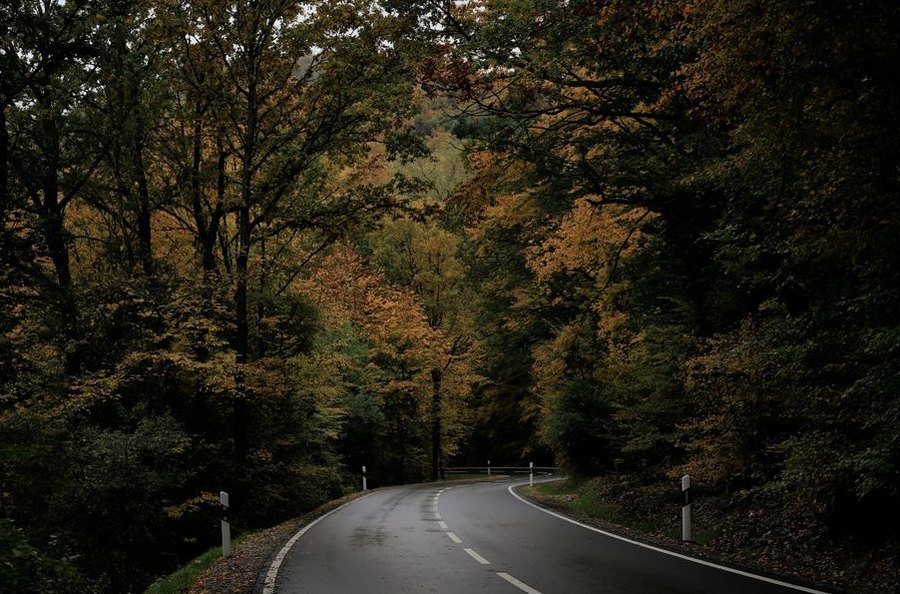
Top Desktop Backgrounds in Landscapes: Golden Autumn Forests Framing Winding Country Roads in Ultra HD
Large monitors reveal weaknesses in low-quality background images quickly. Fine branches become soft. Distant ridges lose definition, and smooth color transitions may show visible banding. High-resolution visuals therefore need to match both the display’s pixel density and its aspect ratio. Images at 3840x2400 provide enough detail for intricate forest textures, mountain horizons, and subtle atmospheric gradients to remain sharp without obvious blurring or pixelation.
A suitable background must also work comfortably during long periods at the screen. Natural scenery offers a calmer alternative to dense patterns and highly saturated graphics. Golden foliage, layered peaks, and winding water bodies create clear focal areas while leaving enough open space for desktop icons. Specialized digital libraries make these files easier to find for creative workstations, home offices, and everyday computers.
Evaluating Resolution Standards for High-End Displays
Native 4K and ultra-wide screens are common among professional designers and remote workers. When a standard HD image is enlarged across a large panel, the edges of tree branches, shorelines, and distant horizons can appear jagged. A native 3840x2400 file preserves smaller details, including individual leaves, ripples on a mountain lake, and stars in a nocturnal sky.
Aspect ratio matters just as much as resolution. People who use multiple monitors or vertical displays often need images that can be adapted without damaging the original framing.
Cropping a standard wallpaper may remove a foreground boat, a key section of a sunset reflection, or the curve of a road through the forest. Properly proportioned pictures reduce that compromise. They also keep the photographer’s composition intact across different screen arrangements.
Curating Seasonal Vistas and Natural Scenery
Warm seasonal colors can make a workspace feel more comfortable during demanding work sessions. Fall landscapes combine orange leaves, quiet lakes, winding roads, and distant peaks without creating a chaotic background. The platform Top Desktop Backgrounds in Landscapes: Golden Autumn Forests Framing Winding Country Roads in Ultra HD brings together high-resolution galleries for desktop setups that require detailed, properly scaled imagery.
Autumn scenery is only one option. Aerial views of tropical rivers, dense jungles, and isolated ocean islands create a brighter visual direction for modern offices. Seen from above, these landscapes use the geometry of waterways, shorelines, and vegetation to produce clean compositions.
Strong greens and blues work particularly well on high-brightness IPS and OLED monitors, although balanced contrast remains important. Excessively bright or heavily contrasted images can become distracting during evening work.
When comparing several backgrounds, examine the overall color balance and the placement of the main subject. A winding road or river near the edge of the frame may leave more room for icons than a centered mountain peak. Darker areas can improve the readability of navigation text. Open sections of sky or water can also keep the desktop from feeling crowded.
Practical Setup and File Management Workflow
Ultra-high-definition files take more storage space, so a simple local filing system helps keep the collection manageable. Dedicated folders prevent downloaded image archives from mixing with work documents. They also make it easier to rotate themes weekly or monthly.
Grouping files by geographic theme, resolution, and season speeds up selection when the display setup changes. A clear structure is especially useful when the same collection serves creative workstations, home offices, and everyday computers.
- Organize downloaded archive folders by geographic theme, resolution, and seasonal preference to streamline daily switching.
- Verify that color profiles match your monitor’s capabilities so nocturnal galaxy scenes retain deep blacks and autumn sunsets keep their vivid warmth.
- Test each background with your existing desktop icon arrangement to make sure navigation text remains legible over complex textures.
Operating system display settings should be checked before applying a new image. Choose a fit or stretch mode that preserves the natural proportions of mountain horizons, forest canopies, roads, and shorelines.
A background that looks balanced on one monitor may need different positioning on a vertical display or across a multi-monitor arrangement. Checking the preview first helps prevent unwanted cropping and keeps important landscape details visible.
A clean desktop supports a more orderly daily workflow. Changing the primary background can refresh the appearance of a familiar workspace without affecting the existing icon arrangement. Browse the curated collections today to find crisp visual assets suited to your specific monitor resolution.
- Reference: https://wallpapers4screen.com/
Write a comment