Best 4K Anime Wallpapers Iconic Characters from Beloved Anime Series and Visual Novels
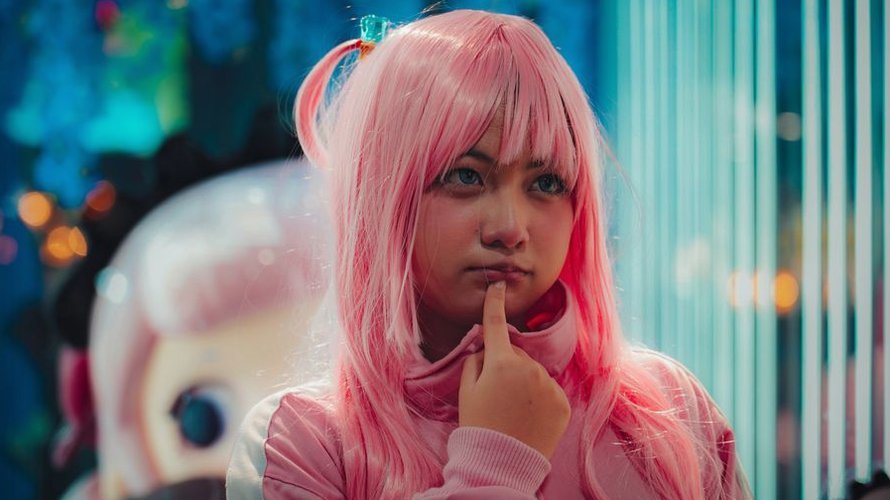
Best 4K Anime Wallpapers: Iconic Characters from Beloved Anime Series and Visual Novels
Choose the right image before downloading
These anime wallpapers are free desktop downloads in a 3840x2400 resolution. The size suits large monitors and leaves enough pixels for cropping, but the best option depends on your screen layout, preferred character, and tolerance for visual clutter.
First, decide how you want the wallpaper to work with your desktop. A close-up portrait fits well when icons sit along the sides. A moonlit or abstract scene may work better when icons are arranged across the lower edge. Before opening a file, check the character name, series, resolution, and visual elements shown in the listing.
Use the catalog filters carefully
The anime category contains hundreds of pages, so a quick verification can prevent wasted time. The supplied catalog identifies the page as page 1 of 369, and each listed image is marked at 3840x2400. Content may vary across the category, so inspect each entry before downloading.
- Search for the exact character name, including Remilia Scarlet, Raiden Shogun, Lelouch Lamperouge, or Hatsune Miku.
- Match the series label to your search. Relevant labels include Touhou Project, Genshin Impact, Code Geass, Vocaloid, and Demon Slayer.
- Review the composition tags. Terms such as close-up, moon, rain, winter, and abstract art indicate how the image may sit behind desktop icons.
- Confirm that the visible resolution says 3840x2400 before selecting the download control.
Compare characters by desktop composition
Remilia Scarlet wallpapers combine a red moon, night scenery, weapons, and Touhou Project imagery. The darker scene creates a dramatic background but may make light-colored icons harder to see. Shisui Uchiha images use rain, red eyes, and a close-up warrior portrait, giving the desktop a tighter focal point.
Raiden Shogun and Keqing represent different Genshin Impact styles. Raiden Shogun appears with a violet sword, winter details, and violet eyes. Keqing is paired with a moon and a Japanese castle setting. Raiden Shogun suits a desktop where the character should dominate the screen, while Keqing leaves more room for the background.
Usada Pekora offers a brighter seasonal design, with versions featuring New Year lanterns or an autumn setting. Hatsune Miku brings moonlit night imagery, turquoise eyes, and spring references. Those details affect everyday use because an image that looks appealing in a preview may become distracting after several hours at the computer.
Verify the download page before clicking
Open the anime category through Best 4K Anime Wallpapers: Iconic Characters from Beloved Anime Series and Visual Novels, then compare the selected entry with the original preview. Check the title, character, series, and resolution as a group. A matching filename is not enough when several versions feature the same character.
Compare the preview with the download page for any changes. The catalog may show multiple Usada Pekora or Obanai Iguro wallpapers with different seasons, backgrounds, and poses. Select the exact variation you inspected instead of choosing the first result with a familiar name.
Check the file after download
After the image reaches your computer, make sure it opens normally and that its dimensions match the listing. A 3840x2400 file should retain sharp details on a compatible desktop display. If the image looks stretched, check your operating system’s fit setting before deleting it.
Inspect the composition at full size. Check for unwanted cropping around faces, swords, weapons, moon details, or decorative elements. If icons cover the character’s eyes or another focal point, try a different fit mode or select a composition with more empty space.
Prevent delays and unnecessary payment requests
The supplied catalog describes these wallpapers as free downloads. A payment screen, unexpected subscription request, or unrelated software installer should stop the process until you verify the page address and selected file. Never enter payment details simply because a download button redirects somewhere unexpected.
Keep the original page open while reviewing the result. That makes it easier to compare the downloaded image with the listed character and resolution, especially when several entries share the same series name. Save files with clear names such as «Raiden-Shogun-3840x2400» so you can identify the correct version later.
Checklist before payment
- Confirm that the address is the anime category or the expected image page.
- Match the character, series, scene, and resolution with the preview.
- Verify that the listing states 3840x2400 when that size is required.
- Open the downloaded file and inspect the full image before setting it as wallpaper.
- Stop if a free-download page unexpectedly requests payment or unrelated software installation.
After completing these checks, set the wallpaper with the fit mode that keeps the character and major scene details visible without unnecessary cropping.
- Reference: https://wallpapers4screen.com/
Write a comment