Top Desktop Backgrounds in Games Photorealistic Racing Simulator Screenshots of Supercars in Ultra
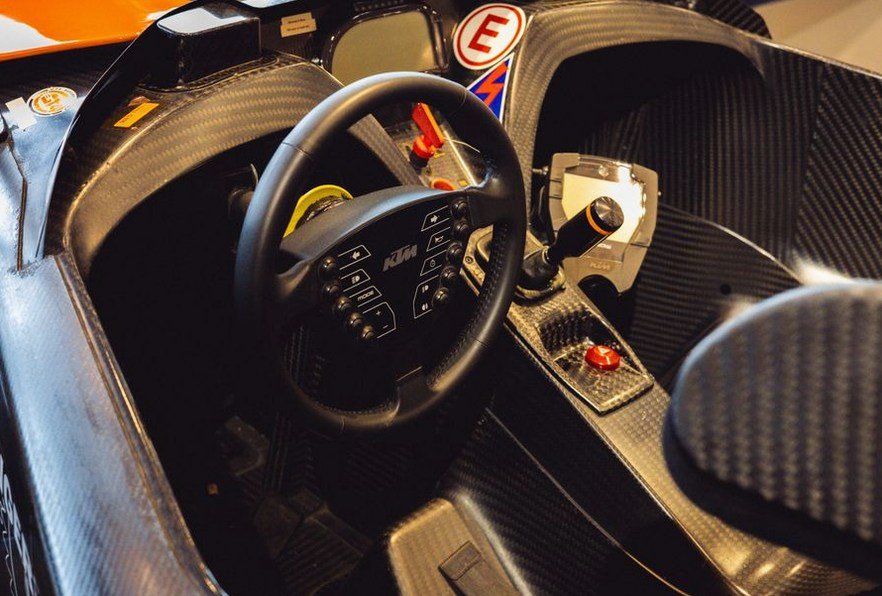
Top Desktop Backgrounds in Games: Photorealistic Racing Simulator Screenshots of Supercars in Ultra HD
Finding a photorealistic racing wallpaper requires more than choosing the first image labeled 4K. You should verify the publisher, inspect the actual resolution, check whether the picture shows a supercar or a different game scene, and keep downloaded files organized. The Games section on Wallpapers4screen.com offers free desktop wallpapers, but the listed material must be checked carefully before it matches a racing simulator theme.
Verify the wallpaper source before downloading
Wallpapers4screen.com identifies the page as a free games wallpaper collection and marks it as part of a catalog with 438 pages. That makes source verification useful because a large catalog can contain several game genres, visual styles, and character-based images.
Check the page address, the site name, and the image title before saving a file. The supplied catalog entries include Fortnite fan art such as Frozen Raven, Shade, Sanctum, Nara, and Spider Knight. Those titles describe character artwork, not photorealistic racing simulator screenshots of supercars.
Do not treat a 4K label as proof that an image matches your search. Confirm the subject in the preview first. A racing car, track, cockpit, or pit-lane scene should appear clearly before the file enters your desktop background folder.
Inspect resolution, crop, and visual detail
The listed wallpapers use a 3840x2400 resolution, which gives them a 16:10 format. This size can suit many desktop monitors, but it may crop differently on 16:9 displays, ultrawide screens, or laptops with smaller panels.
Open the full-size image rather than judging the thumbnail. Look at the car’s body lines, headlights, wheels, road texture, reflections, and background detail. Compression artifacts around sharp edges can make a racing simulator screenshot look soft, especially when the wallpaper covers a large monitor.
Inspect the top and bottom edges as well. A low camera angle may place the car near the lower border, while a crop designed for a different screen can cut off the spoiler or track surface. Keeping the original 3840x2400 file gives you more control during desktop fitting.
Separate suitable images from unrelated game art
The catalog includes colorful 3D backgrounds in blue, yellow, violet, red, black, gray, and turquoise. These colors may work as desktop themes, but color alone does not confirm a racing setting or a realistic car scene.
For a focused collection, create separate folders for racing screenshots, vehicle artwork, character images, and abstract game backgrounds. This prevents a Fortnite skin image from being mixed with a supercar wallpaper during a batch download.
For additional browsing, use the Top Desktop Backgrounds in Games: Photorealistic Racing Simulator Screenshots of Supercars in Ultra HD category link and inspect each candidate by title and preview. Keep the original filename when it identifies the game or subject, then rename only when the new name remains accurate.
Package and consolidate your wallpaper batch
Digital packaging matters when you collect several backgrounds for different monitors or devices. Place full-size files in one folder, preview images in another, and remove duplicate downloads before transferring the batch to a new computer.
A simple naming pattern can include the game, vehicle, scene, and resolution. For example, a verified racing image could use a format such as «game-supercar-track-3840x2400». Do not apply that name to an image unless the preview confirms every part of the description.
Keep a small text record with the page address and download date. This helps you identify the original source if a file later appears corrupted or if you need to compare a replacement image with the first download.
Acceptance checklist for a racing wallpaper batch
- Confirm that the file comes from the intended games wallpaper page.
- Check that the subject is a racing simulator scene or supercar, not unrelated character art.
- Verify the listed resolution of 3840x2400 before final storage.
- Inspect the full-size image for blur, compression, and unwanted cropping.
- Separate racing images from Fortnite fan art and other game backgrounds.
- Remove duplicates and keep the original source details with the batch.
Use the category page to request or select a wallpaper only after each image passes this checklist, then download the verified batch in its original resolution.
- Reference: https://wallpapers4screen.com/
Write a comment